In short
Most people have solved one kind of word search: a square of letters, a list, straight lines. Change one rule and you get a different puzzle. Words can bend, loop, bounce off the edge, hop like a chess knight, skip every other letter or follow a single track; the board can turn into a honeycomb, a spiral or the six faces of a cube; the list can lose its vowels or leave letters over for a secret sentence. Below are thirteen variations, each with a real page and its answer page, the rule that defines it, one way to solve it, and a link that opens it in the book configurator.
On this page
- 1.Three Things a Variation Can Change
- 2.1. Classic Word Search
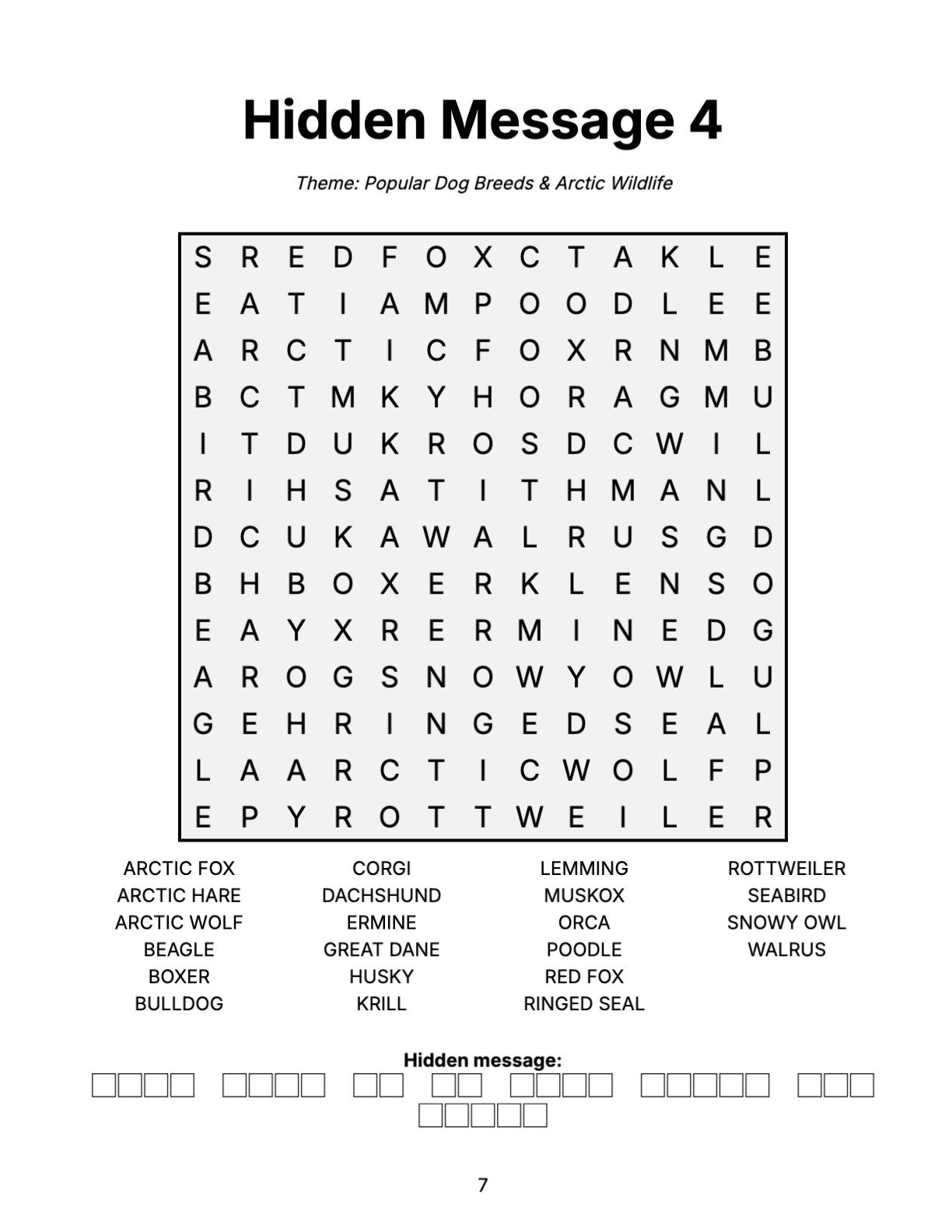
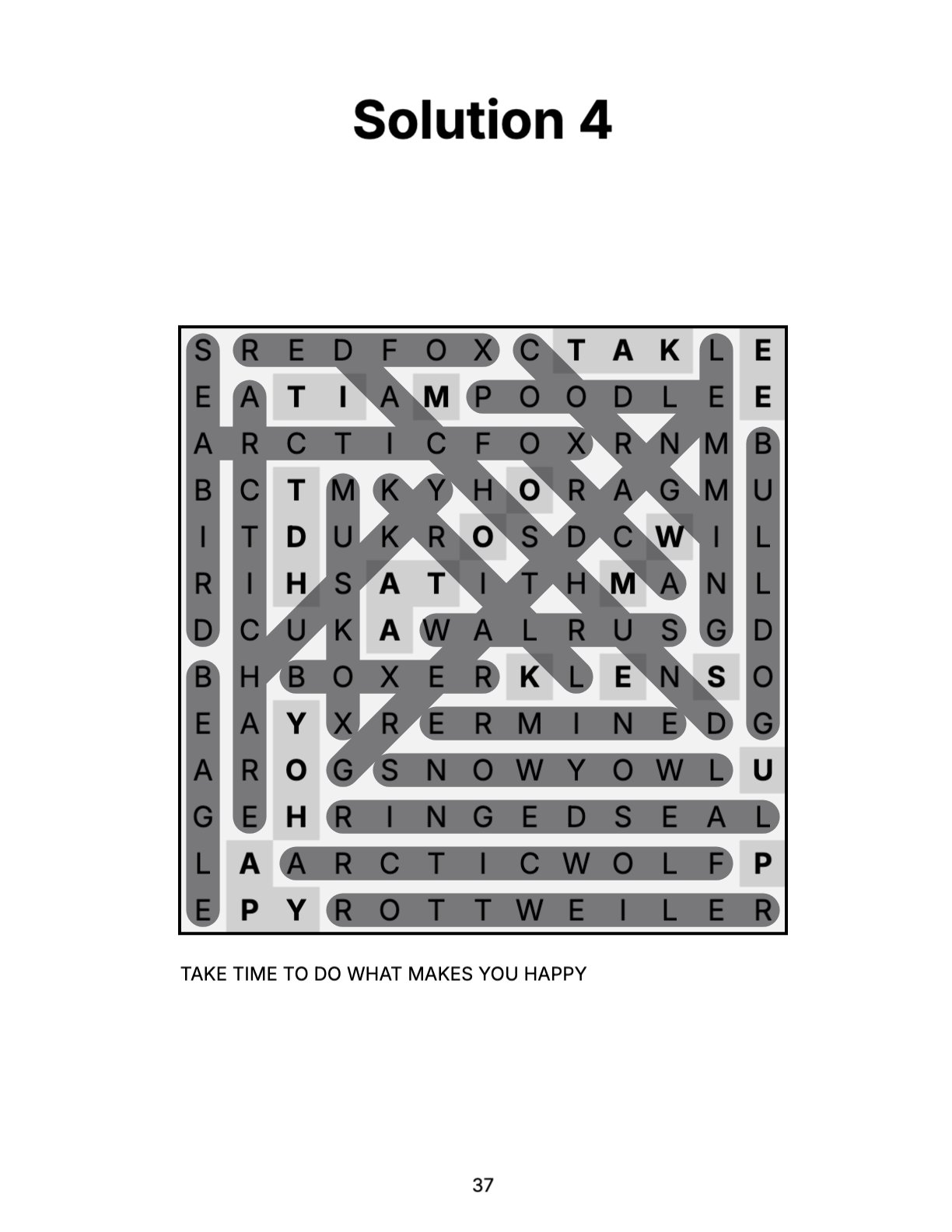
- 3.2. Hidden Message Word Search
- 4.3. Missing Vowel Word Search
- 5.4. Circle Word Search
- 6.5. Snake Word Search
- 7.6. Winding Word Search
- 8.7. Walled Word Search
- 9.8. Honeycomb Word Search
- 10.9. Spiral Word Search
- 11.10. Ricochet Word Search
- 12.11. Knight’s Move Word Search
- 13.12. Cube Word Search
- 14.13. Skip-Letter Word Search
- 15.Which Variation for Which Solver
- 16.Frequently Asked Questions
Three Things a Variation Can Change
Every variation here keeps the core promise of the genre: a list of words, a field of letters, and the job of finding where each word sits. What changes is one of three things. The first is the board: a square grid, a hexagon of six-sided cells, one long track coiled into a circle, or the six faces of a cube laid flat. The second is the path a word takes: a straight line, a line that bends at right angles or diagonally, a closed loop, a line that bounces when it hits the edge, a line with a square skipped between its letters, or a chain of chess knight jumps. The third is the word list itself, which can print every word in full, drop the vowels, or come with a hidden sentence made of the letters nobody used.
Knowing which dial a puzzle turns tells you how to solve it. On a straight-line puzzle you scan rows and diagonals. On a bending one, scanning fails and you start from a rare letter and look at its neighbors. On a loop or a track, you stop thinking in rows altogether. The pictures below are the first puzzle page and the first answer page of a real book for each type, made with the Medium preset and printed one puzzle and one solution per page on 8.5×11 inch paper. The last column of the table shows the first plan that includes each type; higher plans include it as well, and the free trial lets you try every one of them, with a watermark on the pages.
| Variation | Board | How a word runs | Medium preset | Included from |
|---|---|---|---|---|
| Classic | Square grid | Straight, 8 directions, also backwards | 15×15 grid | Starter |
| Hidden message | Square grid | Straight; leftover letters spell a sentence | 13×13, diagonals too | Pro |
| Missing vowel | Square grid | Straight; the list prints gaps for vowels | 15×15, 14 words | Starter |
| Circle | Square grid | Around a loop two squares wide | 13×13, 10 words | Starter |
| Snake | Square grid | Bends at right angles; no filler letters | 10×10 | Starter |
| Winding | Square grid | Bends in any of 8 directions | 13×13, 12 words | Starter |
| Walled | Grid with black squares | Straight, never through a wall | 13×13, 12 words | Starter |
| Honeycomb | Hexagon of hex cells | Straight, 6 directions | Side 7 (127 cells), 12 words | Starter |
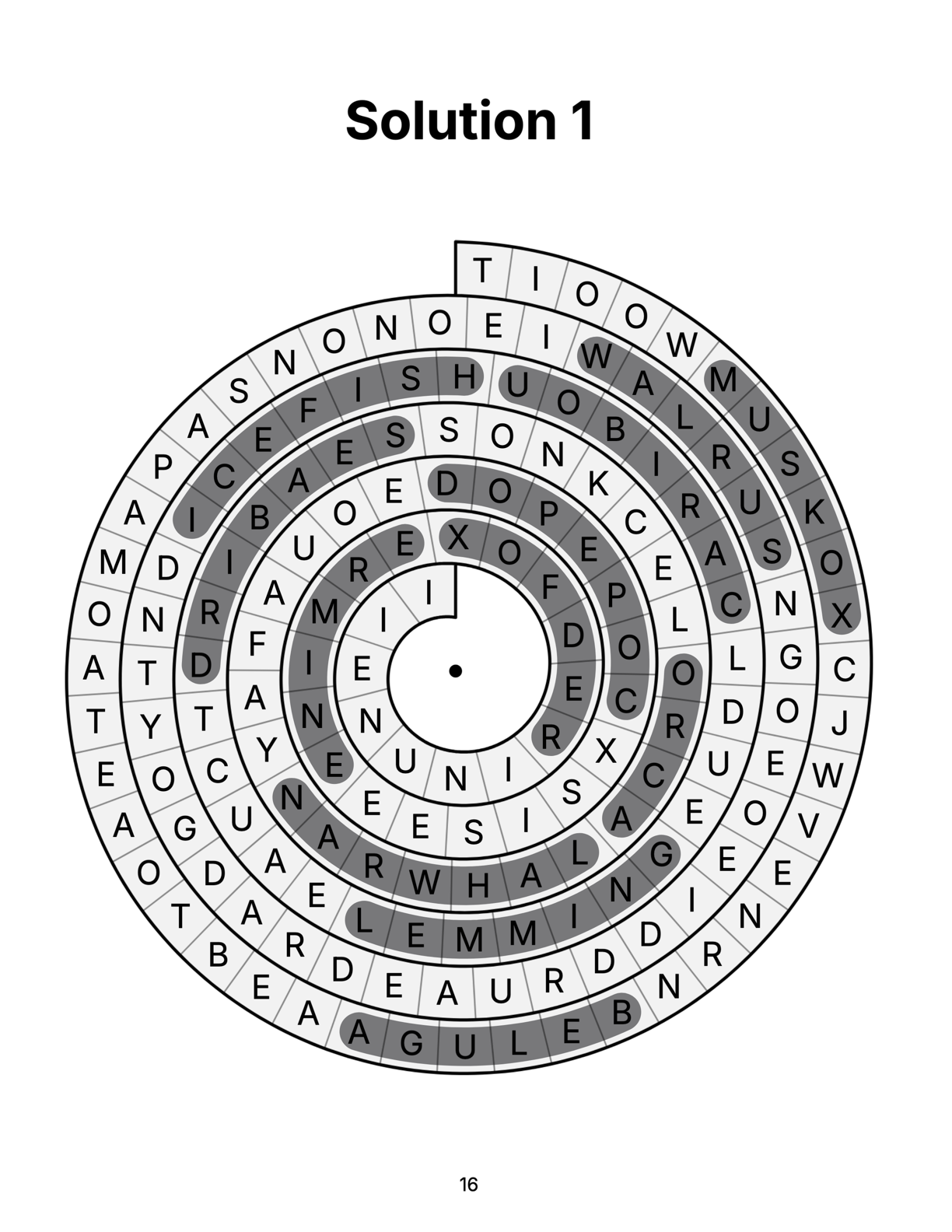
| Spiral | One coiled track | Along the track, in or out | 6 turns (169 cells), 12 words | Starter |
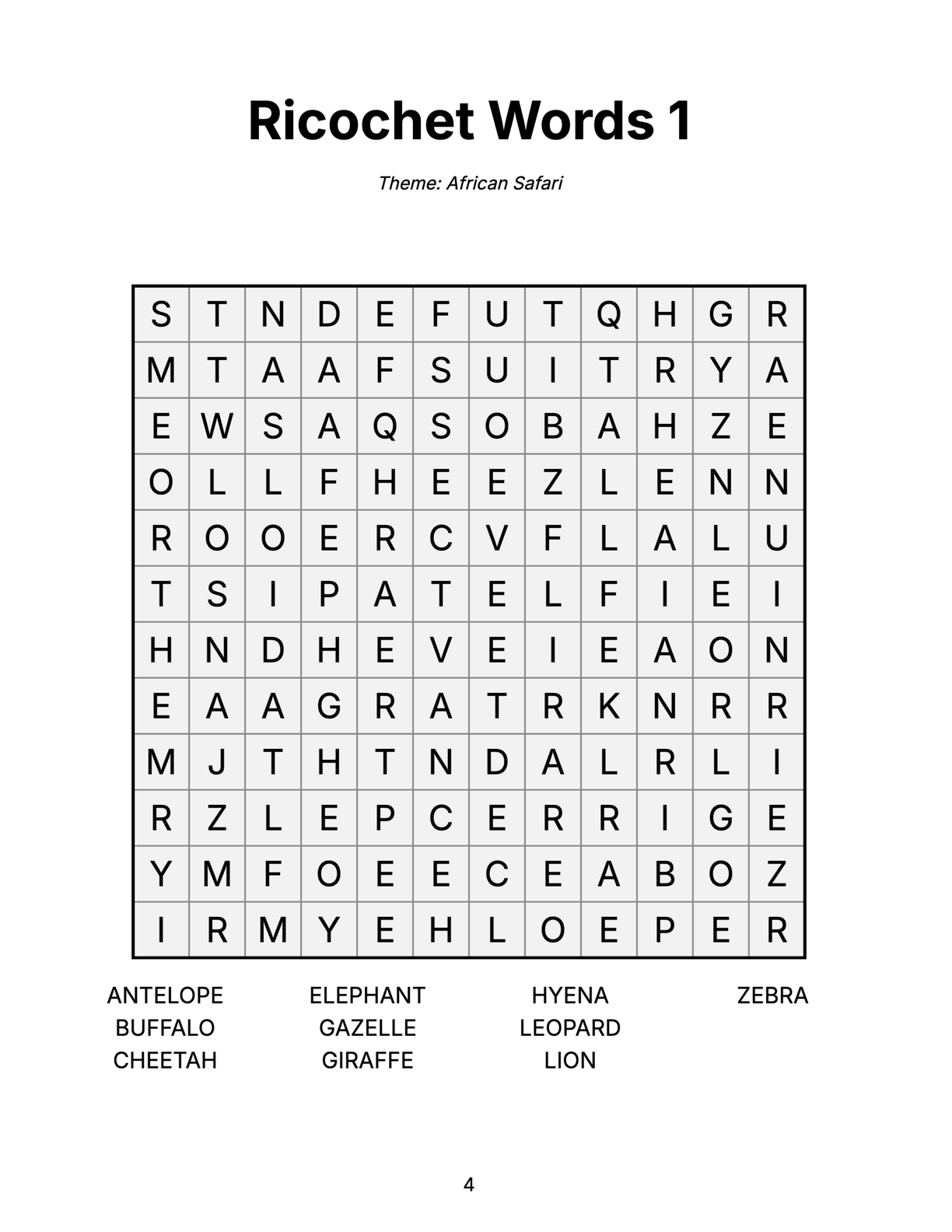
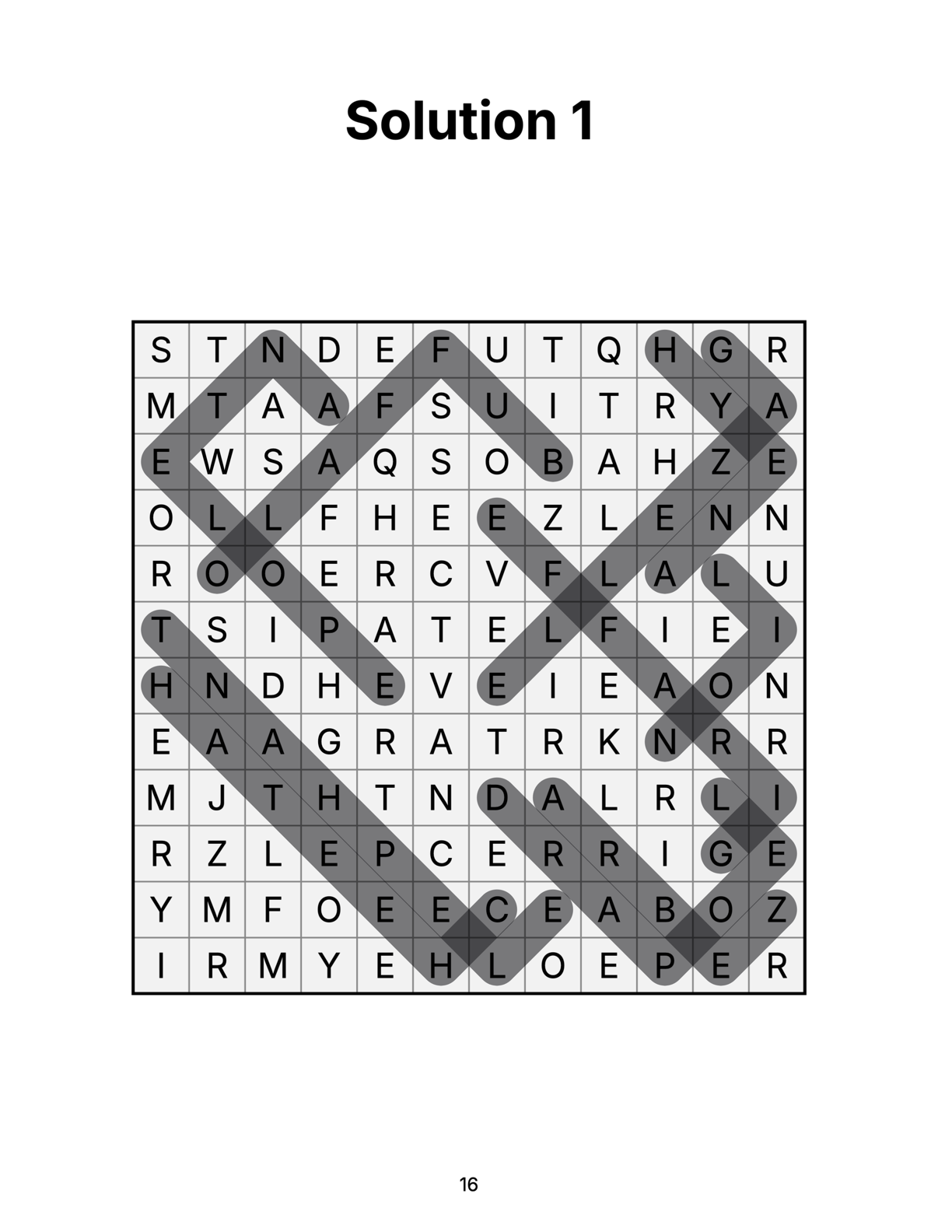
| Ricochet | Square grid | Straight until the edge, then bounces | 12×12, 10 words | Starter |
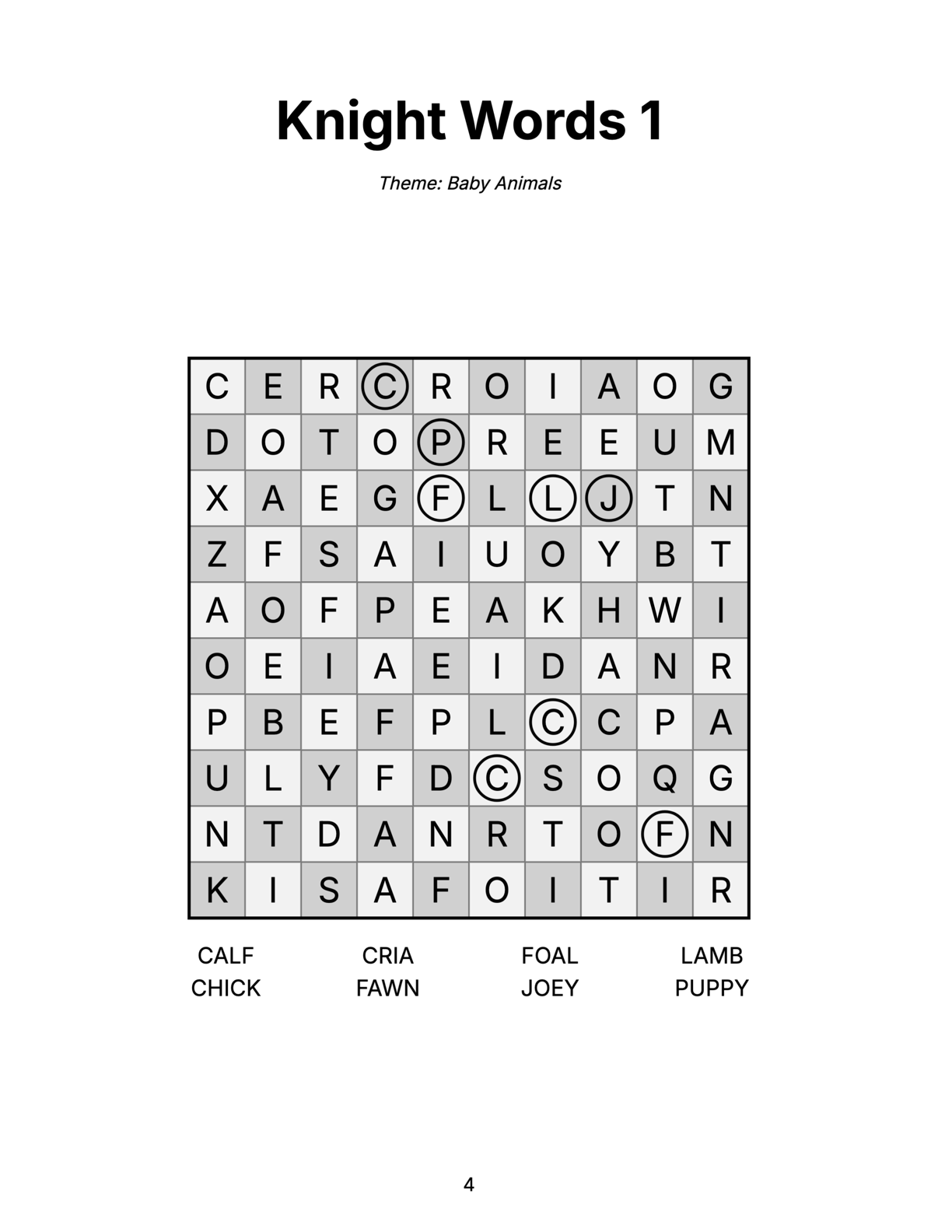
| Knight’s move | Square grid, chessboard shading | Each letter a knight’s jump from the last | 10×10, 8 words | Starter |
| Cube | Six faces of a cube as a net | Straight, over at least one edge of the cube | 6 faces of 5×5, 8 words | Starter |
| Skip-letter | Square grid | Straight, one square skipped between letters | 13×13, 8 words | Starter |
1. Classic Word Search: Straight Lines in Eight Directions
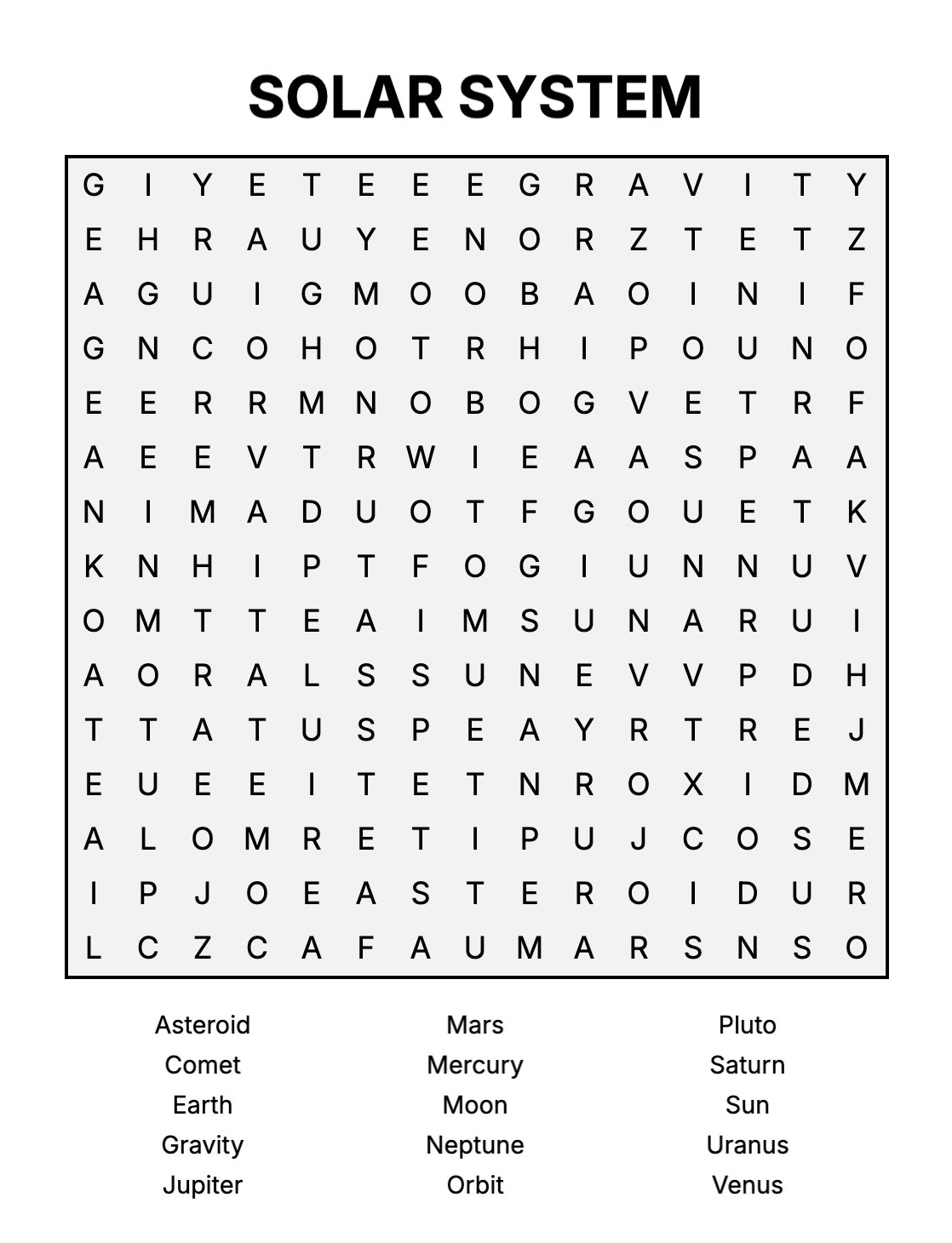
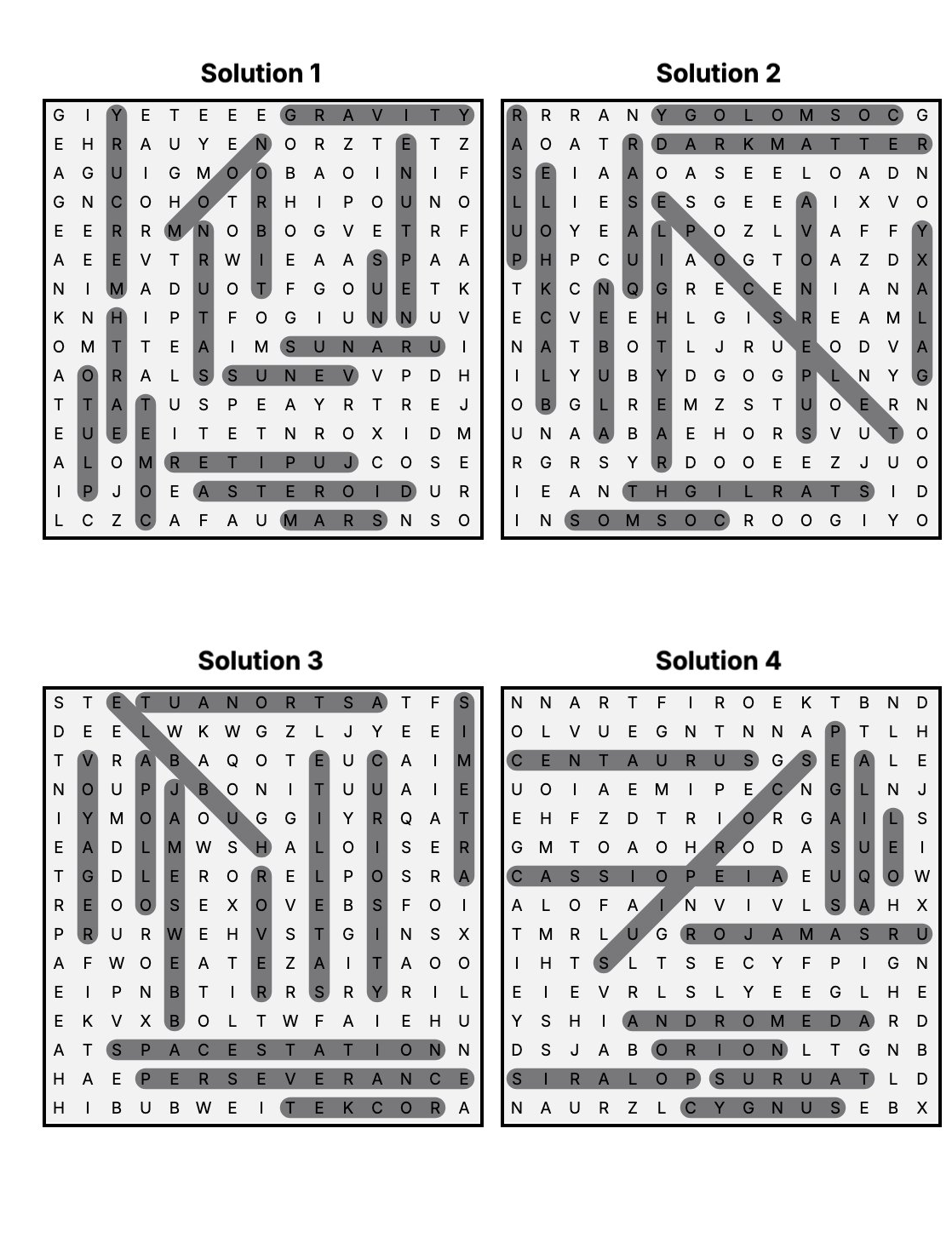
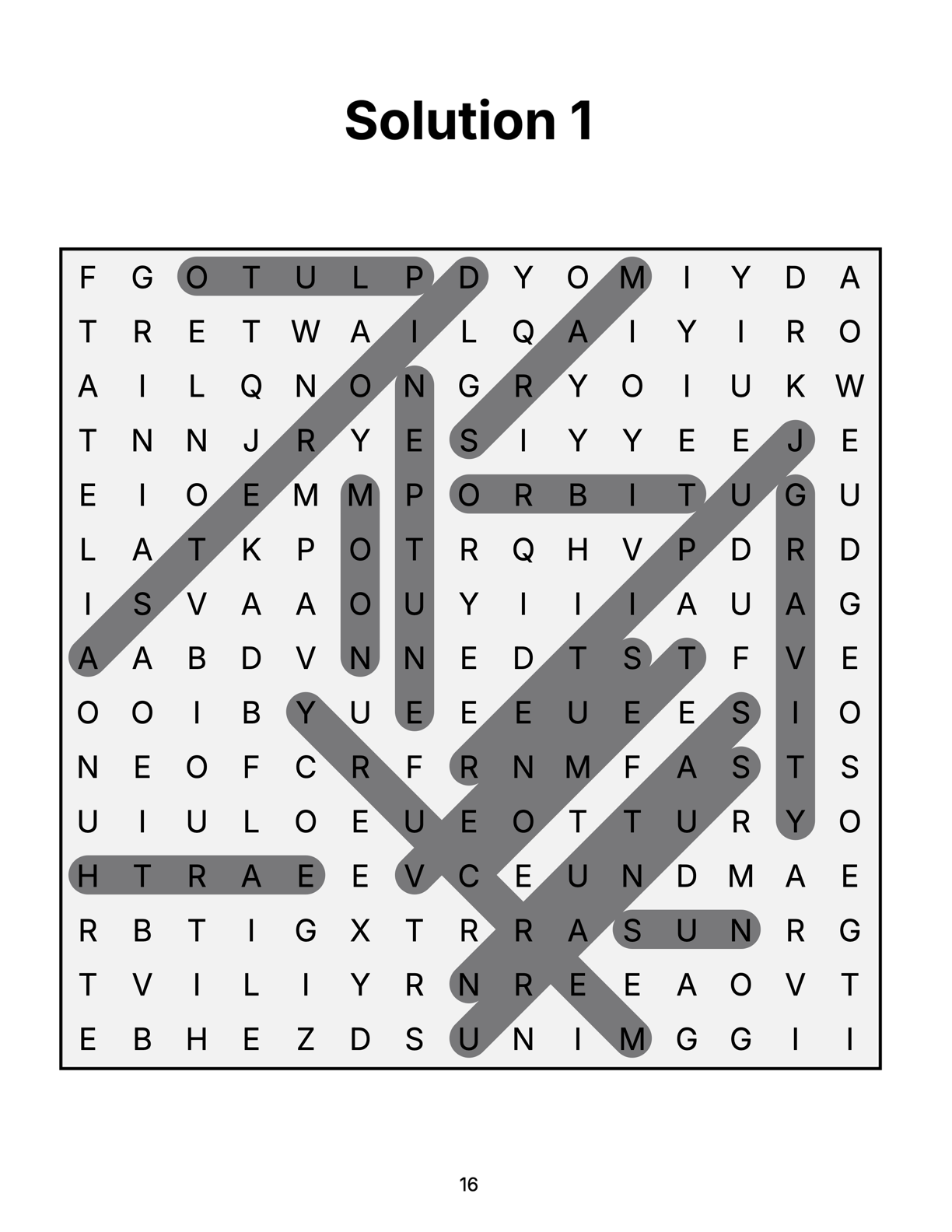
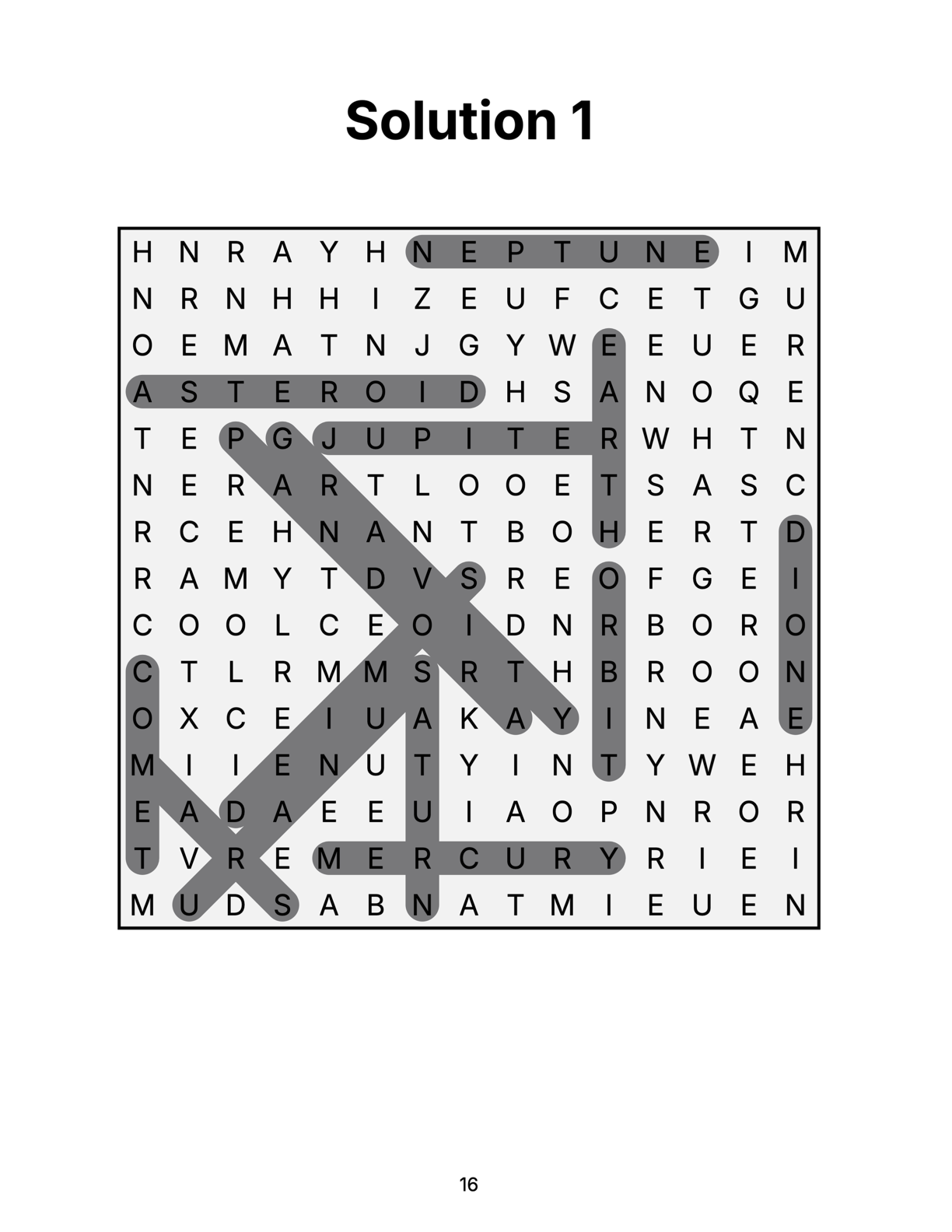
The reference point for everything else. Letters fill a square grid, and each listed word lies on one straight line: across, down, on either diagonal, and at higher levels backwards too, so a word can read right to left or bottom to top. In the Solar System page below, EARTH sits on the left edge of a row spelled in reverse.
The fastest method is to hunt for letter pairs that are rare in English. Words with a J, Q, X, Z or a double letter give themselves away; for the rest, pick the least common letter of the word and check the eight directions around each copy of it. Kids books keep only two directions, left to right and top to bottom, which is what makes them work for young children.
To make a book like this, open the classic word search configurator; the full walkthrough of grid sizes and word lists is in our word search book guide.
3. Missing Vowel Word Search: Solve the List First
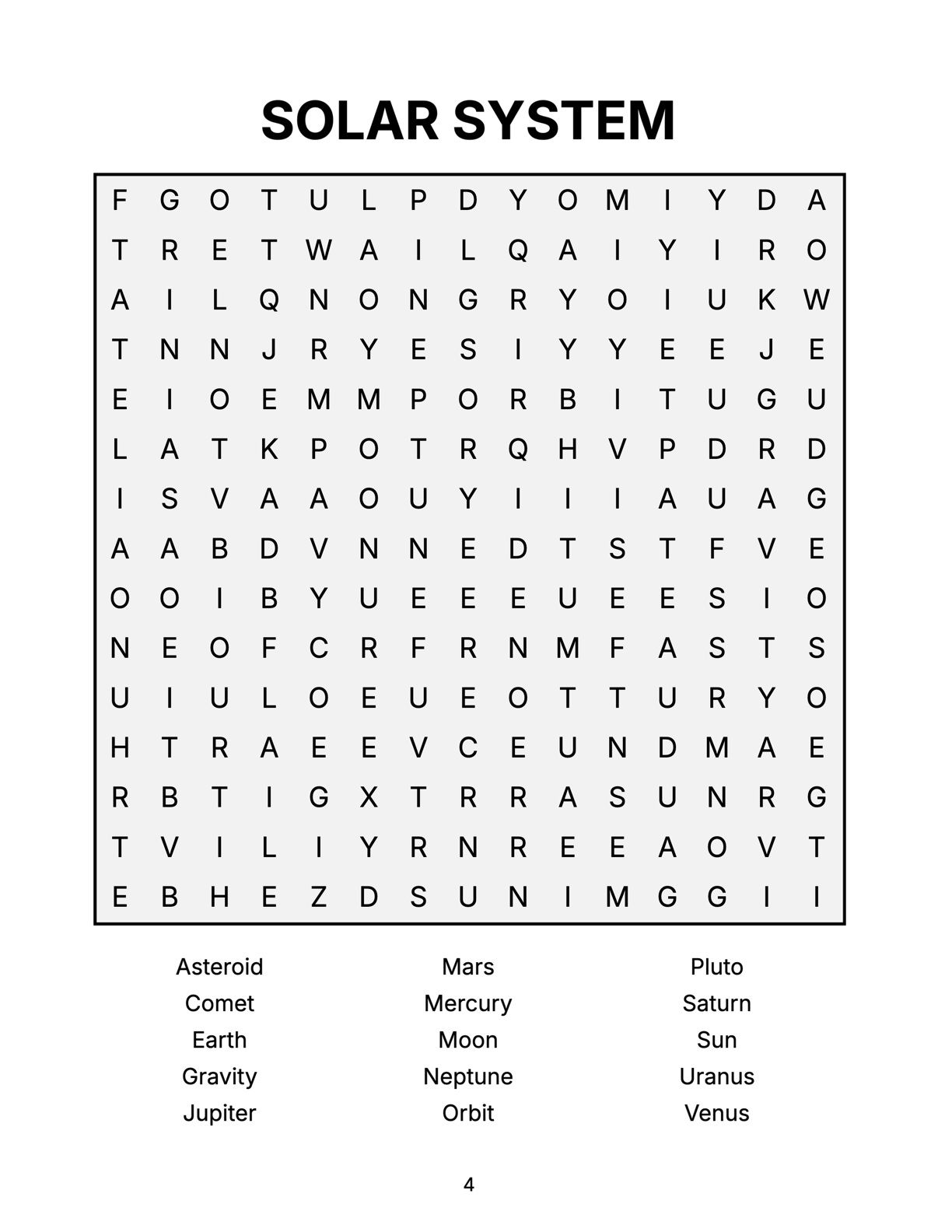
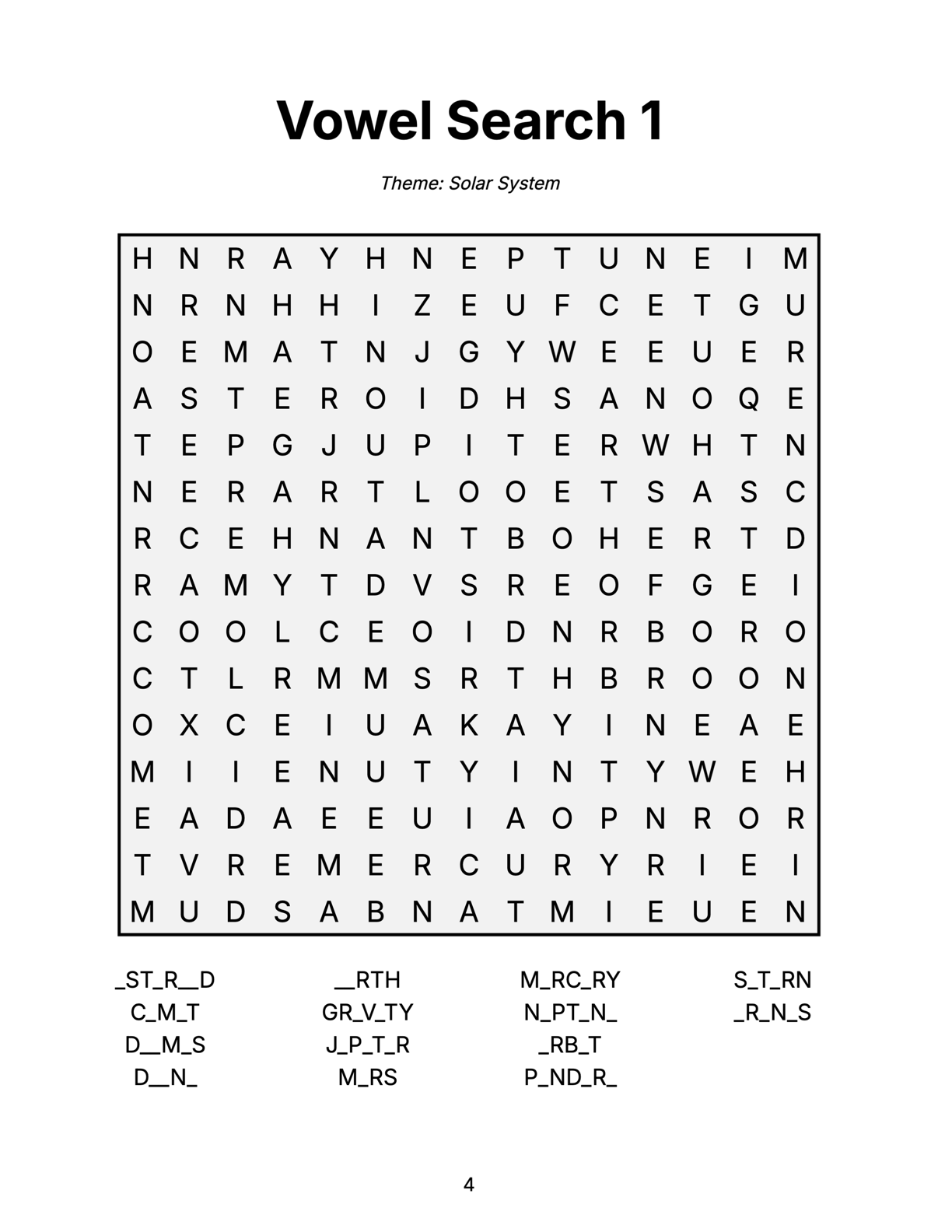
The grid looks ordinary and holds every word in full. The twist is in the list: each entry is printed with blanks where its vowels were, so _ST_R_D has to become ASTEROID before you know what to look for. That puts a small word puzzle in front of every search, and it rewards solvers who know the theme.
Work the list from the easiest entry down. Short words with one gap fall first, and each solved word narrows the theme, which helps with the hard ones. The Easy preset shows the first letter of each word; the Expert one prints consonants only, without the gaps, so the solver does not even know how many vowels are missing.
Open the missing vowel word search configurator to try the levels, and the missing vowel guide covers how the lists are built.
4. Circle Word Search: Words Around a Loop
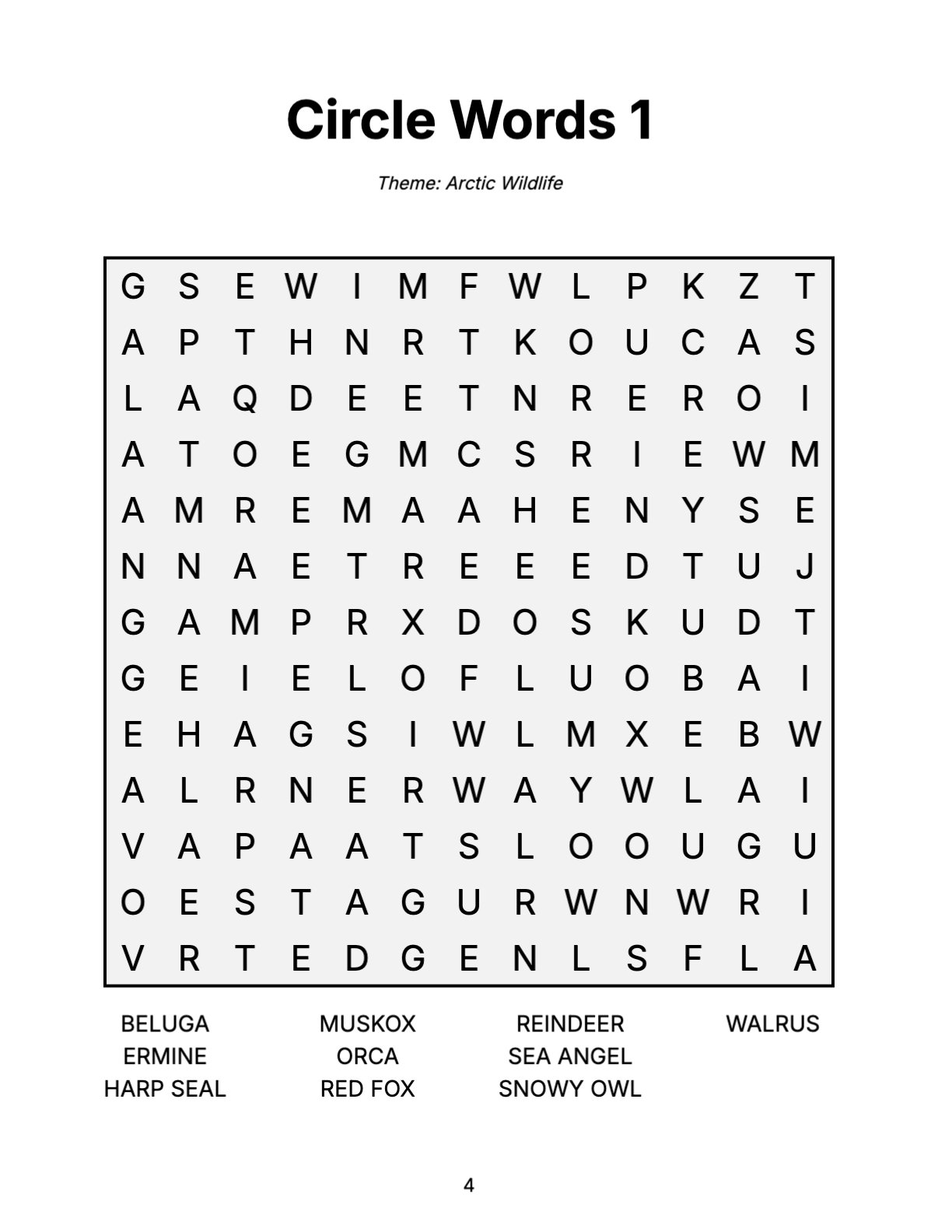
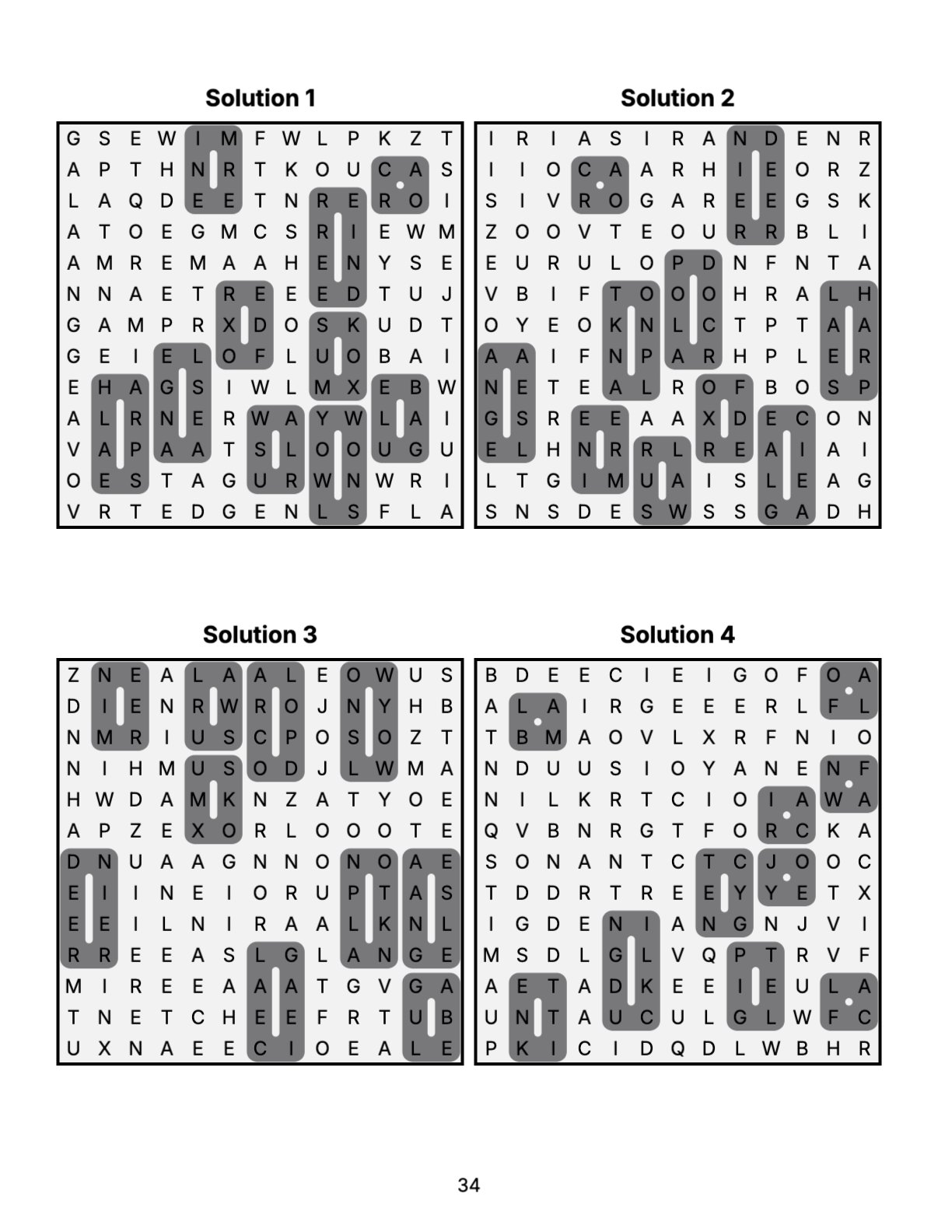
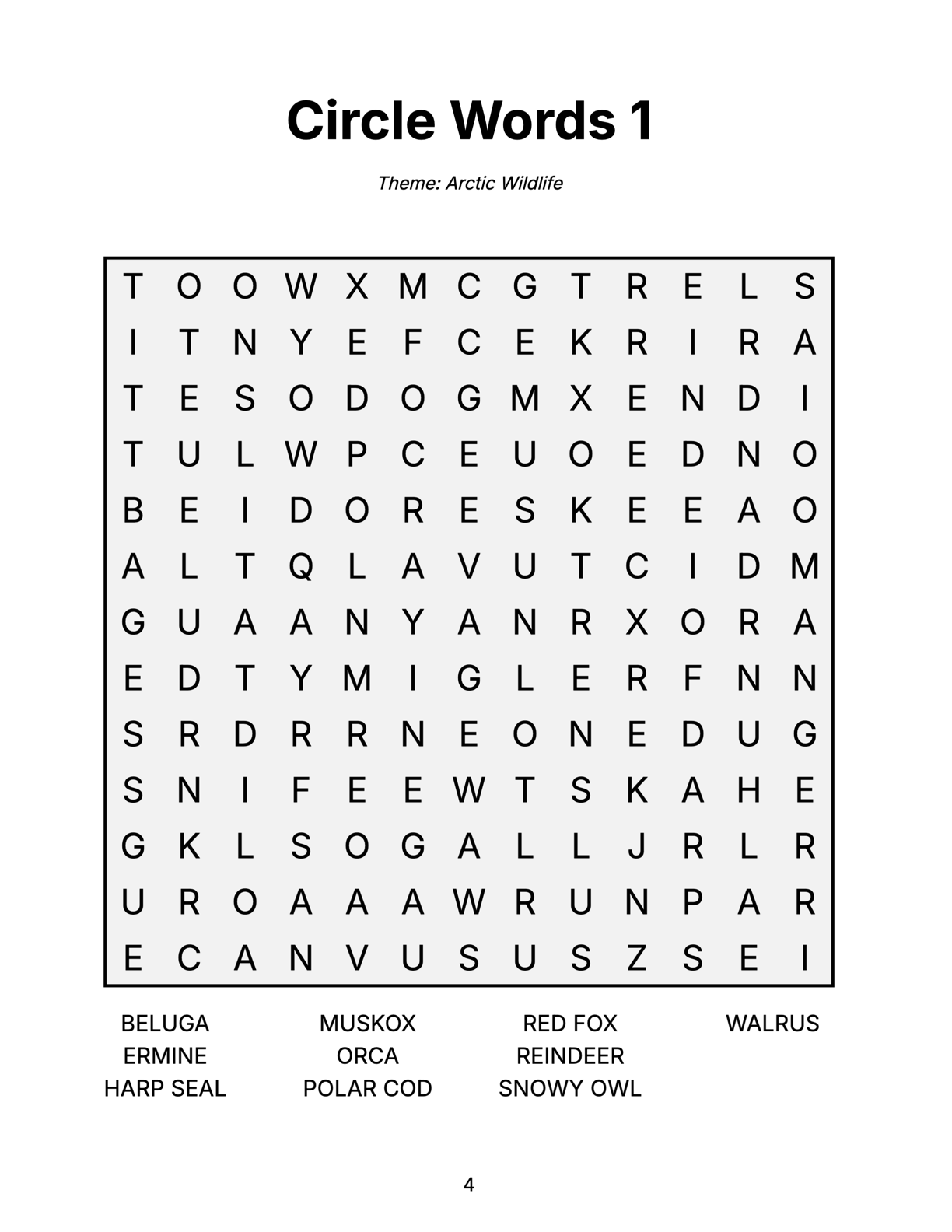
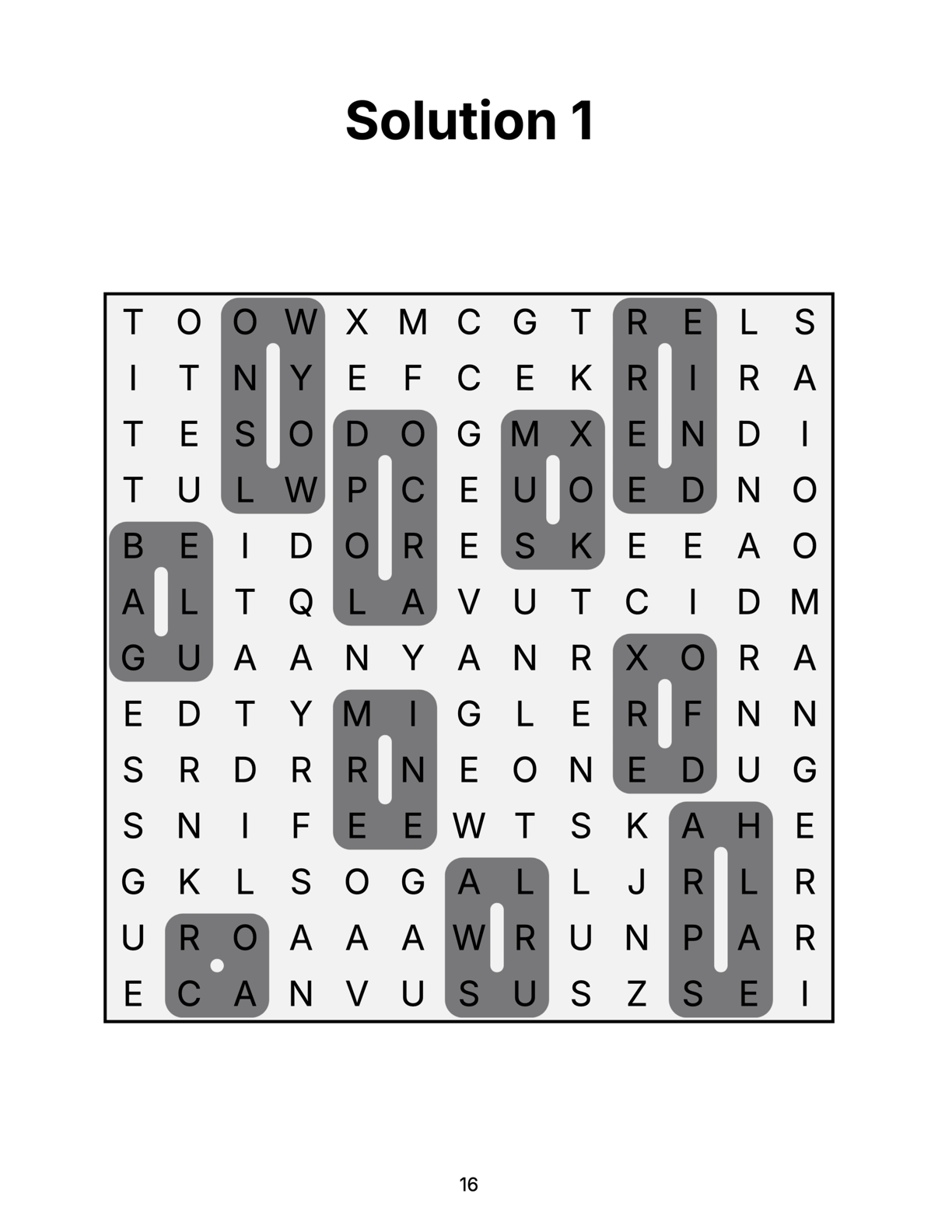
Each word sits on the rim of a block exactly two squares wide: a 2×2 block for a four-letter word, 2×3 for six letters, 2×4 for eight. The word starts at any square of that rim and runs around it, clockwise or the other way. Loops never overlap, and filler letters fill the rest of the grid. This loop format is our own variation; we found no earlier source for it.
Read row by row, a looped word is gibberish, so scanning is useless. What works is geometry: in a four-letter loop the first and third letters always sit diagonally across from each other. Find a rare letter, look at the 2×2 or 2×3 block around it, and check whether walking its rim spells something on the list. On the answer page each loop is marked by a rounded box with a slot down the middle.
Create a circle word search book; the circle word search guide explains standing and lying loops.
5. Snake Word Search: Every Letter Belongs to a Word
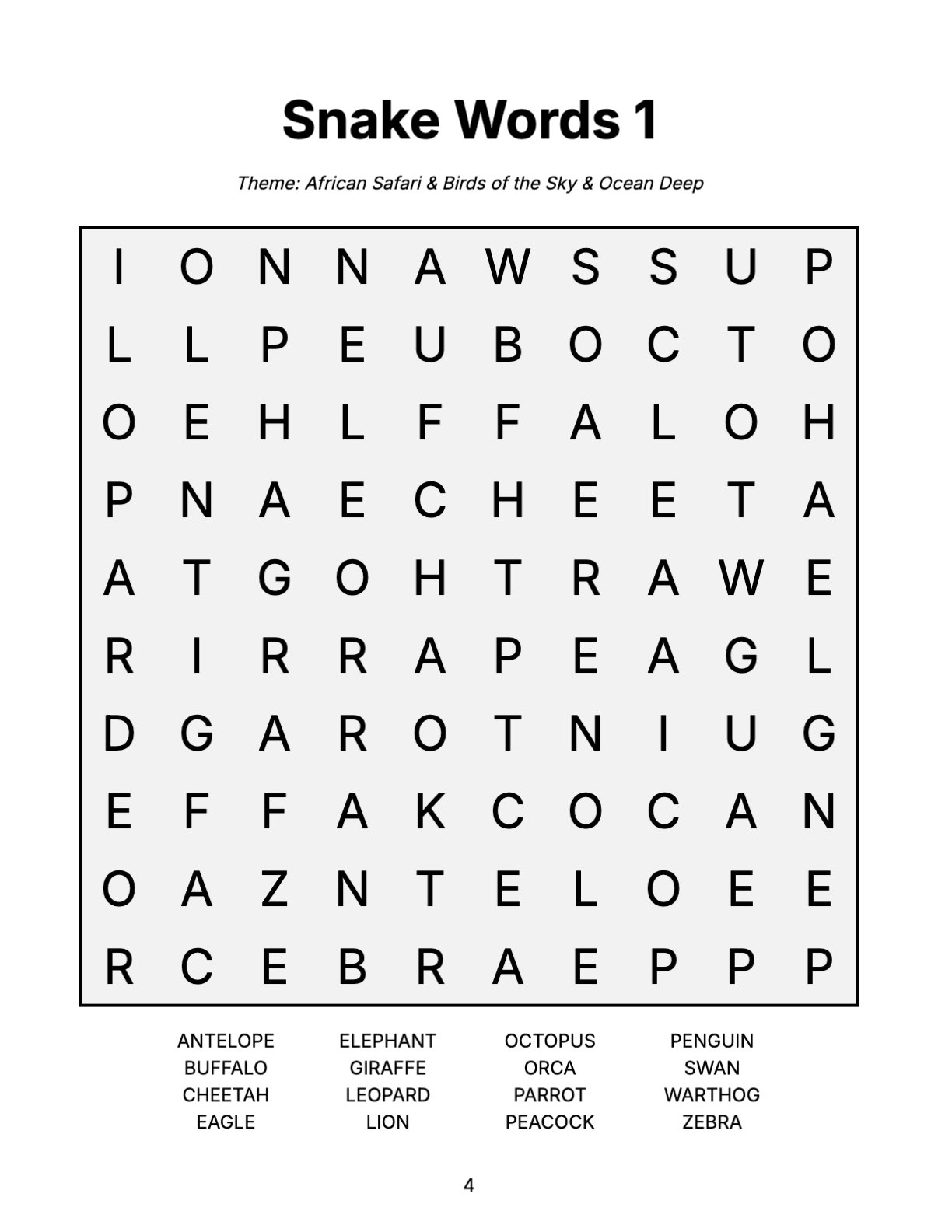
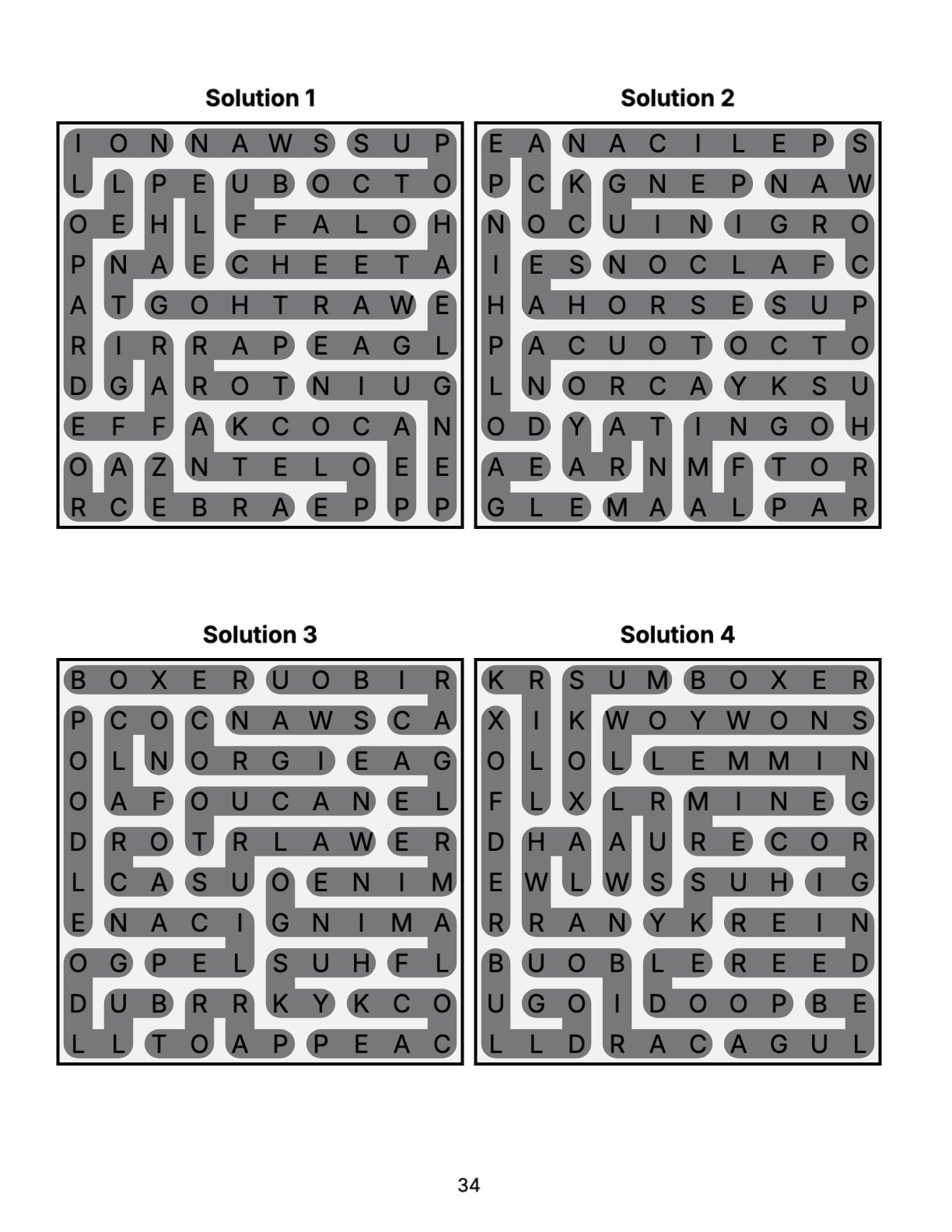
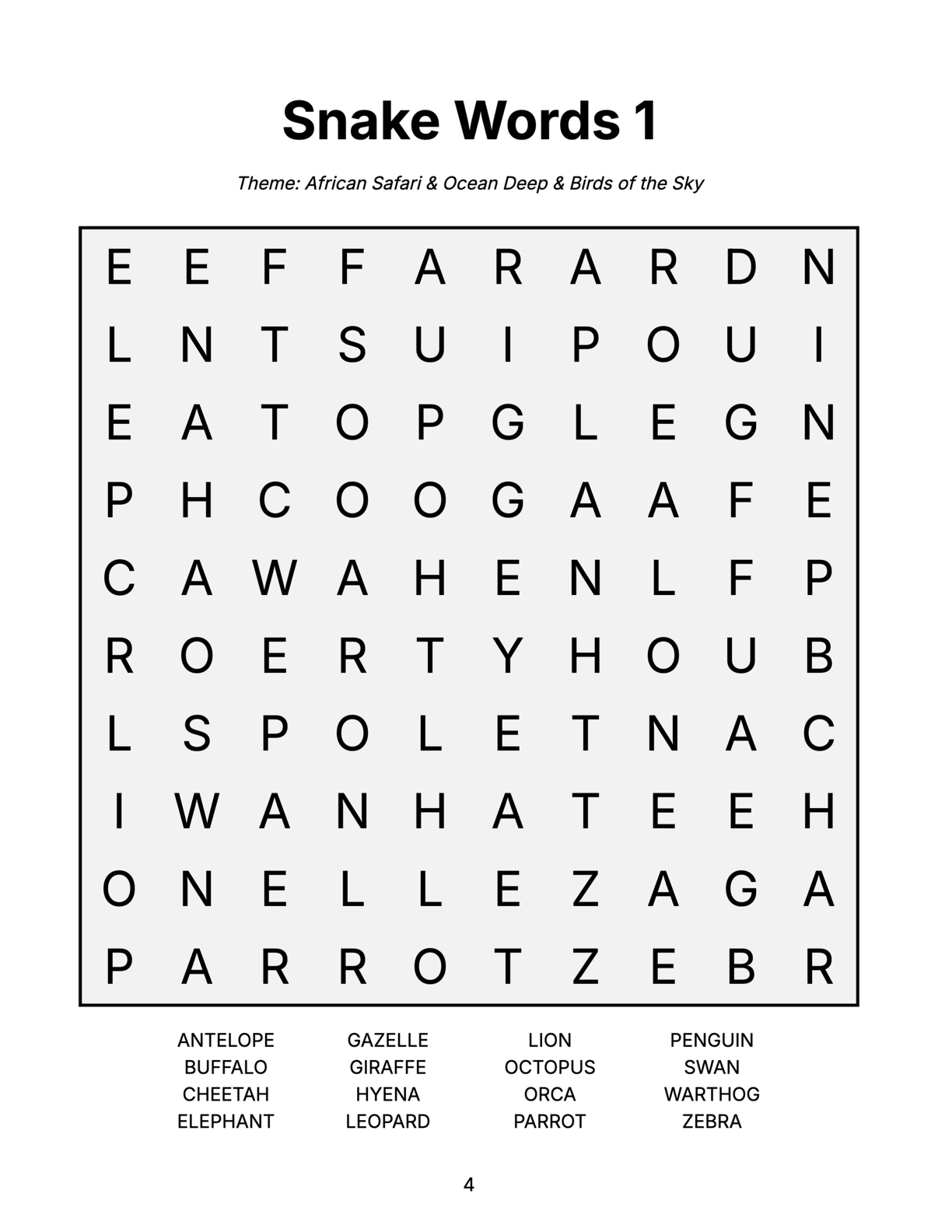
A snake word moves from each letter to a square directly above, below, left or right of it, and may turn wherever it likes. Diagonal steps are not allowed. The strict part is that the snakes fill the whole grid: there is not a single filler letter, and every square belongs to exactly one word.
That last rule turns the hunt into logic. A letter in a corner has only two neighbors, so the word through it has very few ways to go. As words get marked, the free squares shrink into small islands, and an island of five squares must hold a five-letter word or a combination that adds up to five. Solvers who enjoy deduction tend to love this one; pure scanners find it hard.
Set up a snake word search book, and see the snake word search guide for grid sizes and bends.
6. Winding Word Search: Bends in Any Direction
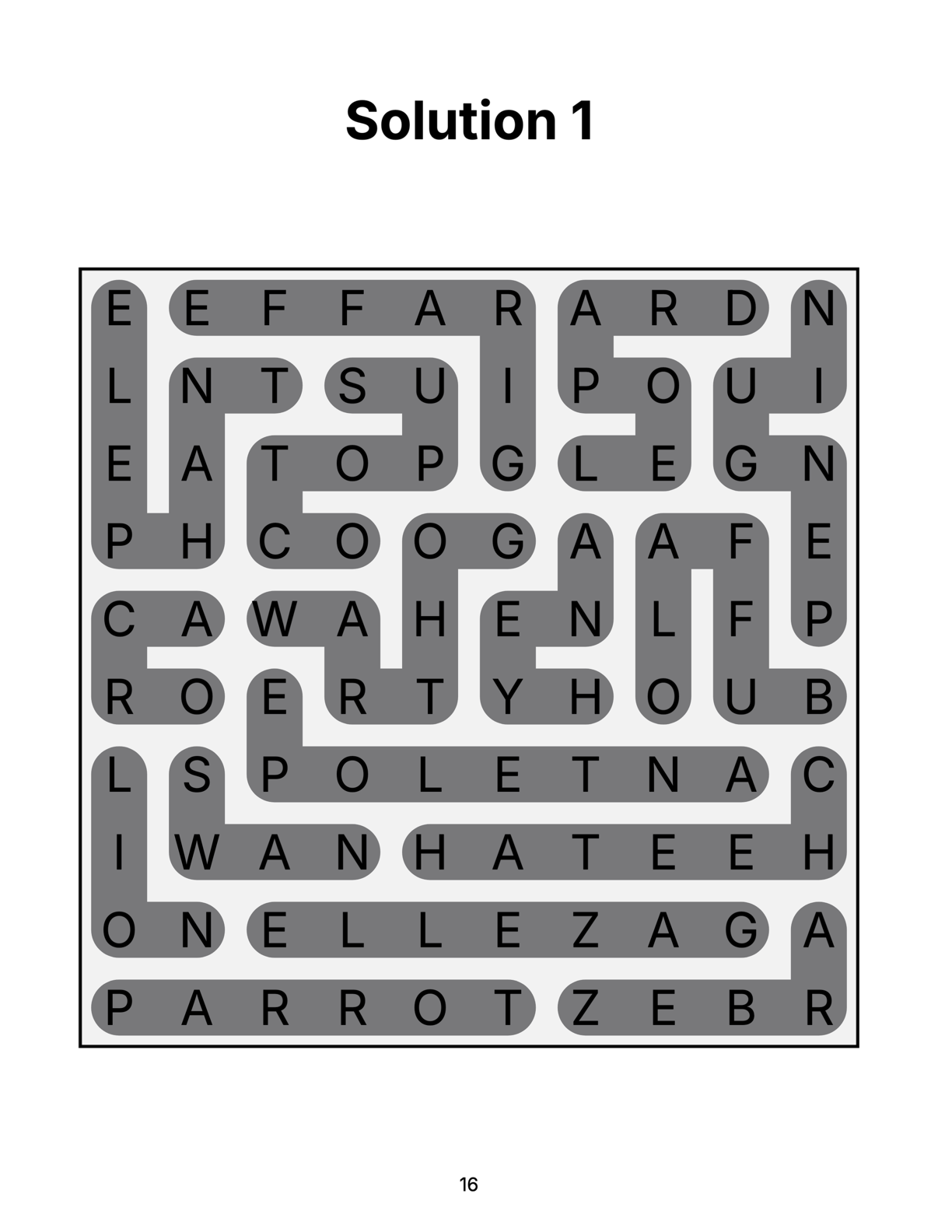
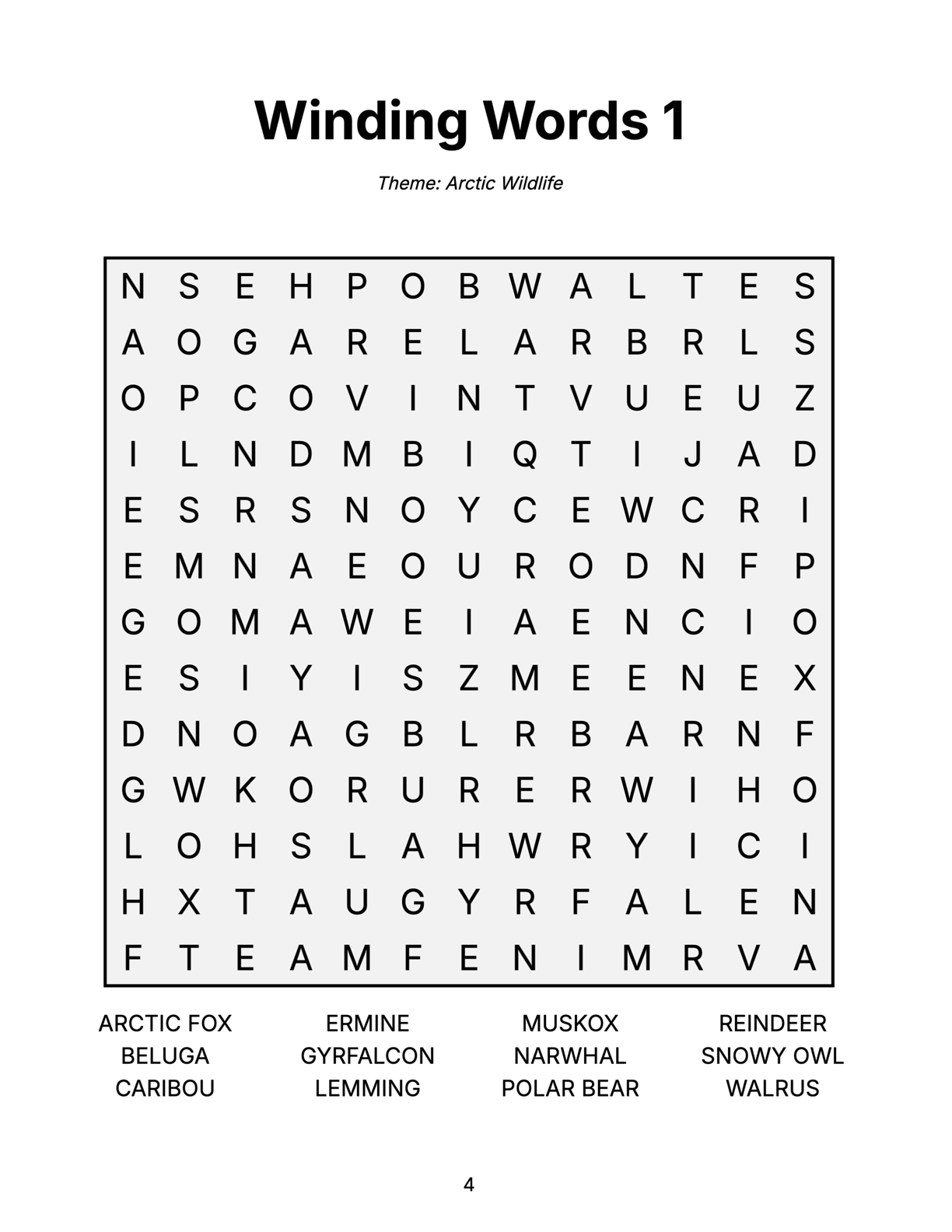
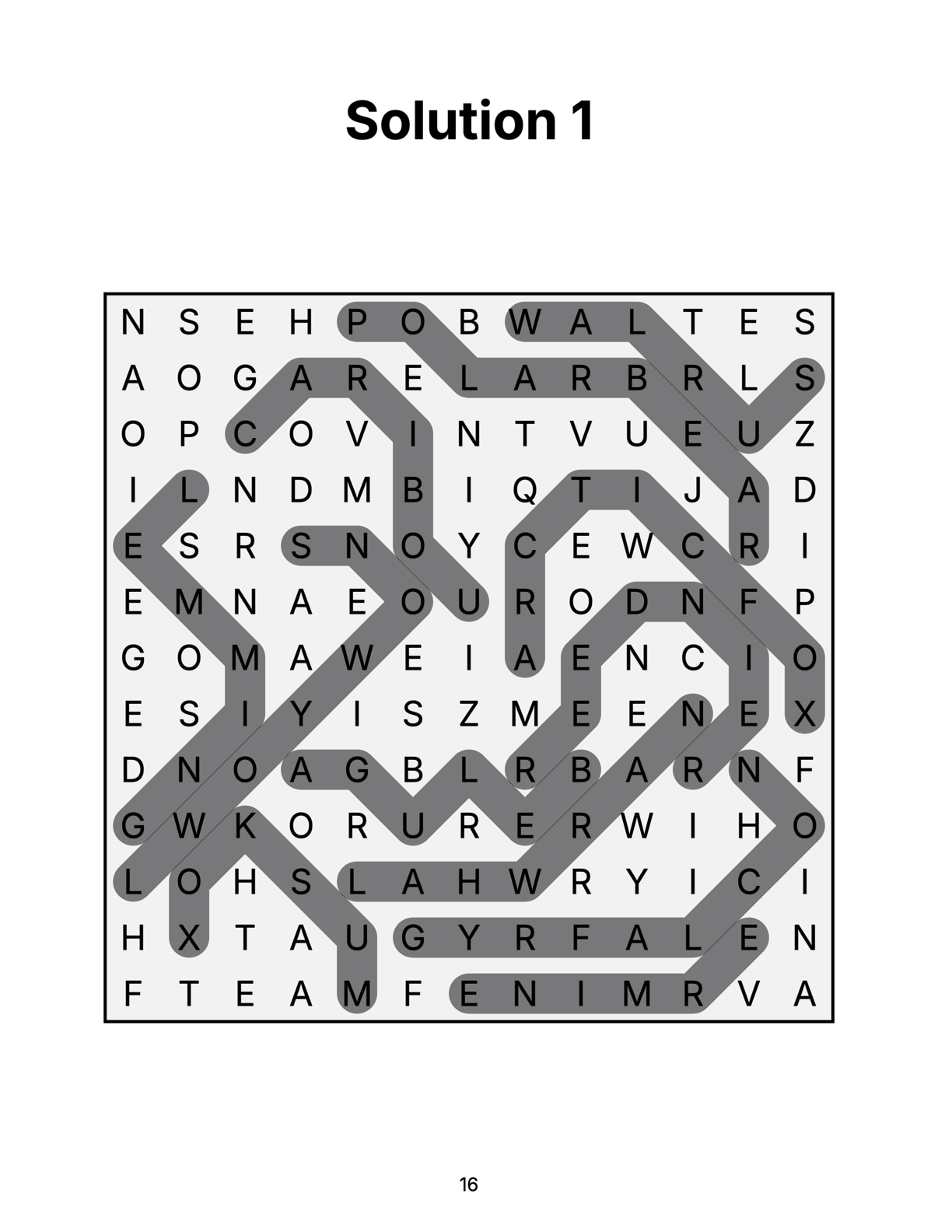
Winding words also bend, but differently from snakes. Each next letter can be any of the eight neighbors, diagonals included, and the word may change direction at every letter. Unlike a snake grid, the winding grid keeps filler letters around the words, the way a classic word search does, and two words never cross or share a square.
With eight possible steps from every letter, guessing the path is slow. Start from the end of a word instead of its beginning: endings like ING, ER or the last letter of a long animal name are often rarer than the first letter. Then walk backwards through the neighbors. The Easy preset also circles the first letter of every word, so the solver always knows where a word begins.
Build a winding word search book or read the winding word search guide first.
7. Walled Word Search: Black Squares Block the Way
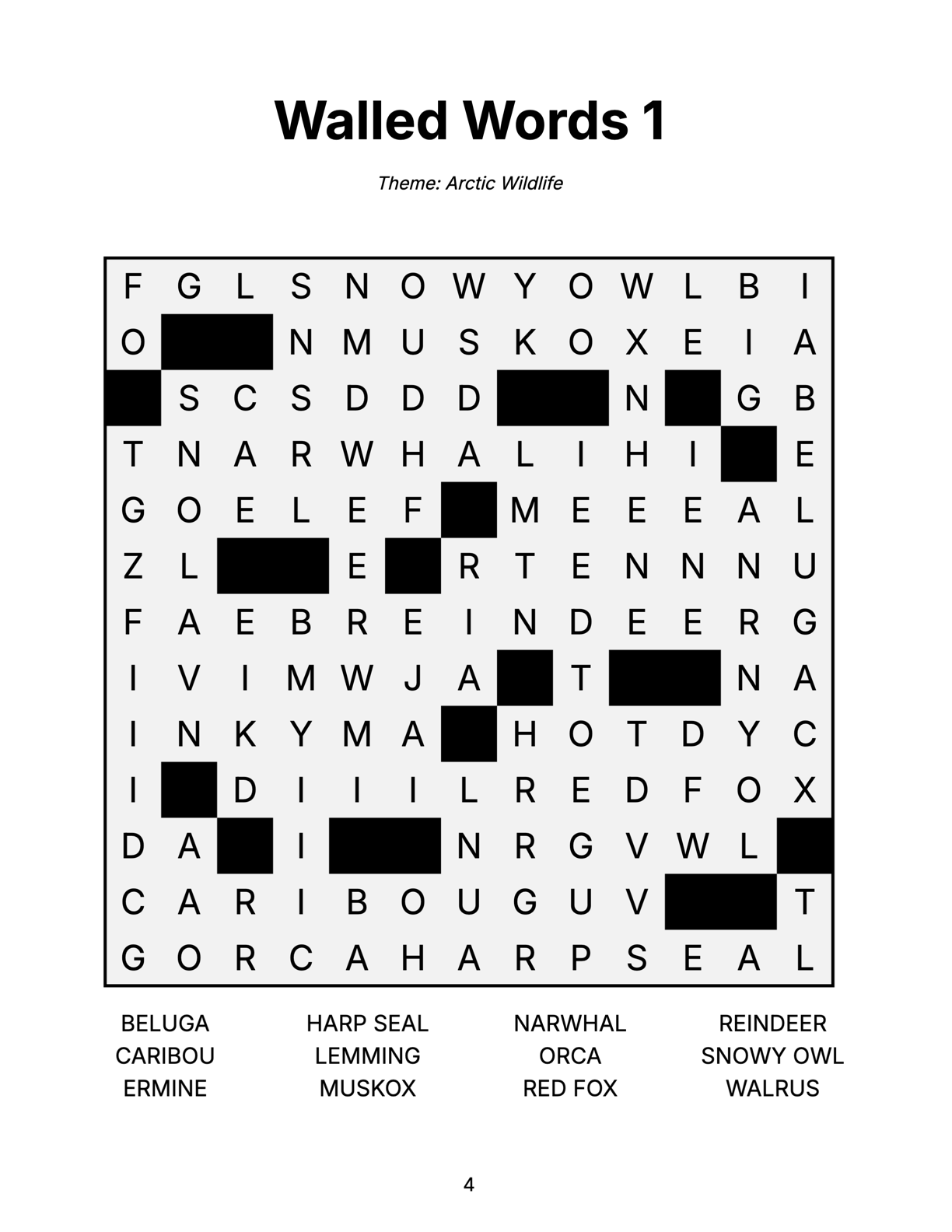
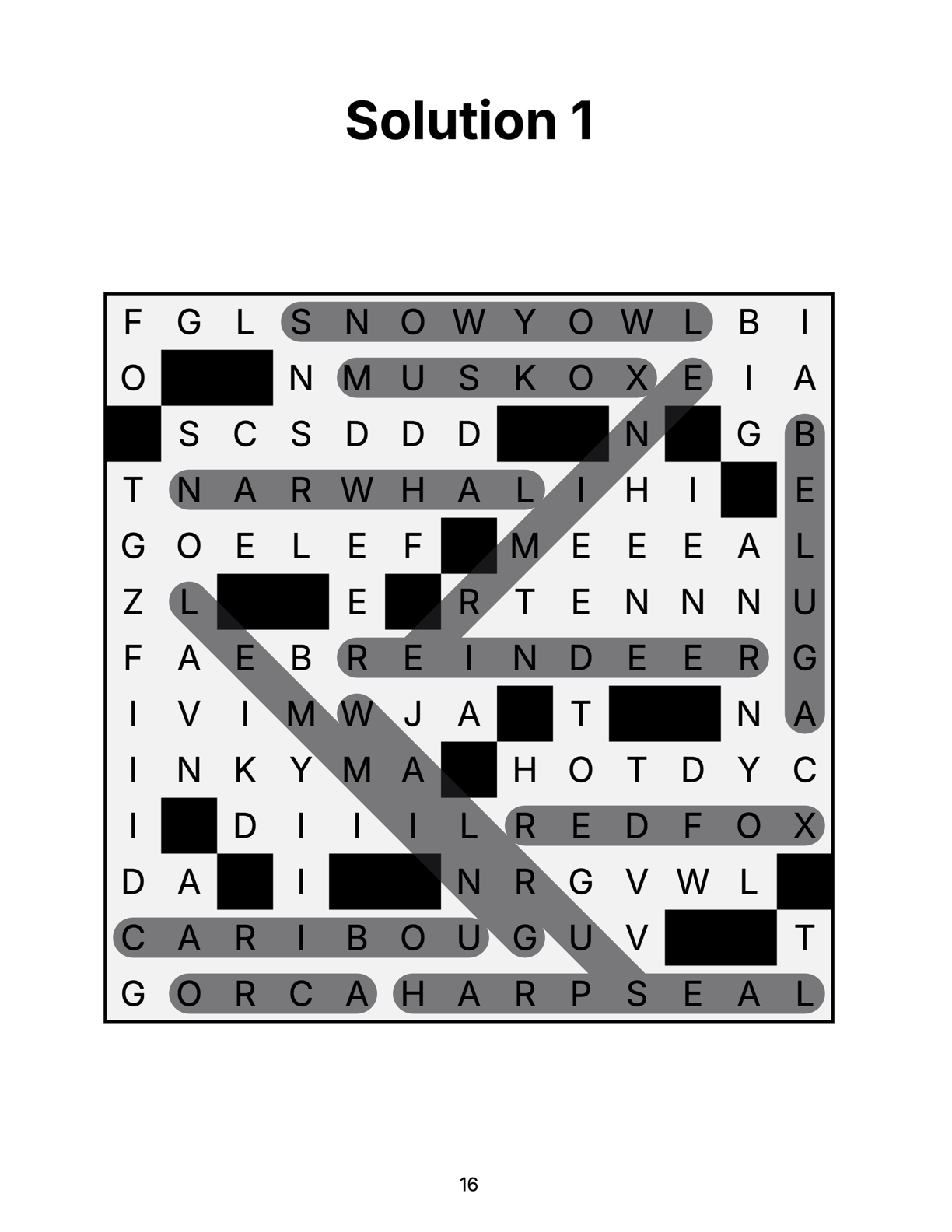
The walled variation drops black squares into the grid, as a crossword does. A word still runs in a straight line, but it can never pass through a wall, so every word lives in one unbroken stretch of open squares. Fillers fill the open squares the words leave free.
The walls look like extra difficulty, yet they also help: a gap of four open squares between two walls cannot hide a seven-letter word, so whole stretches can be ruled out at a glance. Measure the long runs first, match them with the long words on the list, and leave the short words for the end.
Open the walled word search configurator; wall density and directions are covered in the walled word search guide.
8. Honeycomb Word Search: Six Directions on Hex Cells
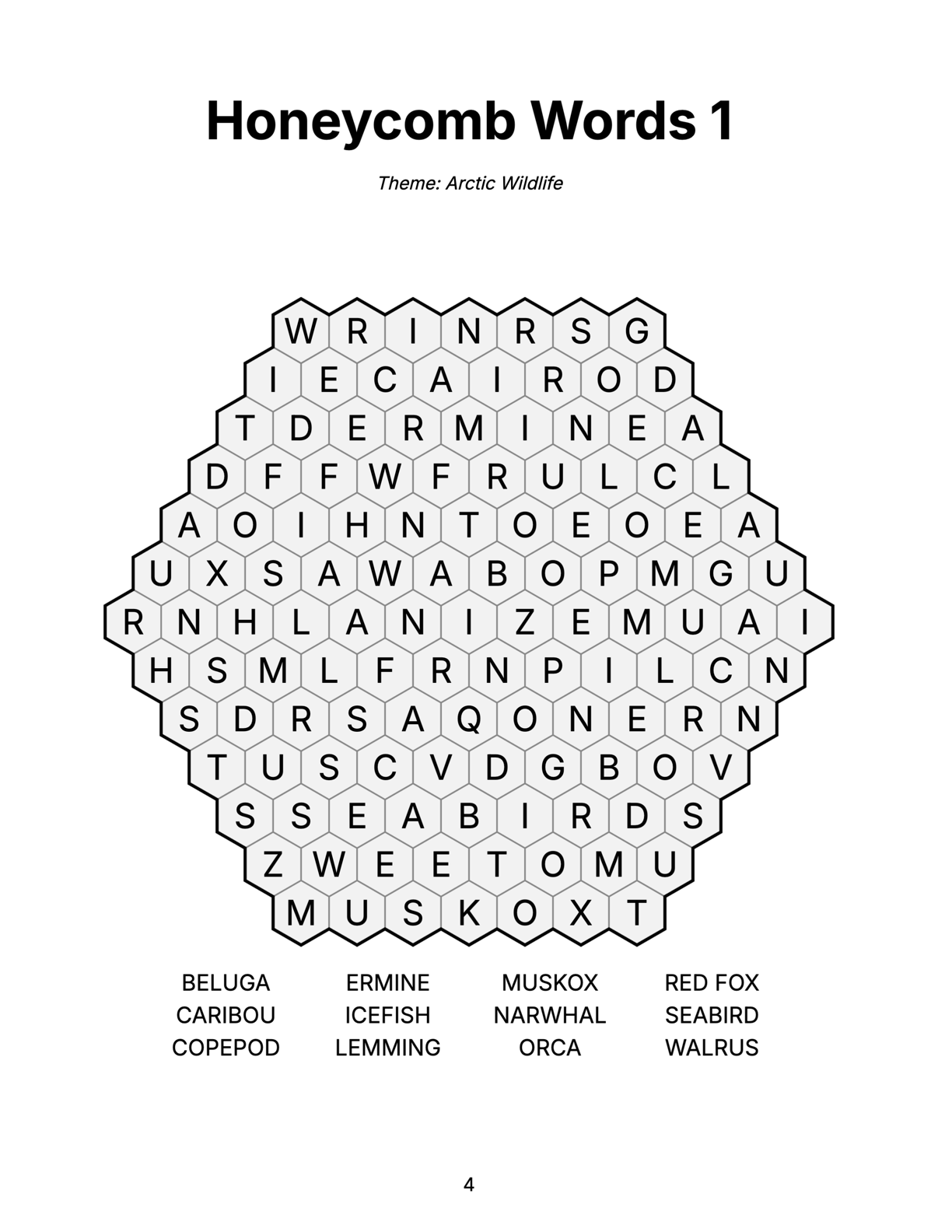
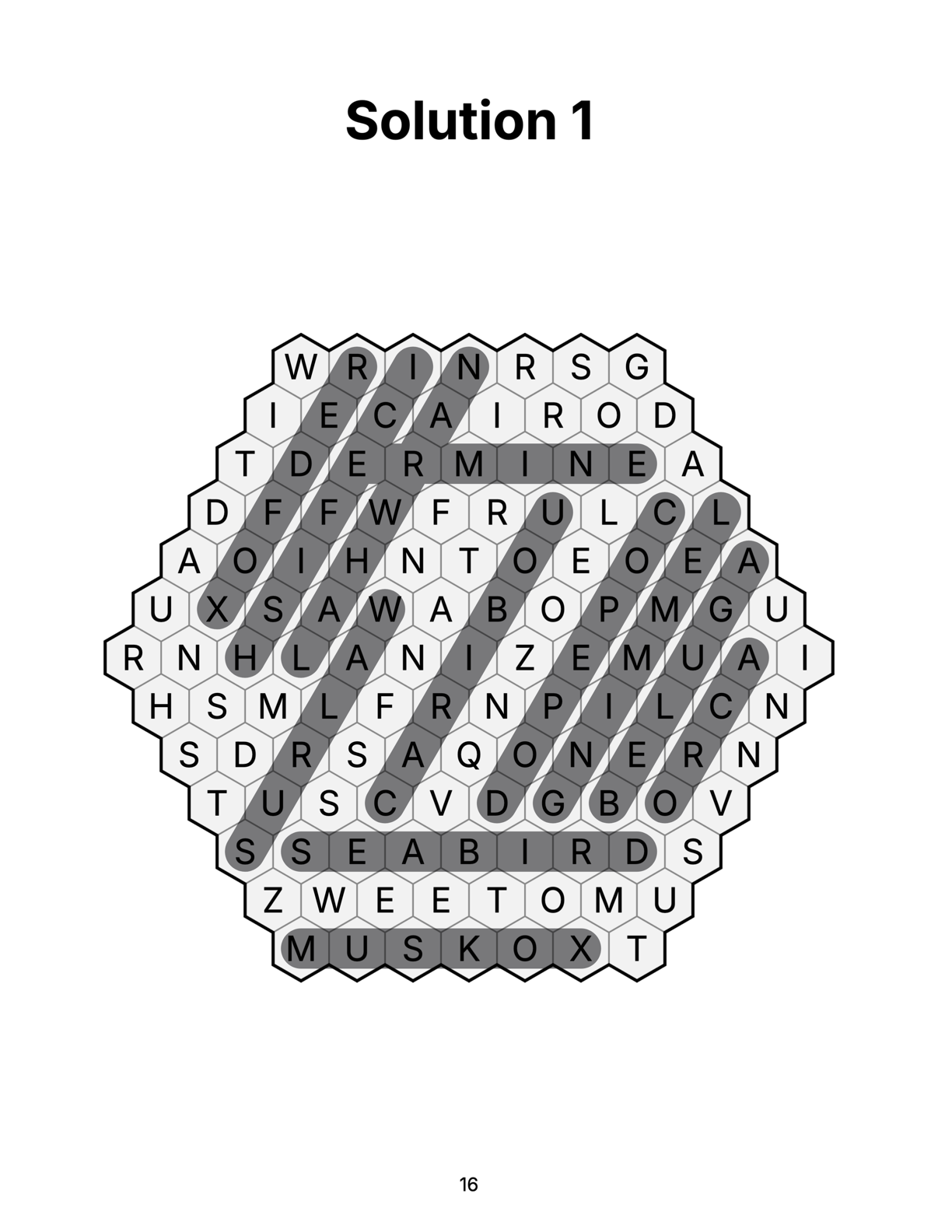
Swap the squares for hexagons and the whole board becomes one big hexagon of hexagonal cells. Each cell touches six others, not eight, so a word can run in six straight directions. At side 7 the board holds 127 cells.
The eye needs a minute to adjust, because the rows are staggered and there are no vertical columns. Treat the three axes separately: first scan the horizontal rows, then the two slanted ones. Words never bend, so once you have the first two letters, the rest of the word must follow the same line.
Make a honeycomb word search book; the honeycomb guide lists the board sizes.
9. Spiral Word Search: One Long Track
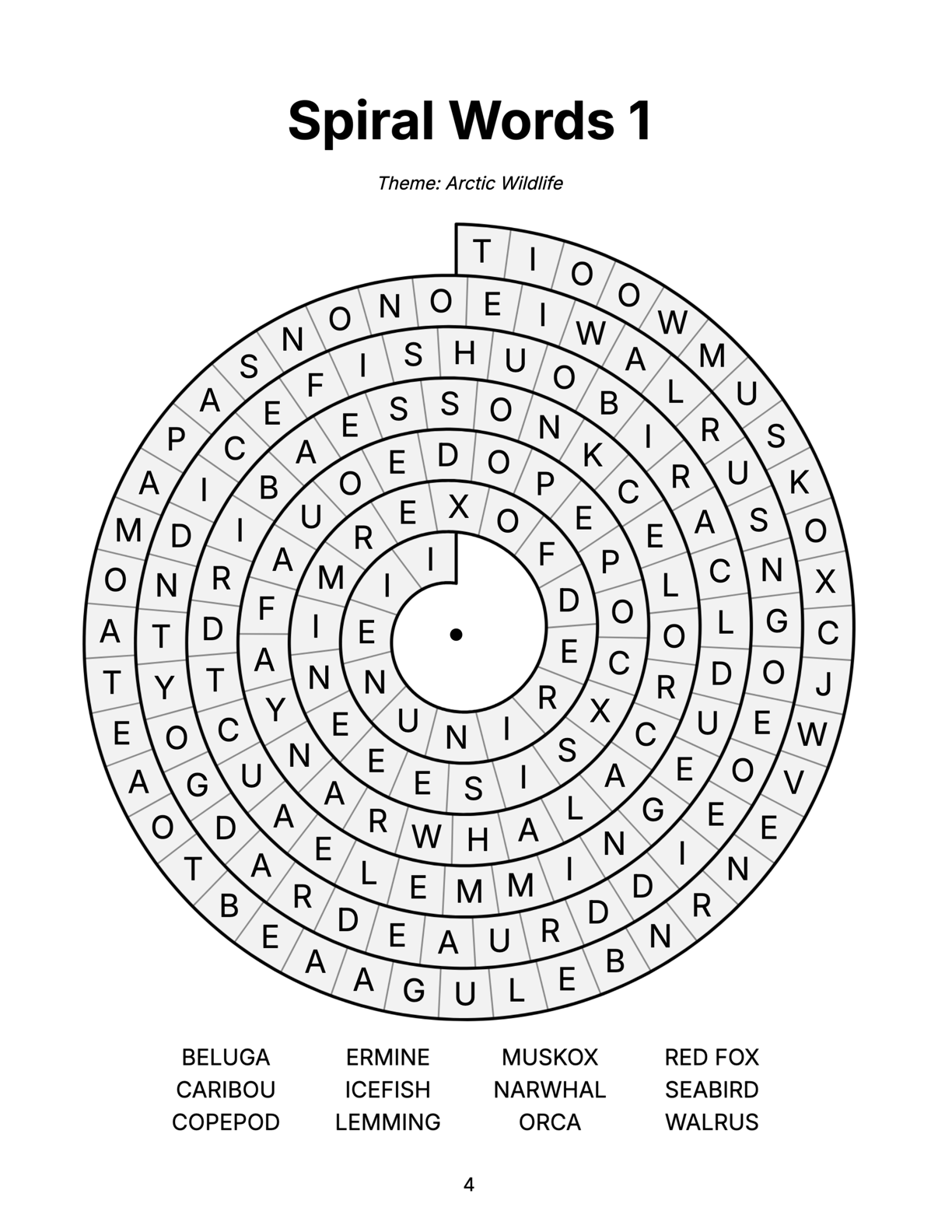
There are no rows here at all. The letters sit in cells along a single band that coils from the outer edge to a small center, and a thick line separates each turn of the band from the next. Every word occupies neighboring cells of that band and reads either toward the center or back out. At the Medium preset the band makes six turns and has 169 cells.
Because a word never jumps from one turn to the next, you can follow the band with a finger like reading a very long line of text. Start at the outer end, look for the first letter of a word, and read along. Words that read outward appear reversed on this pass, so a second pass from the center out catches them.
Start a spiral word search book; the spiral guide covers the turns and the kids sizes.
10. Ricochet Word Search: Words That Bounce
A ricochet word runs in a straight line until the next square would be outside the grid or a wall, then bounces and keeps going. A word moving along a row or column turns at a right angle; a diagonal word bounces like a billiard ball, leaving the edge at the same angle it arrived. The Medium preset uses the diagonal bounce; harder levels add walls inside the grid to bounce off. We know of no documented origin for this variation.
The trick is to look along the edges. Without inner walls every bounce happens on the outer row or column, so a word that seems to end at the border usually continues on a new diagonal from the same edge square. Picture the grid as a pool table and the path becomes predictable.
Create a ricochet word search book, and the ricochet guide shows the two bounce types.
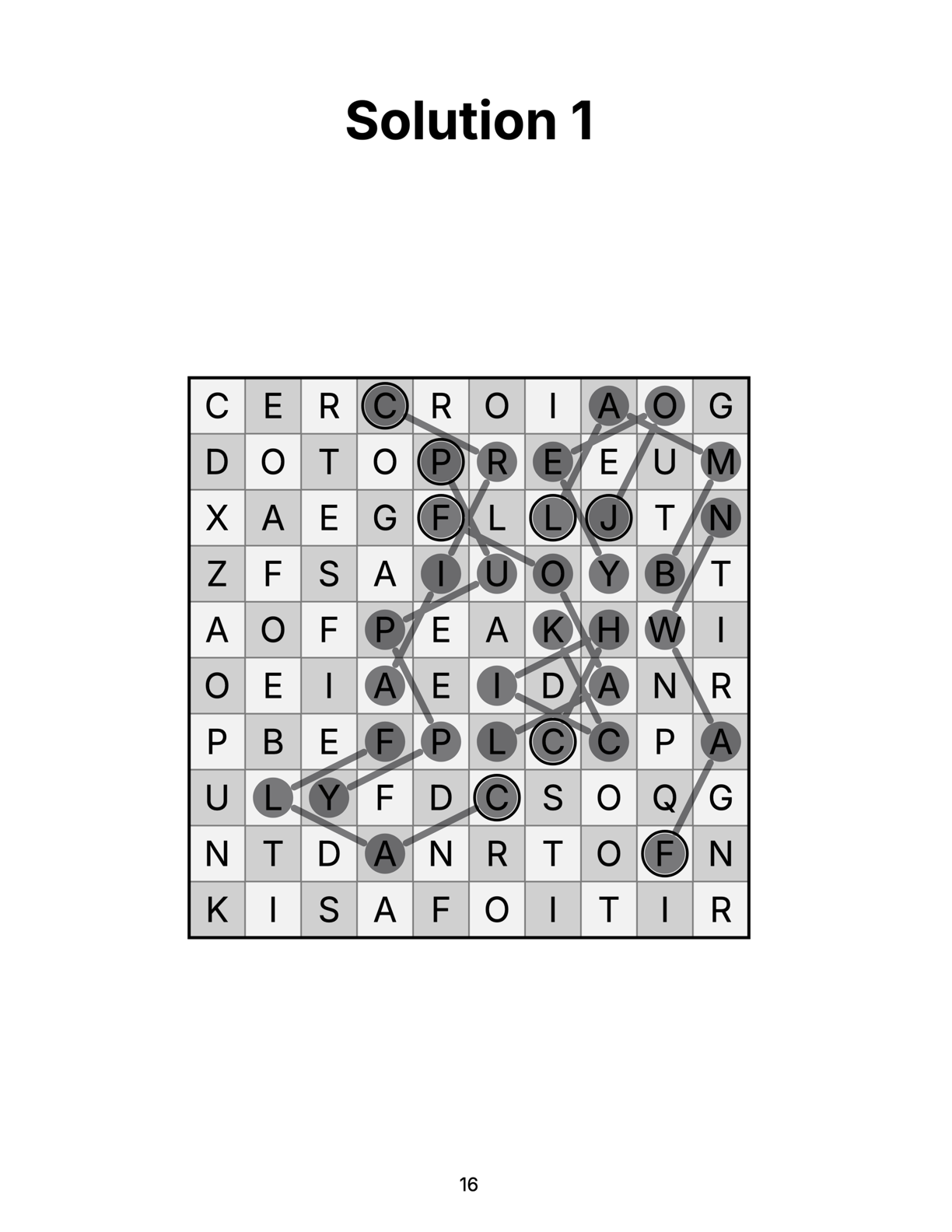
11. Knight’s Move Word Search: Letters a Jump Apart
Here the next letter of a word always sits one chess knight’s move from the one before: two squares in a straight line, then one to the side. A word may jump in any of the eight knight directions and turn at every letter, it never visits a square twice, and no two words share a square. Filler letters take the rest of the board, so at first sight the page looks like any other word search.
Since consecutive letters never touch, scanning gets you nowhere; you hop. On the Medium page below, the J of JOEY is circled in the third row. Among the squares a knight’s move away, only one shows an O, two rows up and one column right; from there the E is one row down and two columns left, and the Y two rows down and one column right. The board is shaded like a chessboard, and because a knight always lands on the other shade, every square of the shade you stand on can be skipped.
Easy and Medium circle the first letter of every word, while Hard and Expert leave the circles out. Open the knight’s move word search configurator; the knight’s move guide has the presets and the kids boards.
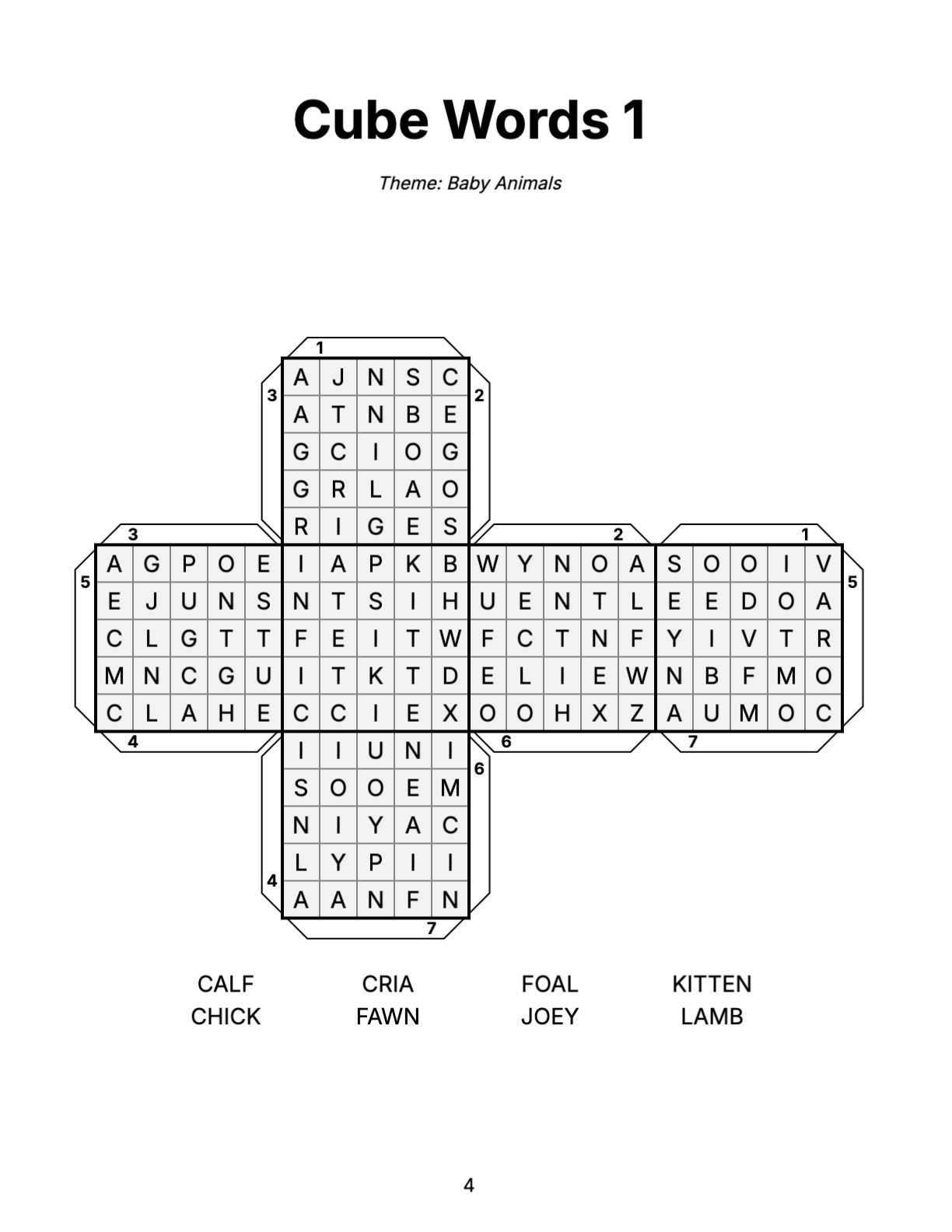
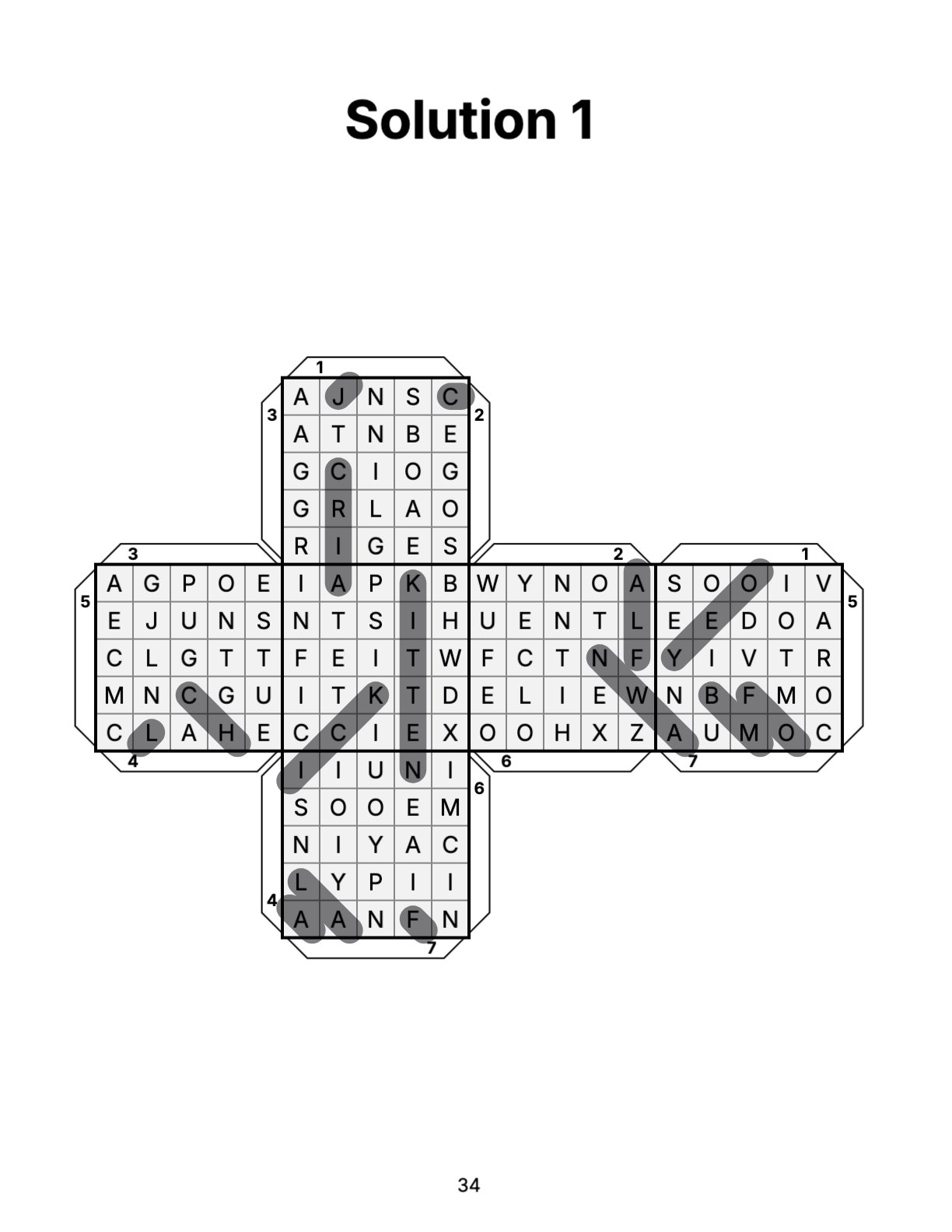
12. Cube Word Search: Words Around a Box
This one leaves the flat grid. The page prints a cube opened out flat into a cross of six faces: four in a band, one above and one below. Each word is a straight line, but it must cross at least one edge of the cube, so it always starts on one face and ends on another. Where two faces touch on the page the word just runs on; the seven edges split open to flatten the box carry numbered tabs, and a word that reaches a tab goes on at the tab with the same number. We found no documented origin for word searches on a cube, so none is claimed here.
To solve it, scan the squares along every edge first, since each word has letters on both sides of one. On the Medium page below, the C of CALF is the last letter in the top row of the upper face. Reading right, you run into tab 2; find the other tab 2, on the top edge of the face to the right of the center, and carry on from the square next to the number: A, L and F run straight down that face’s last column. KITTEN needs no tab: it runs down the center face and ends with its N on the face below, because the two touch on the page.
Easy and the kids presets keep words on the five edges joined on the page, so nothing has to be folded in the head; from Medium on, words cross the numbered edges too. Open the cube word search configurator; the cube word search guide shows the presets and how the tabs pair up.
13. Skip-Letter Word Search: Every Other Letter
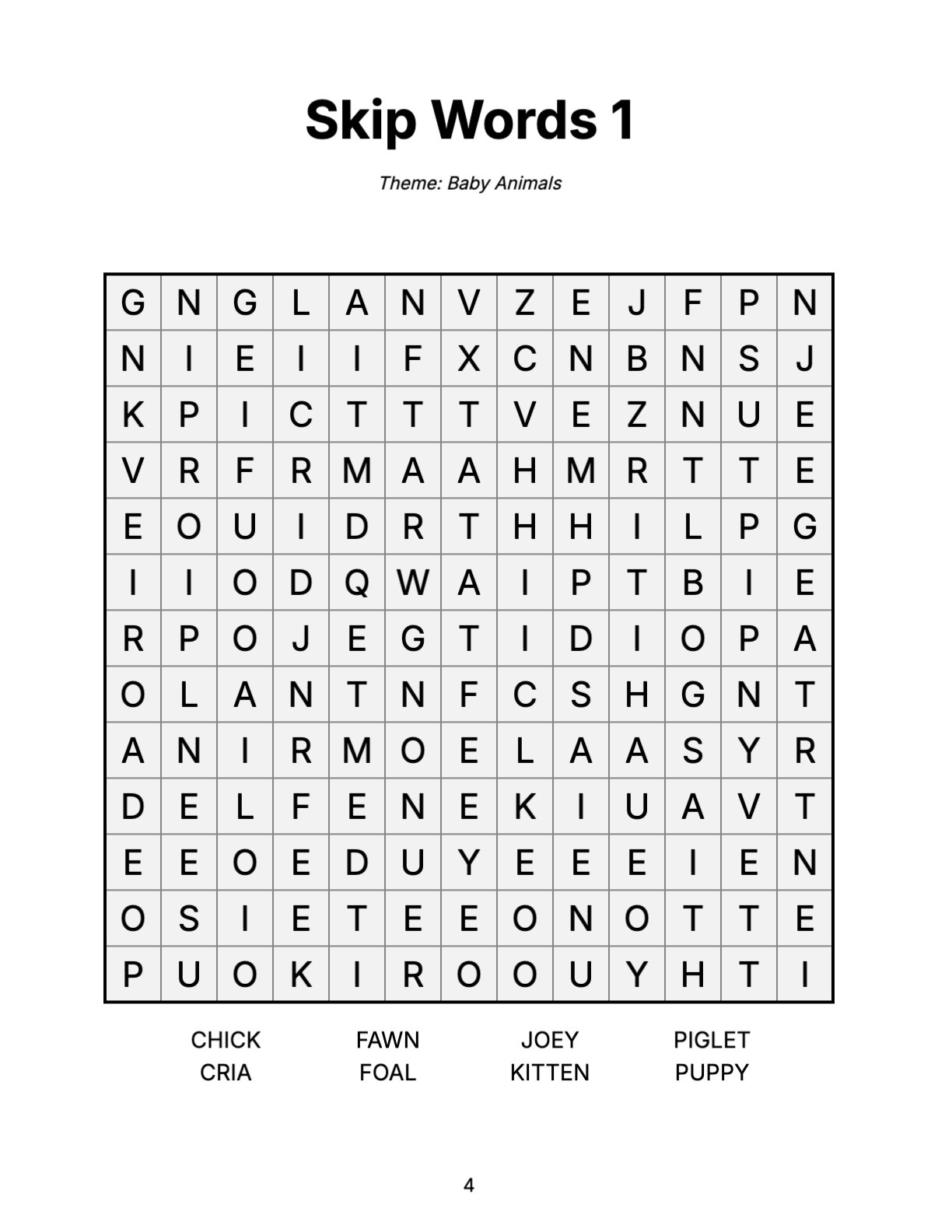
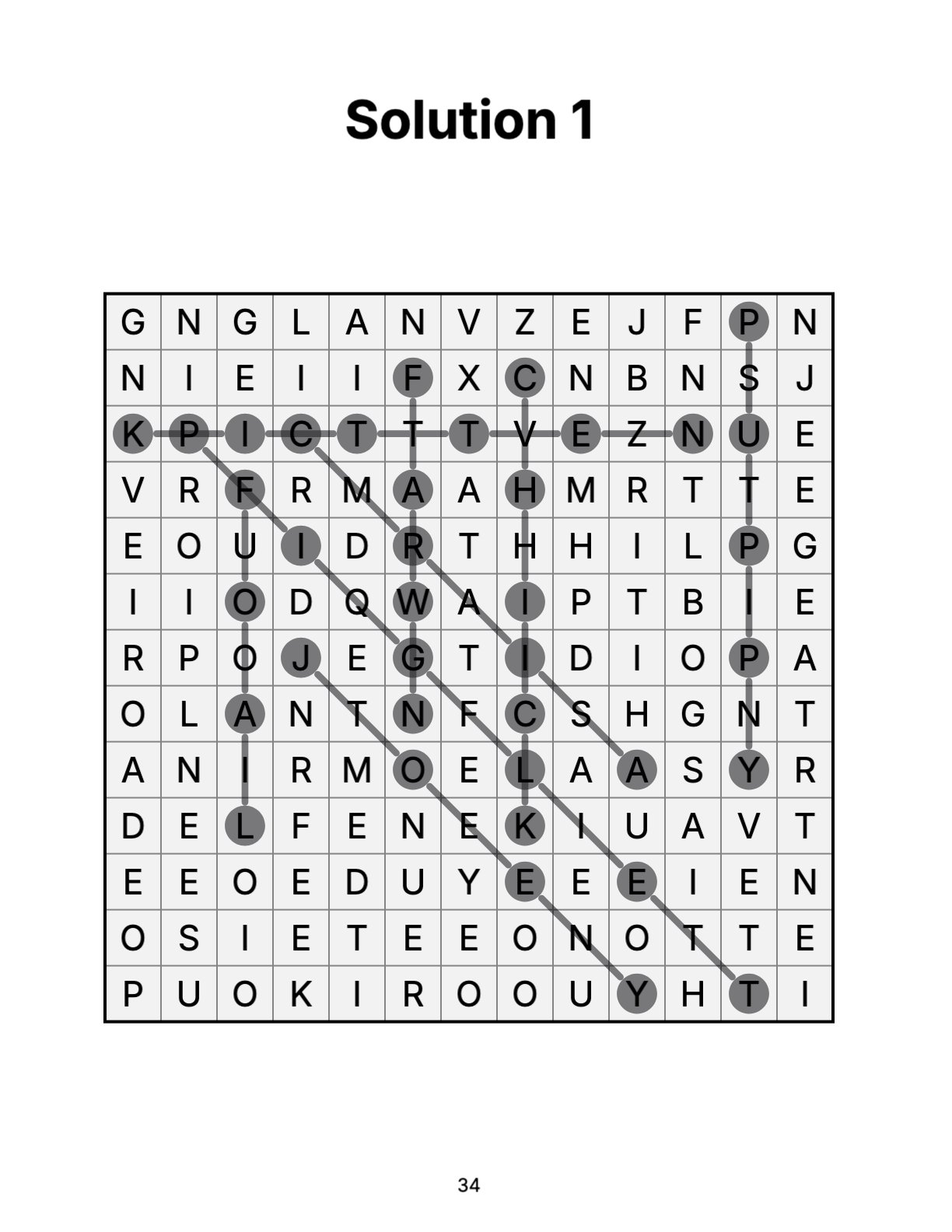
The board is an ordinary square grid and every word runs in a straight line, but its letters are not neighbors: one square sits between every two of them, so the word is read every other letter. Some books call it an every other letter word search or a step word search. Hard and Expert books also have words that skip two squares and read every third letter; a word keeps its gap from the first letter to the last. The generator also reads the grid without gaps in all eight directions and changes filler letters until no listed word appears as a plain run, so a solver who scans the usual way finds nothing. We found no documented origin for the idea, so none is claimed here.
To solve it, take a letter of the word that is rare in the grid and check the squares two steps off in every direction for the letter that comes next or before; when one lines up, the rest of the word follows with the same step. On the Medium page below, KITTEN fills the third row: the K in the first column, then I, T, T, E and N in columns 3, 5, 7, 9 and 11, with filler letters between them. JOEY runs down and to the right from the J in row 7, column 4: the O sits two rows down and two columns right, and the E and the Y follow with the same step.
Easy, kids and large print books circle the first letter of every word and use only rows and columns; Medium adds the diagonals. Open the skip-letter word search configurator; the skip-letter word search guide has the presets of all three editions.
Which Variation for Which Solver
For readers who just want to relax, the classic, honeycomb and spiral types stay closest to the original feeling: straight paths, a calm search, no logic required. The hidden message and missing vowel types keep straight lines but add a goal, which suits solvers who like a payoff or a bit of word knowledge.
Circle, winding, ricochet and knight’s move words break the straight line, so they are the right step up for experienced solvers who find classic grids too easy. Cube and skip-letter words sit in between: the line stays straight, but it wraps around a box or jumps over every other square, which suits solvers who want a fresh habit without bent paths. Snake and walled puzzles add deduction on top: the solver can rule squares out, which appeals to fans of logic puzzles. All thirteen have kids and large print editions in the generator, with smaller grids, fewer words or bigger letters.
A single book does not have to pick one. A mixed puzzle book can hold a chapter of each type, which is a simple way to offer variety on Amazon KDP, and the word search book generator page lists what every plan includes.
In short
- A variation changes the board, the path of a word, or the word list.
- Straight-line types are solved by scanning; bending and looping types by starting from a rare letter and checking its neighbors.
- Snake and walled puzzles add logic: squares can be ruled out.
- Every type here has a kids and a large print edition, and they can be combined in one mixed book.
Tools for This Guide
Word Search Book Generator
Classic word search books with kids and large print editions
OpenHidden Message Word Search Book Generator
Hidden message word search books where the leftover letters spell a sentence
OpenSpiral Word Search Book Generator
Spiral word search books: one coiled track from the edge to the center
OpenRicochet Word Search Book Generator
Ricochet word search books with words that bounce off the edges
OpenKnight’s Move Word Search Book Generator
Knight’s move word search books with letters a chess knight’s jump apart
OpenCube Word Search Book Generator
3D cube word search books with words that run over the edges of a cube net
OpenSkip-Letter Word Search Book Generator
Skip-letter word search books with words read every other letter
OpenFree Word Search Generator
Free one-page word search maker, no sign-up needed
OpenFrequently Asked Questions
How many types of word search puzzles are there?
There is no fixed list. Most variations change one thing: the shape of the board, the way a word travels, or how the word list is printed. This article shows thirteen of them, from the classic straight-line grid to spiral, ricochet, knight’s move, skip-letter and 3D cube versions.
What is the hardest word search variation?
It depends on the solver, but the ones where words leave the straight line are the hardest to scan: winding, circle, ricochet and knight’s move words cannot be found by reading rows. Snake word search is hard in a different way, because it has no filler letters and asks for logic.
What is a word search with a hidden message?
A word search where the letters left over after all listed words are found, read row by row, spell a sentence or a solution word. Empty boxes under the grid show how many letters the message has.
Which plan includes which word search type?
Twelve of the thirteen are Starter types, so the Starter, Pro and Publisher plans and credit packs all include them. Hidden message word search is part of the Pro and Publisher plans. The free trial includes all thirteen, with a watermark on the pages.
Can I print one puzzle and one answer per page?
Yes. The pictures in this article were exported that way: one puzzle per page and one solution per page on 8.5×11 inch paper. The configurator also lets you put several answers on one page to save pages.
Can I sell books of these word search variations on Amazon KDP?
Yes. Books made in Wisdom Effect on paid plans and with credit packs come with a full commercial license, so they can be published and sold on Amazon KDP. Puzzles from the free one-page tools are for personal and classroom use.