In short
We took ten dinosaur silhouettes, uploaded them to the nonogram configurator and exported a 24-page book. This article shows each step with the real screens and pages: how many images go in at once, which images convert well, what the two sliders do, why thin shapes need a second pass, how every picture is checked for one solution, and what a book of your own pictures needs before Amazon KDP accepts it.
On this page
- 1.One Image or Many? The Short Answer
- 2.Which Images Turn Into Good Puzzles
- 3.Images You Are Allowed to Print
- 4.Uploading a Batch and Setting the Grid
- 5.Thin Shapes Need a Second Batch
- 6.Every Picture Is Solved Before It Prints
- 7.From Ten Pictures to a KDP Book
- 8.Color and the Other Nonogram Types
- 9.Frequently Asked Questions
One Image or Many? The Short Answer
You pick up to 24 image files in one go, and a book holds up to 200 pictures, so a full book takes a handful of batches. Each picture becomes exactly one puzzle. The files are read by your browser and turned into squares there; the image itself is never sent anywhere, only the finished grid of squares is saved with your project.
The upload sits in the configurator of a nonogram book: under Pictures choose “Your pictures”, then “Upload images”. Next to it is “Draw a picture”, a pixel editor for making a picture by hand or repairing an uploaded one. If you have never solved a nonogram, read the rules and solving techniques first; this article is about the pictures.
| What | Limit |
|---|---|
| Files per batch | 24 |
| Pictures per book | 200 |
| File types | PNG, JPEG, WebP, GIF |
| File size | 8 MB |
| Image size | 6,000 pixels on the longer side |
| Grid | 5 to 30 squares on the longer side |
| Colors (color nonograms) | 1 to 4 |
Which Images Turn Into Good Puzzles
The conversion is simple, and knowing it tells you which images to pick. The image is laid over the grid, the color of each square is averaged, and in a black and white book a square is filled when that average is darker than a threshold you set. Transparent areas count as white paper. A grid has at most 30 squares on its longer side, so anything smaller than one thirtieth of the image disappears.
That is why solid shapes on a light background work and busy images do not. A black silhouette, a logo-like drawing, a bold icon or a thick-lined sketch gives a clean picture. A photograph only works when its subject is clearly darker than everything around it: cut out the background and raise the contrast in an image editor first. We did not use photographs in this test.
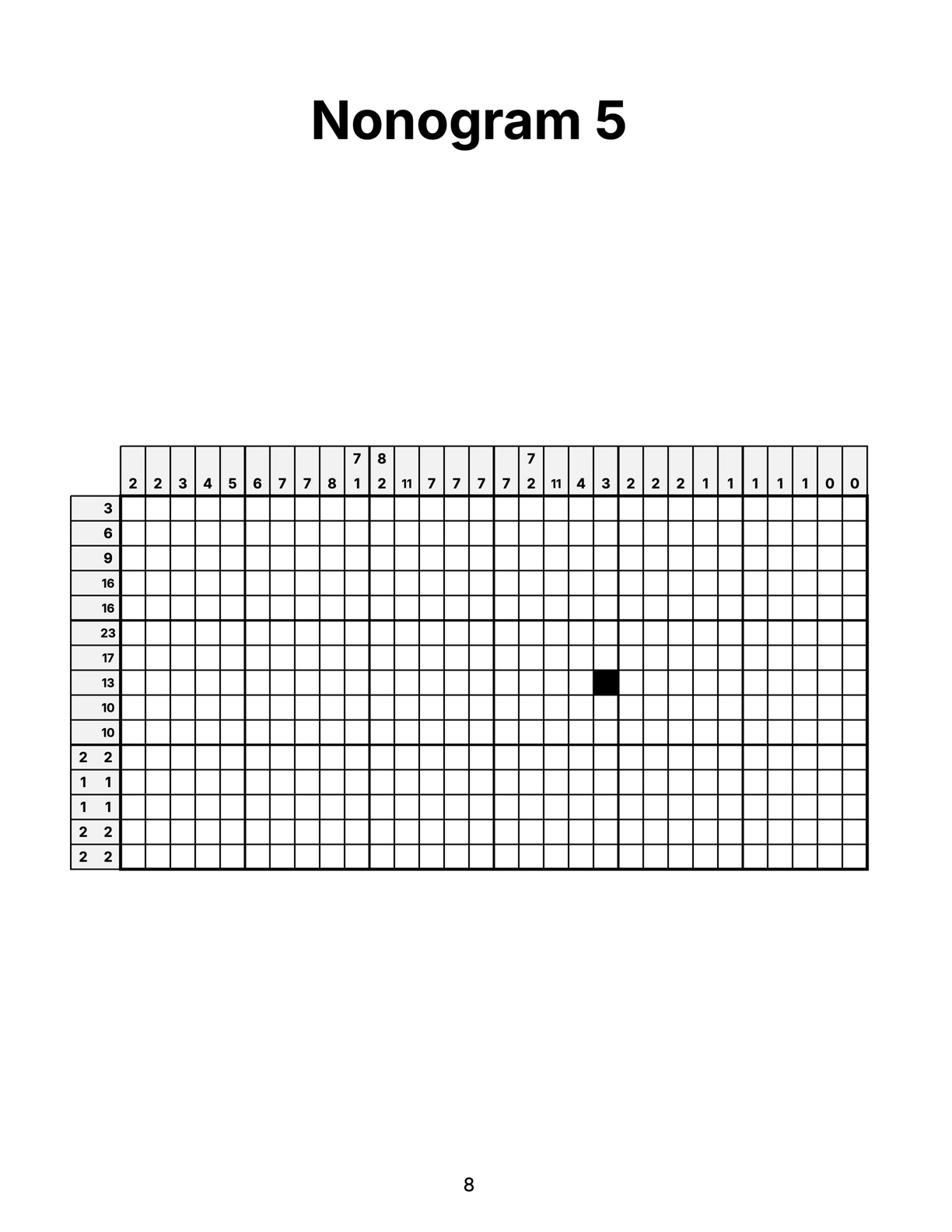
Crop each image to its subject before uploading. The grid covers the whole image, so empty margins become empty rows and columns of the puzzle. Our Tyrannosaurus file had a margin on the right, and the finished puzzle got two columns marked 0. Two formats are refused: SVG, and the HEIC photos that iPhones save by default. Export those as PNG or JPEG.
Images You Are Allowed to Print
Before the file picker opens you confirm “I have the rights to these images”. It is not a formality. Amazon KDP can refuse or remove a book that contains artwork its author may not use, and a picture turned into squares is still that artwork.
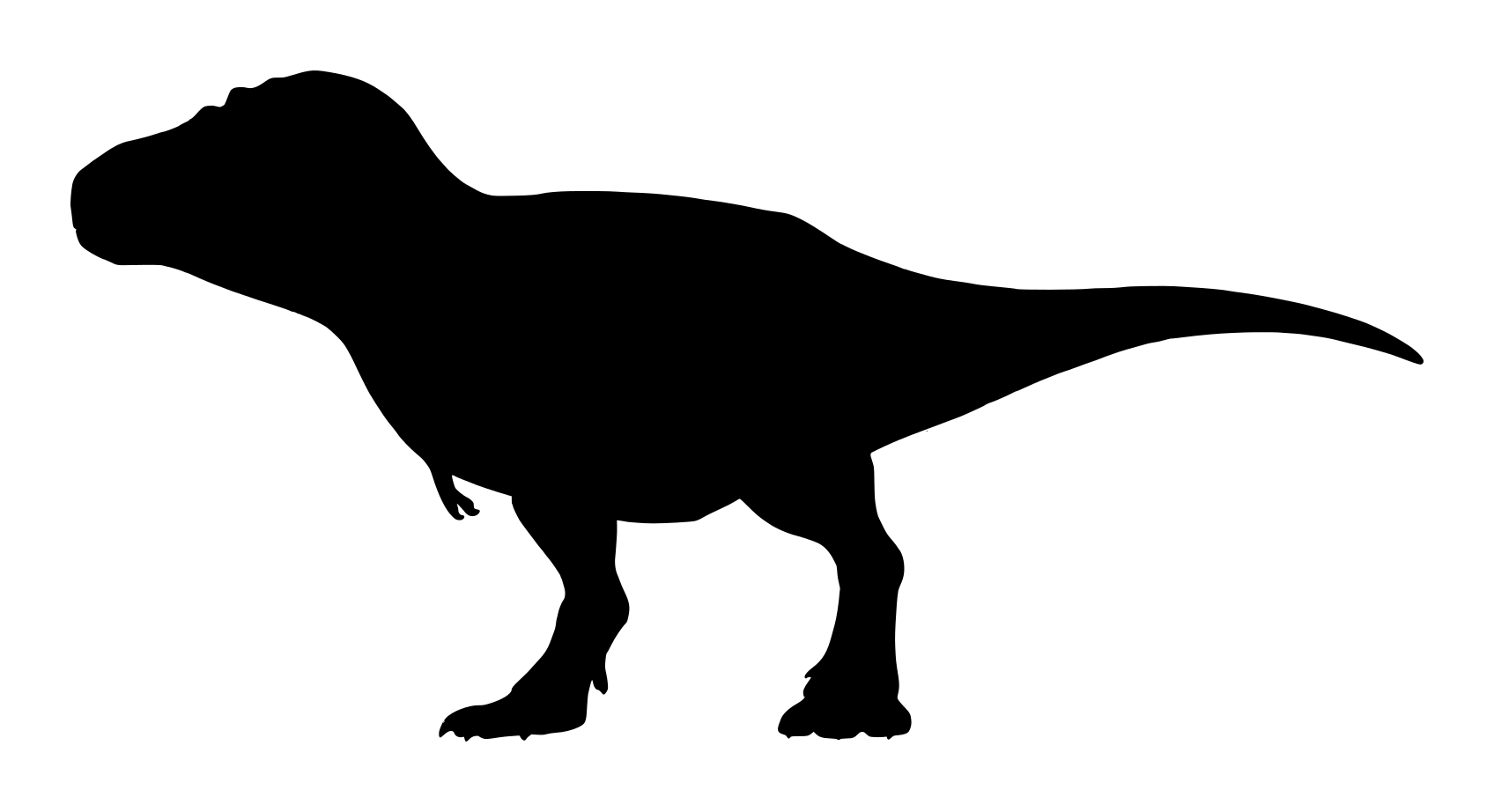
Safe sources are your own drawings and photographs, images you commissioned with print rights, and images released into the public domain. Our ten dinosaurs come from PhyloPic (phylopic.org), a free library of animal silhouettes where each image states its license; we filtered for CC0, which allows commercial use. Many images there carry other licenses that ask for credit or forbid commercial use, so check each one. Characters from films, games and cartoons, sports logos and brand marks stay out of a book you sell, whatever site offers them.
Uploading a Batch and Setting the Grid
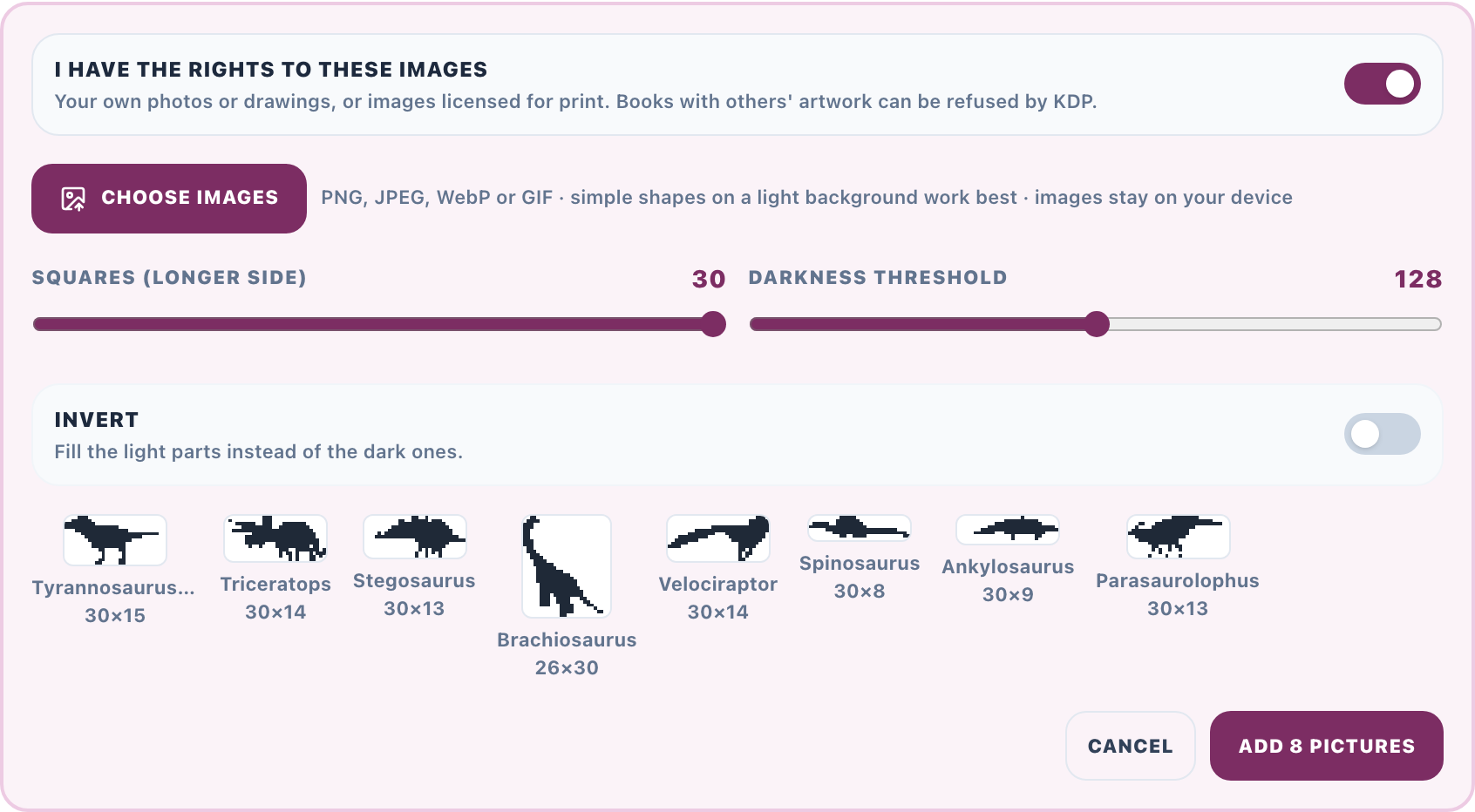
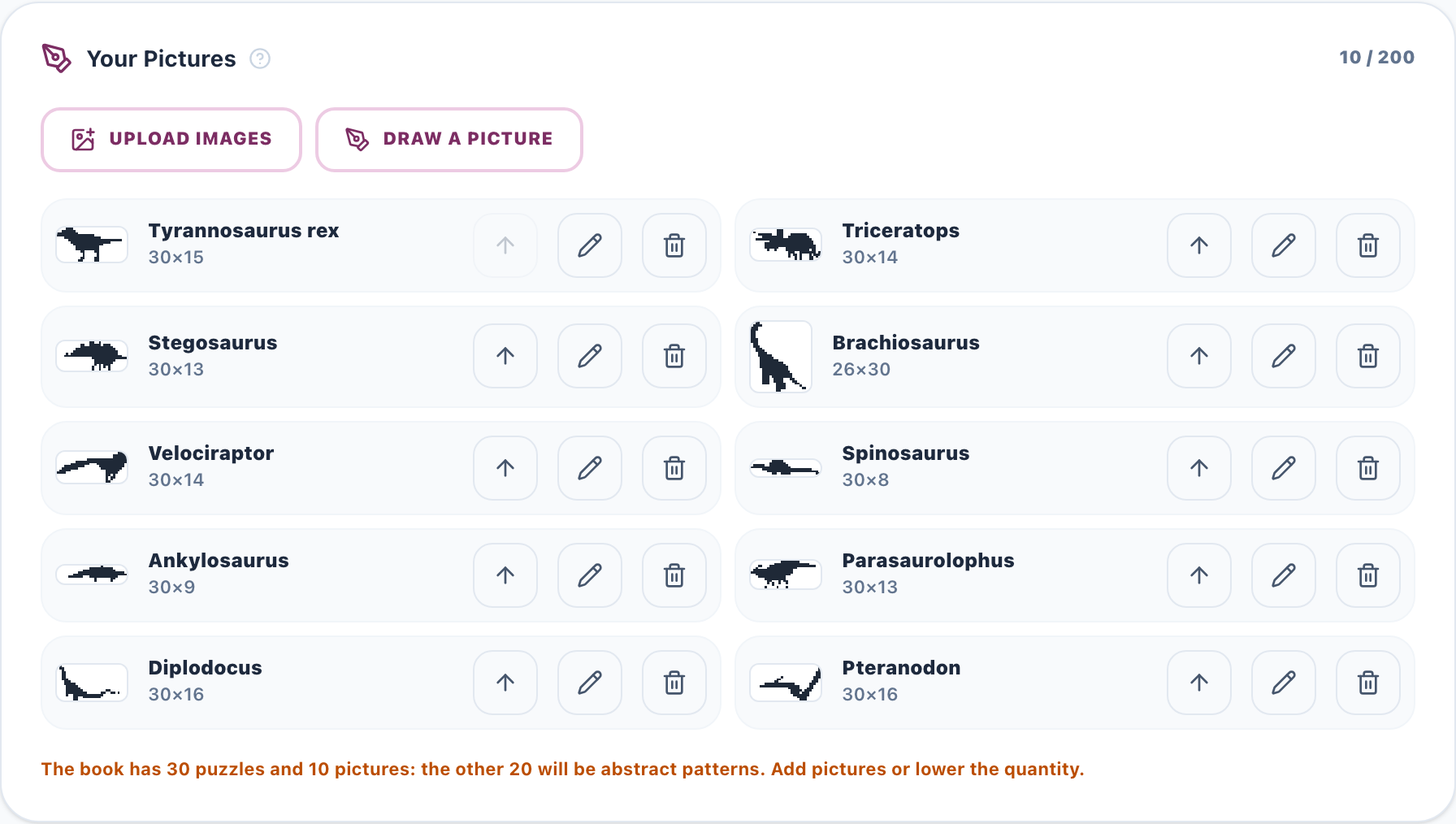
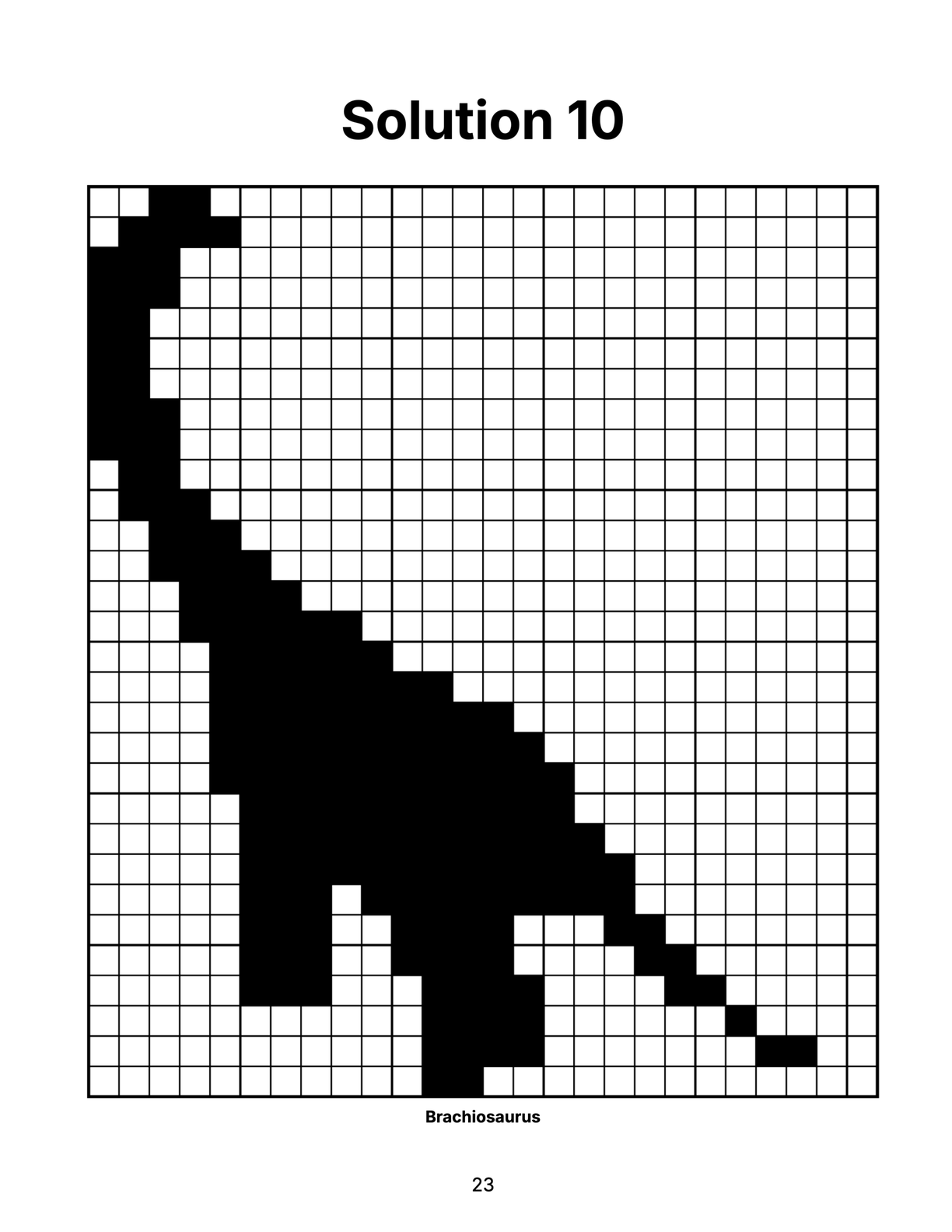
After the files are chosen, every image appears as a small preview of its squares, with its size under it. Two sliders change all previews at once. “Squares (longer side)” sets the grid from 5 to 30 and starts at 15. The shorter side follows the shape of the image: our wide Tyrannosaurus became 30×15, the tall Brachiosaurus 26×30 and the long, flat Spinosaurus 30×8. “Darkness threshold” moves the line between filled and empty; “Invert” fills the light parts instead, for a white drawing on a dark background.
At 15 squares the dinosaurs were hard to tell apart. At 30 the legs, horns and back plates came through, so we used 30 for the whole book. More squares also mean a longer puzzle and, above 20, a higher price in credits, covered below.
Three details save time. The picture’s name is taken from the file name, and it prints under the solved picture, so rename “IMG_4032.png” to “Triceratops.png” before uploading; names can still be edited later. One slider position applies to the whole batch, so put images that need different settings into different batches. And an image that comes out with no filled square is skipped with a note, which usually means the threshold is too low for a pale drawing.
Thin Shapes Need a Second Batch
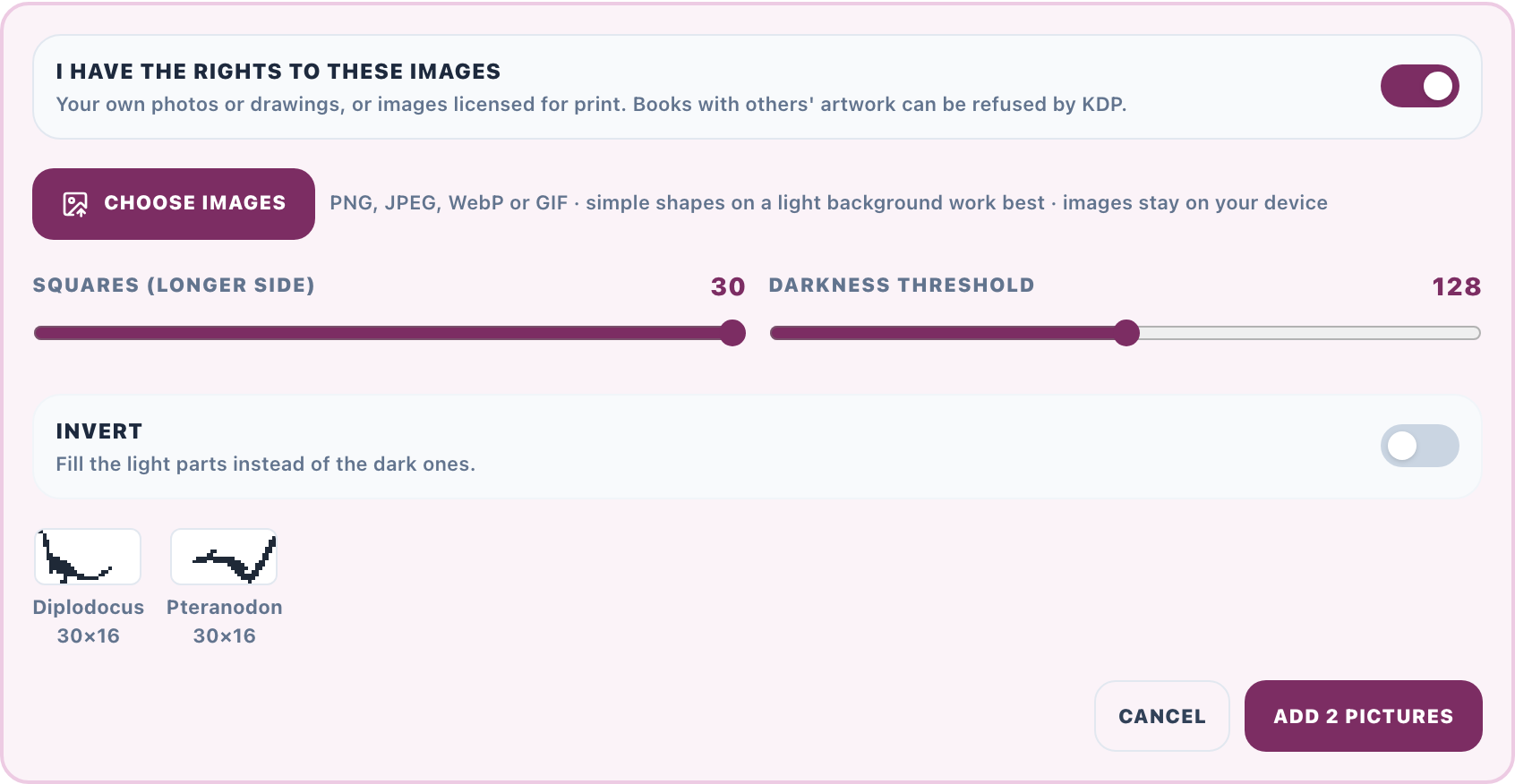
Eight of the ten silhouettes converted well at the starting threshold of 128. Two did not: the Diplodocus with its whip-thin tail and the Pteranodon with its narrow wings. Where a thin line covers less than half of a square, the average stays light and the square is left empty, so the tail broke off.
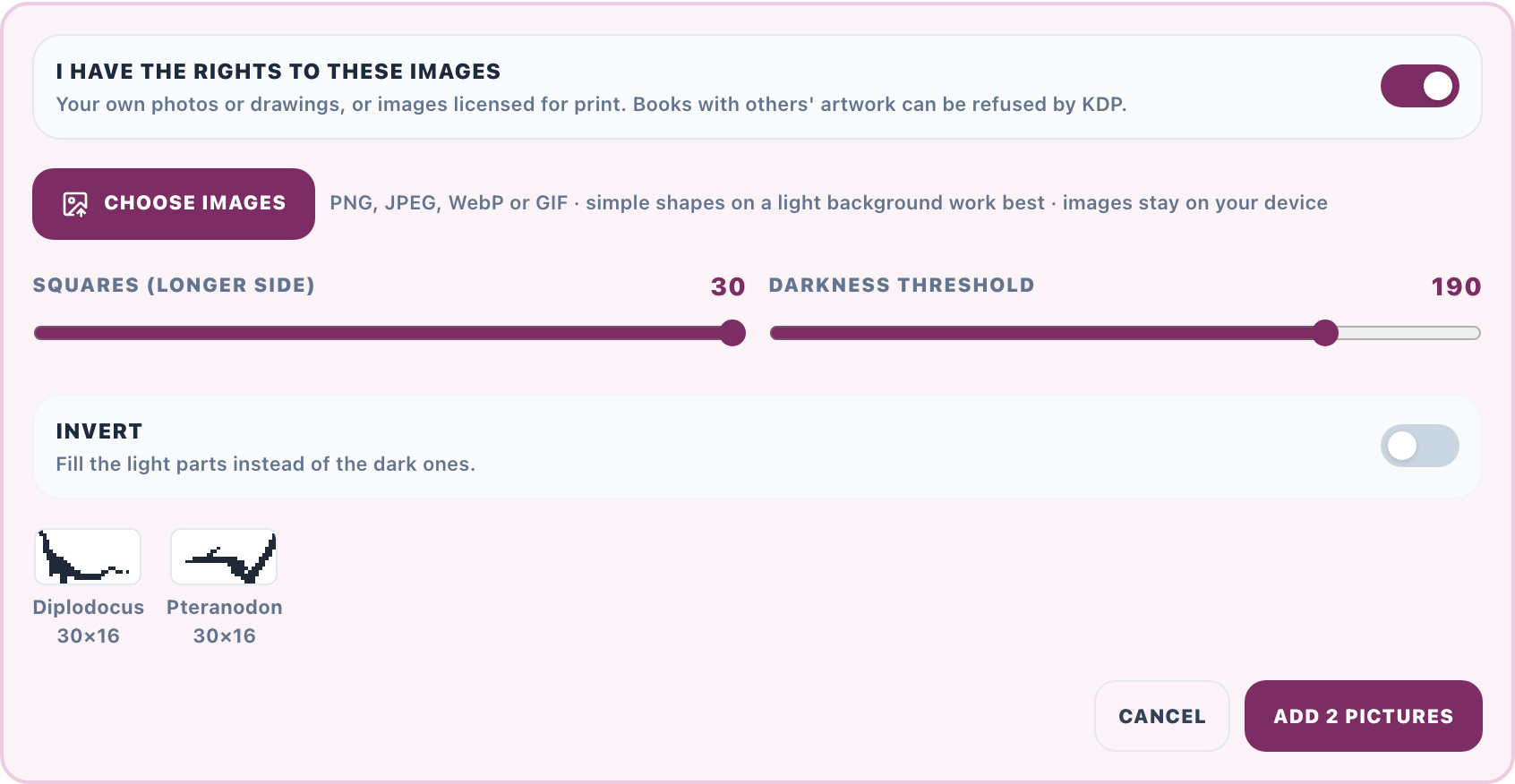
We uploaded those two again as their own batch and raised the threshold to 190. A square then fills even when the shape covers only a part of it, and most of the tail came back. Do not use that setting for everything: at a high threshold solid shapes swell, and our Stegosaurus lost the gaps between its plates.
Two squares at the end of the tail still stood apart from the body. That is a job for the pixel editor: the pencil button next to a picture opens it on a grid where a click fills or clears a square, and its width, height and name can be changed. Tidying a picture by hand takes a minute and often makes the difference between a blob and an animal.
Every Picture Is Solved Before It Prints
A picture you upload is not automatically a fair puzzle. Some shapes can be drawn in two ways from the same numbers, and a solver would have to guess. So every picture is run through the same solver as the built-in library. Where the numbers alone leave a choice, the fewest squares needed to settle it are printed in the grid as givens.
The Book Check panel reports this for the first eight puzzles of the book. For the dinosaurs it said that all eight have exactly one solution found by logic, that their complexity runs from 25 to 57 on a scale of 100, and that four of them print one given square each. The “Check puzzle” button in the pixel editor gives the same verdict for a single picture.
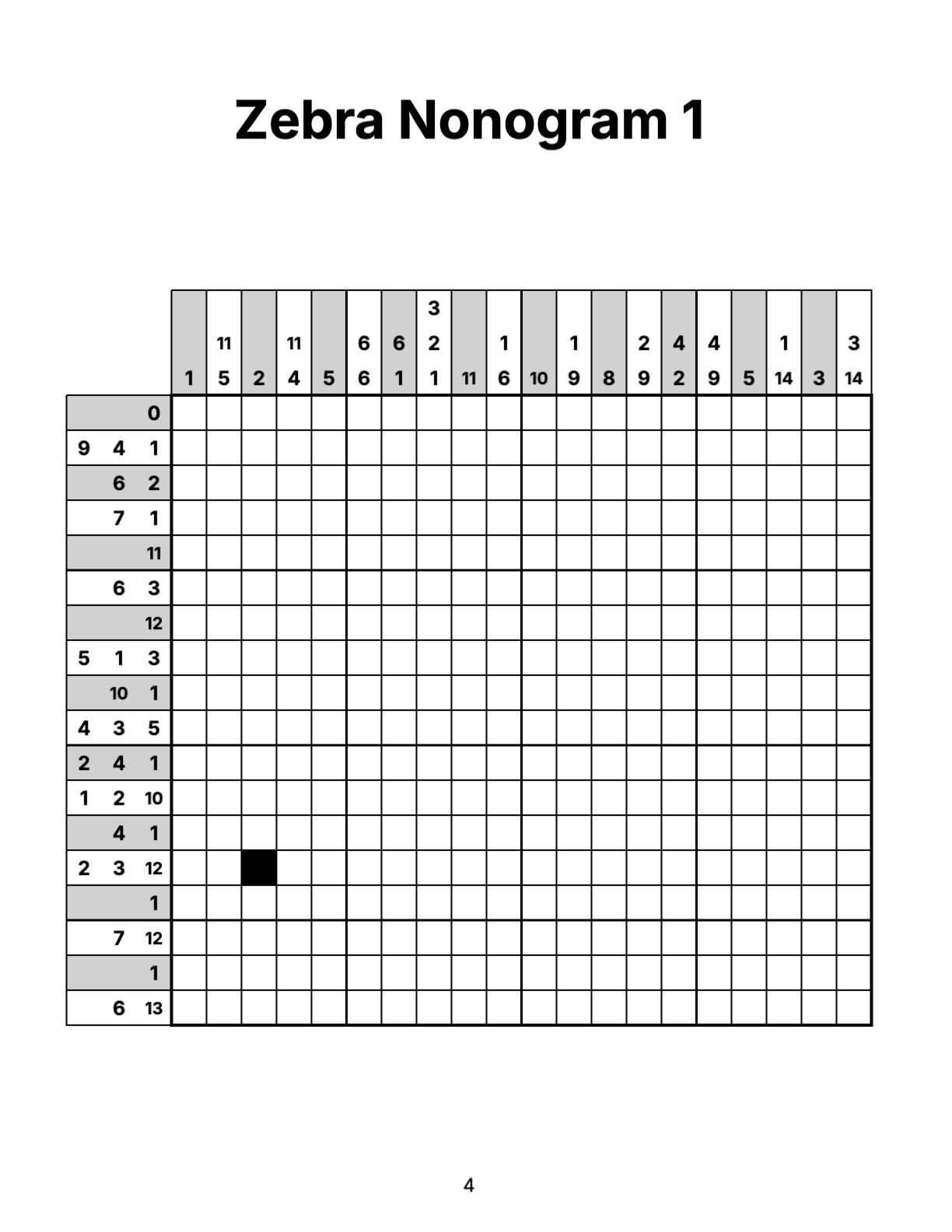
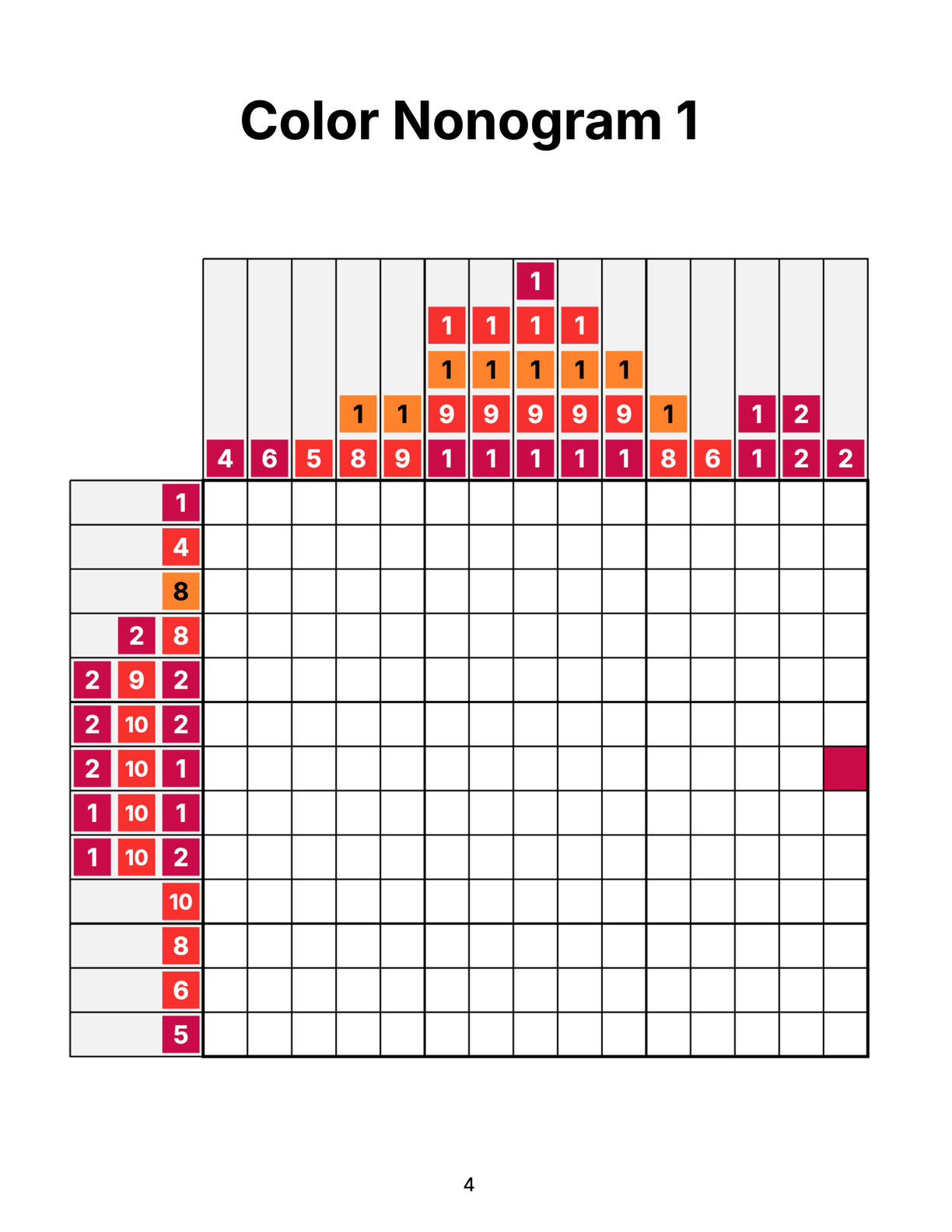
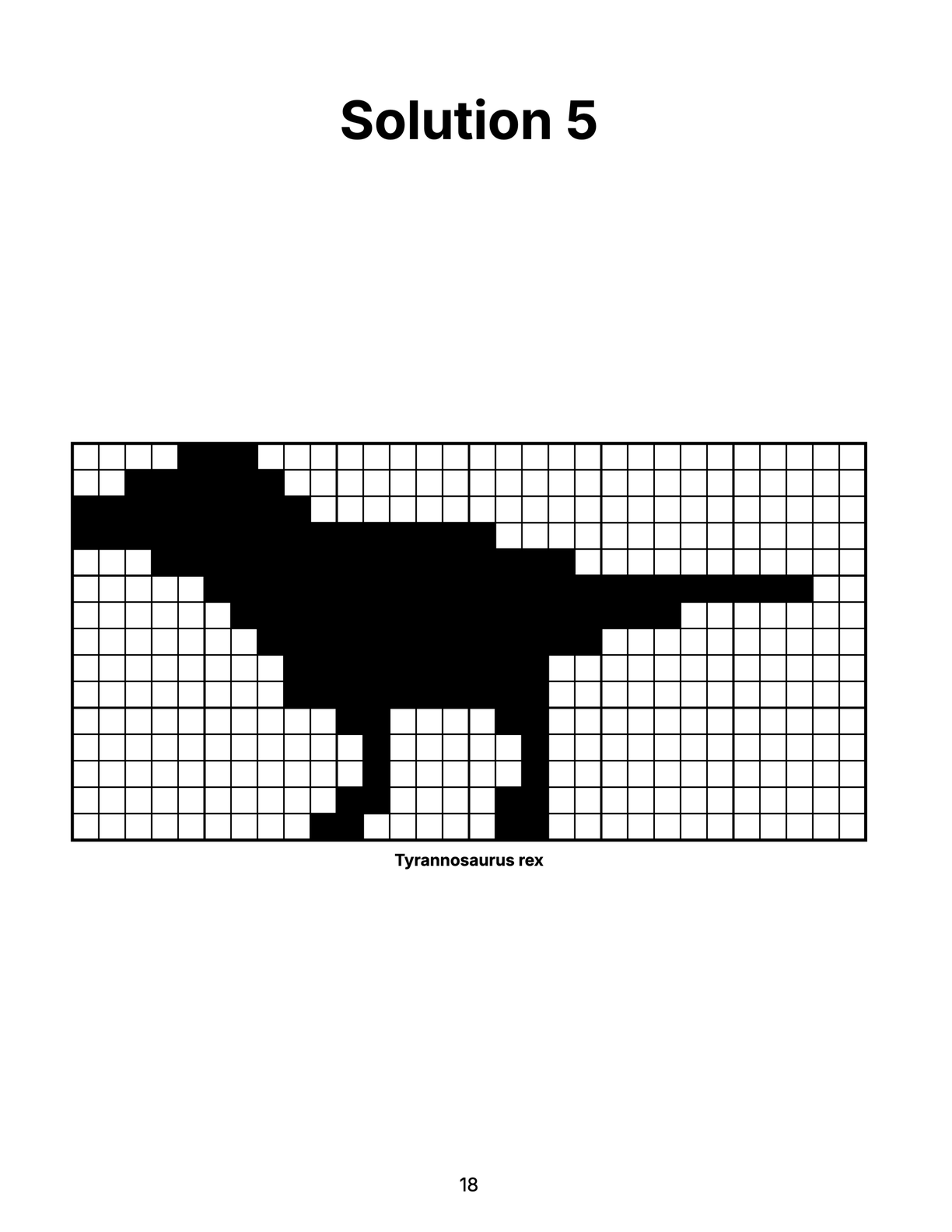
The Tyrannosaurus page shows the result. One square is printed black in row 8. Row 6 is marked 23 in a grid 30 squares wide, so its middle 16 squares are filled wherever the block sits, a good place to start. The two columns marked 0 on the right are the uncropped margin of the image file.
From Ten Pictures to a KDP Book
Set Total Puzzles to the number of your pictures. A book never repeats a picture, so when it has more puzzles than pictures, the rest are filled with abstract patterns. The Your Pictures panel says so under the list: with our ten pictures and the 30 puzzles the book started with, it warned that 20 puzzles would be patterns.
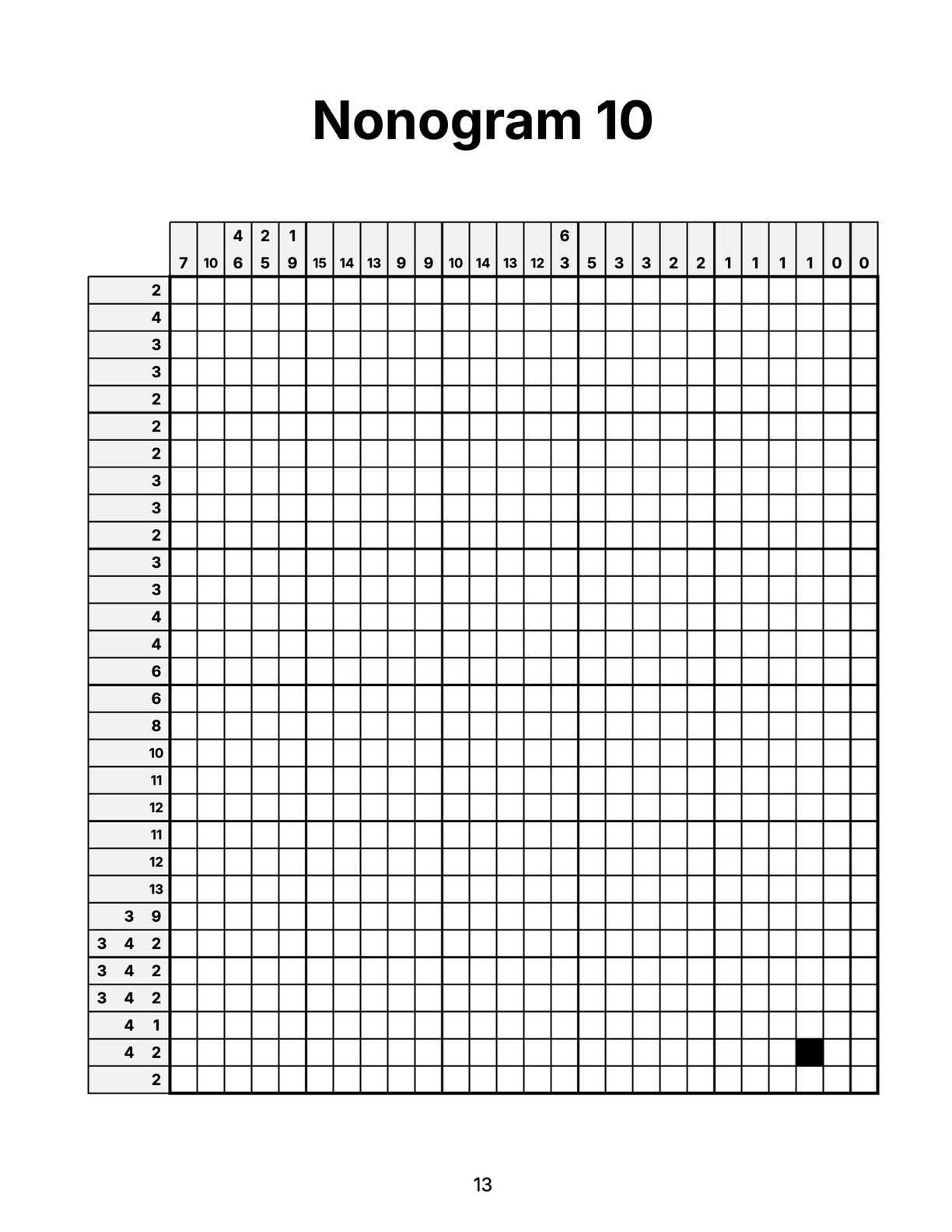
Then look at the page count. KDP prints paperbacks from 24 pages, and the configurator does not open the editor below that. Ten puzzles at one per page, their solutions at four per page and four front and back pages made 17 pages. Switching to one solution per page brought the book to exactly 24, which is how we exported it. With the usual four solutions per page you need at least 16 pictures. A book worth selling needs far more, 50 to 100.
Grids up to 20 squares on the longer side cost one credit per puzzle and larger ones two, so our ten puzzles at 30 squares cost 20 credits. If the price matters more than detail, convert at 20. The puzzles print easiest first by default; “As picked” keeps your upload order, and the arrows in the picture list move a picture up.
Everything after that is the same as for any nonogram book: titles, fonts, line weights and the answer key are set in the editor, described in the editor guide. For another clue rule on the same pictures, see the nonogram variations.
In short
- Up to 24 images per batch and 200 pictures per book; one picture is one puzzle.
- Solid shapes on a light background convert best; crop them and name the files first.
- One threshold applies to a batch: give thin shapes a batch of their own and repair them in the pixel editor.
- Set Total Puzzles to the number of pictures and reach 24 pages before opening the editor.
Color and the Other Nonogram Types
We ran this test in black and white. The upload works the same way in color nonogram, zebra nonogram, triangle nonogram and mosaic books; hexagon and curved nonograms use their own picture libraries and take no uploads.
In a color nonogram book the threshold slider is replaced by “Colors”, from 1 to 4. Squares close to white stay empty and the remaining ones are grouped into that many inks, so a flat drawing in a few strong colors is the image to pick. Color interiors cost more to print on KDP, which the color nonogram guide covers.
Tools for This Guide
Nonogram Puzzle Book Generator
Nonogram books from the picture library, patterns or your own images, with Kids and Large Print editions.
OpenColor Nonogram Puzzle Book Generator
Color nonogram books: your images in up to four inks.
OpenFree Nonogram Puzzle Generator
A free printable nonogram page from the picture library (no uploads in the free tool).
OpenFrequently Asked Questions
Can I upload several images at once?
Yes, up to 24 files in one batch. A book holds up to 200 pictures, so a large book takes several batches. Every picture becomes one puzzle.
Which image formats can I use?
PNG, JPEG, WebP and GIF, up to 8 MB and 6,000 pixels on the longer side. SVG and HEIC files are refused; export them as PNG or JPEG first.
Are my images uploaded to a server?
No. The browser reads the file and turns it into squares on your device. Only the finished grid of squares is saved with your project.
Why does my picture come out as a blob or lose parts?
The grid has at most 30 squares on its longer side and one threshold decides which squares are filled. Lower the threshold when shapes swell, raise it when thin parts vanish, and repair single squares in the pixel editor.
Can I turn a photo into a nonogram?
Only when the subject is clearly darker than its background. Remove the background and raise the contrast first; a silhouette or a bold drawing converts far better than a raw photo.
Which plan do I need?
Nonograms from your own pictures are part of the Publisher plan and of the free trial, which prints a watermark. Pro makes nonogram books from the picture library and patterns only.
How many pictures does a KDP book need?
KDP prints paperbacks from 24 pages. With one puzzle per page and four solutions per page that is at least 16 pictures; ten are enough with one solution per page. A book for sale usually has 50 to 100 puzzles.