In short
A mine finder puzzle prints a grid of squares where some squares carry a number: how many mines hide around it. The solver uses the numbers to mark every mine. It is pure logic — as long as the puzzle never leaves a 50/50 choice. This guide explains what makes a fair mine finder, how the three logic levels differ, what the difficulty score measures and which grids suit kids, adults and seniors, then walks through creating, designing and exporting a book in Wisdom Effect.
On this page
- 1.What Is a Mine Finder Puzzle?
- 2.Why “No Guessing” Matters
- 3.Easy, Medium and Hard: Three Kinds of Logic
- 4.The Difficulty Score
- 5.Pick the Audience: Grid and Mines
- 6.Answer Keys and Page Layout
- 7.Step 1: Create the Book
- 8.Step 2: Difficulty, Grid and Mines
- 9.Step 3: Book Settings, Design and Export
- 10.Frequently Asked Questions
What Is a Mine Finder Puzzle?
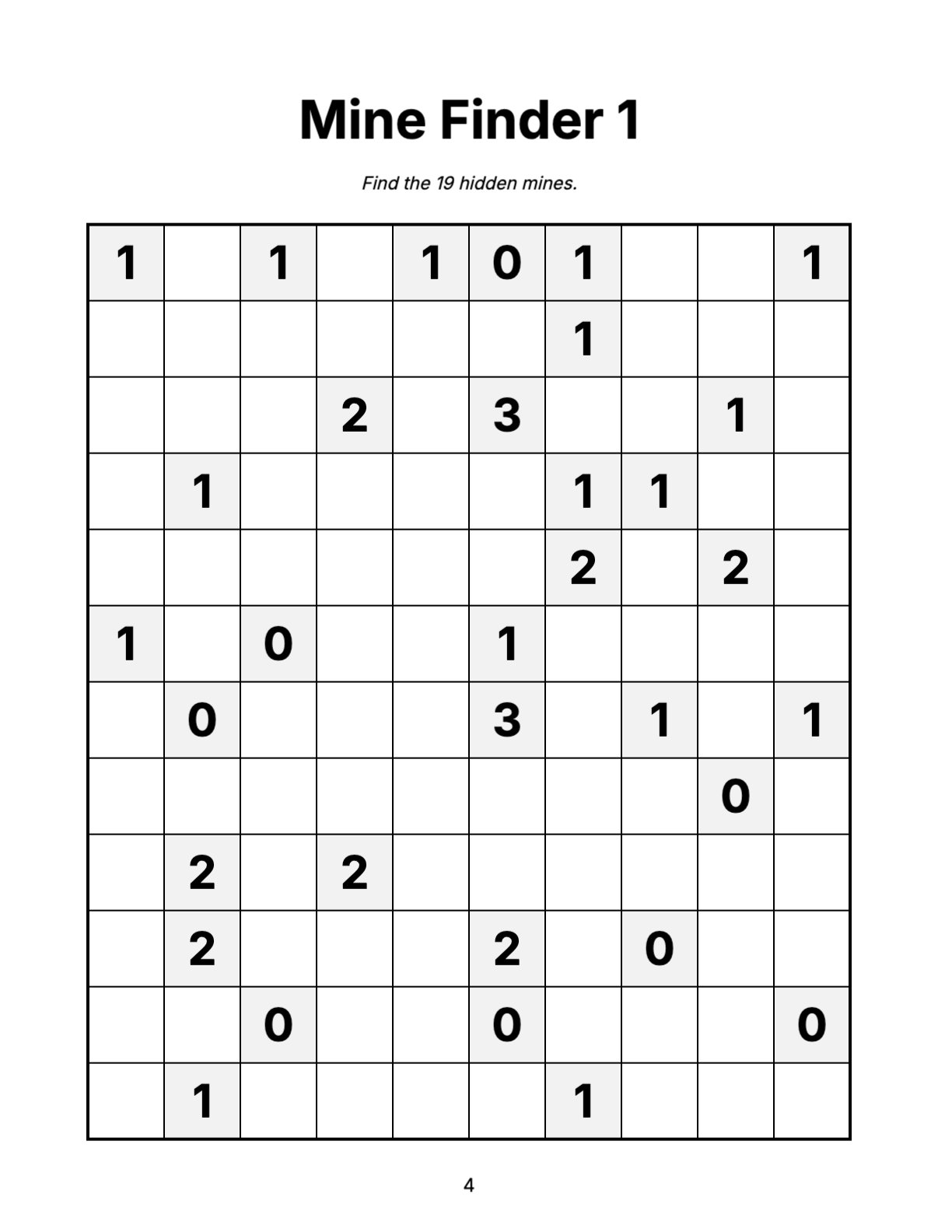
A mine finder is the paper version of a well-known computer logic game. The page shows a grid of squares; some of them carry a number from 0 to 8. Each number tells how many of the up to eight squares around it — up, down, left, right and diagonally — hide a mine. Numbered squares are never mines. The solver works out which blank squares hold the mines and marks them, usually with a dot or a small cross.
Unlike the computer game there is nothing to click and nothing to lose: every number is printed from the start, and the puzzle is solved when every mine is marked. The instruction can say how many mines the grid hides, which helps at the end. Mine finders make a strong logic chapter next to sudoku in a mixed activity book, and they need no words, so they work in every language.
Why “No Guessing” Matters
A randomly made grid often ends in a trap: two blank squares next to a 1, with nothing else to tell them apart. Either could be the mine. In a game you click and hope; in a puzzle book that is a broken puzzle — the reader cannot finish it without guessing, and the answer key looks arbitrary. Reviews of logic books are quick to punish this.
Wisdom Effect checks every puzzle before it goes into the book. A solver that works like a person — it only uses steps a reader could write down — solves the grid from the printed numbers. If the logic gets stuck before every mine is known, the grid is thrown away and a new one is made. The configurator’s Book Check shows the result for the first puzzles of your book: “8 of 8 solved by logic alone”.
Easy, Medium and Hard: Three Kinds of Logic
A bigger grid makes a puzzle longer, not harder. Real difficulty comes from the kind of reasoning a puzzle needs, so the three levels in Wisdom Effect are defined by the solving technique the solver is allowed to use.
Easy puzzles need only direct deductions: a number whose mines are all found clears its other neighbors, and a number with exactly as many blank neighbors as mines makes them all mines. Medium adds set subtraction: when one number’s blank neighbors are part of another’s, the difference between the two numbers tells what the extra squares hold. Hard needs chains of such overlapping groups and keeps the fewest numbers in the grid.
| Level | Technique | Numbers kept | Standard preset |
|---|---|---|---|
| Easy | Direct deductions from one number | Many | 8×10, 12% mines |
| Medium | Set subtraction between two numbers | Fewer | 10×12, 16% mines |
| Hard | Chains of overlapping groups | As few as possible | 12×15, 20% mines |
The Difficulty Score
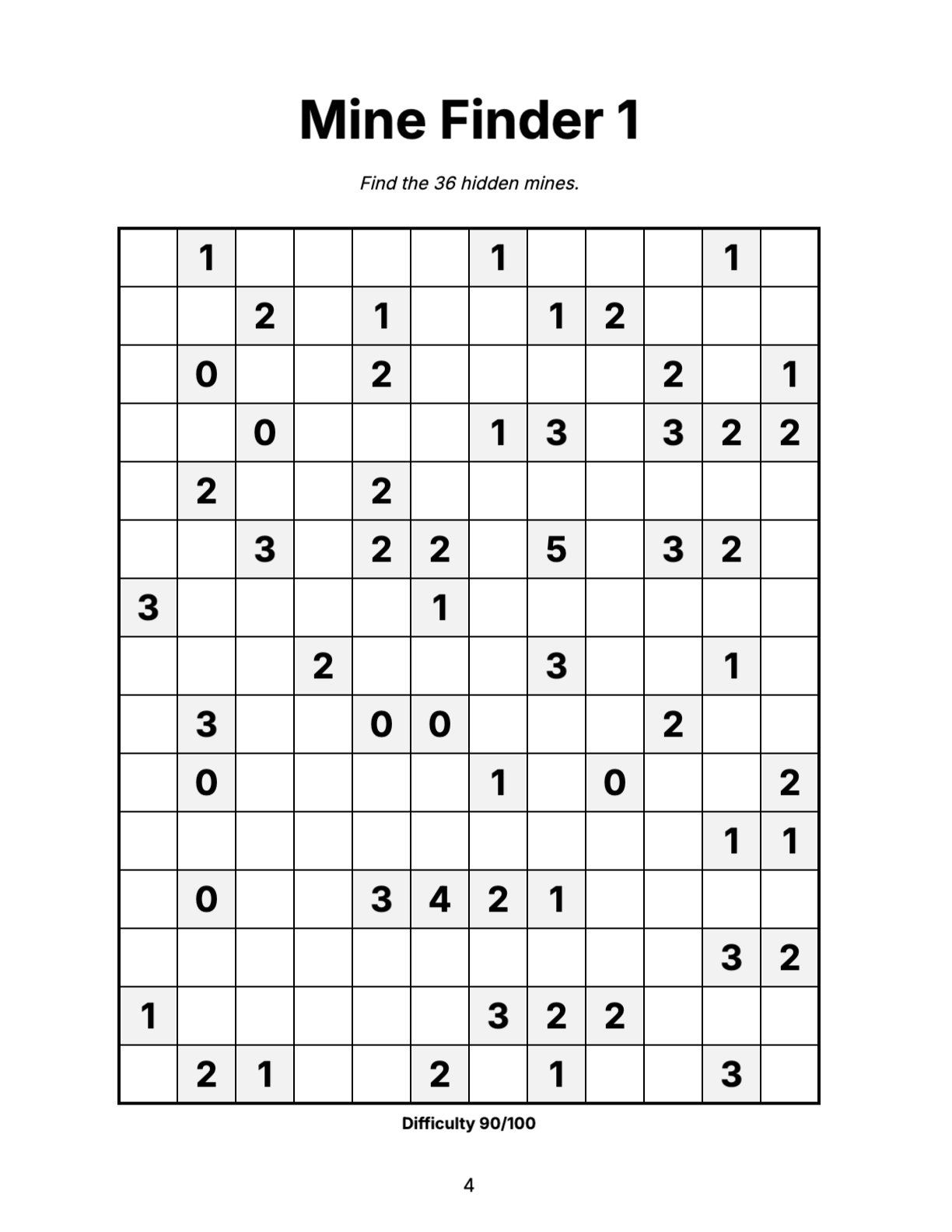
Every puzzle gets a complexity score from 1 to 100, measured while the solver works. The hardest rule the puzzle needs sets the third of the scale: Easy puzzles score 1–33, Medium 34–66 and Hard 67–100, so a Hard puzzle never scores below a Medium one. Inside the third the score follows the longest chain of deductions, the number of subset steps and the share of mines in the grid.
You can print the score under each grid (“Difficulty 42/100”), which readers like as a target and a way to track progress. Within one book the score also shows how even your puzzles are — the Book Check in the configurator lists the range and the average of the first puzzles.
Pick the Audience: Grid and Mines
Children need small grids, few mines and many numbers to start from: a 5×5 or 6×7 grid with three or four mines is a complete first logic puzzle. Adults enjoy 10×12 to 16×20 grids with 15–25% mines. Seniors prefer a relaxed pace with big squares — one puzzle per page and large print matter more than the grid size.
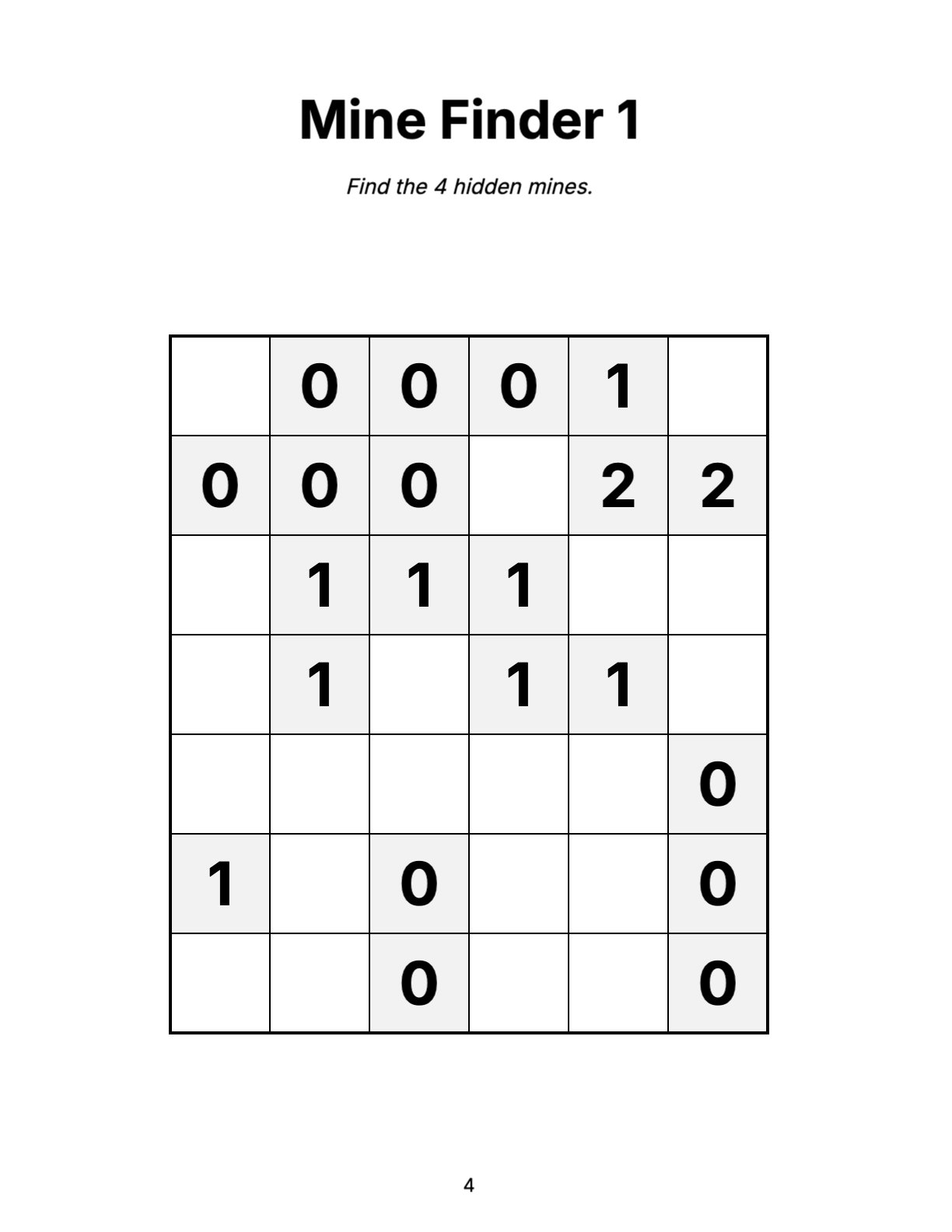
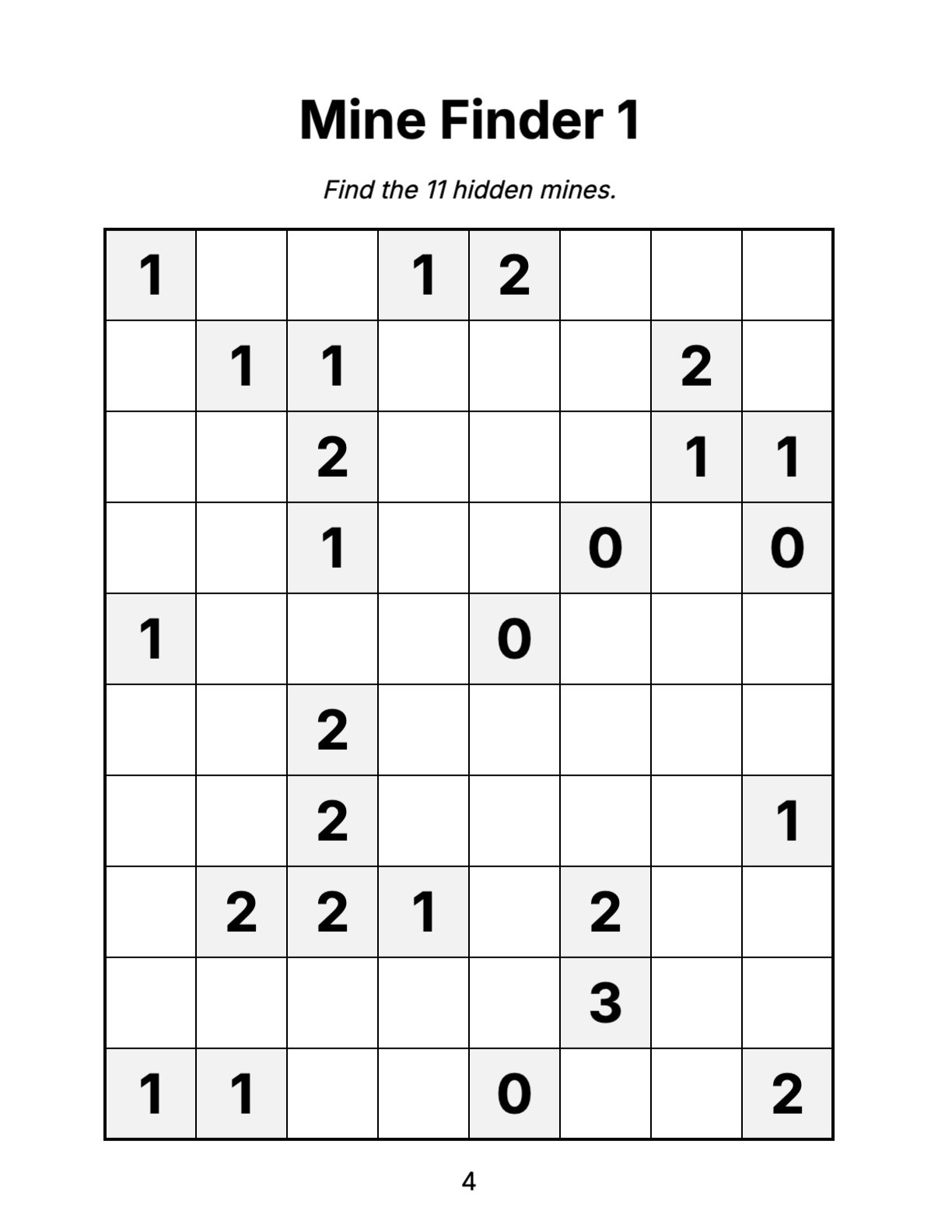
| Edition | Grid | Mines | Logic levels |
|---|---|---|---|
| Kids | 5×5 to 9×10 | 8–16% | Easy and Medium, extra numbers |
| Standard | 6×6 to 16×20 | 8–25% | Easy, Medium and Hard |
| Senior | 6×6 to 12×14 | 8–22% | Easy, Medium and Hard, large print |
Answer Keys and Page Layout
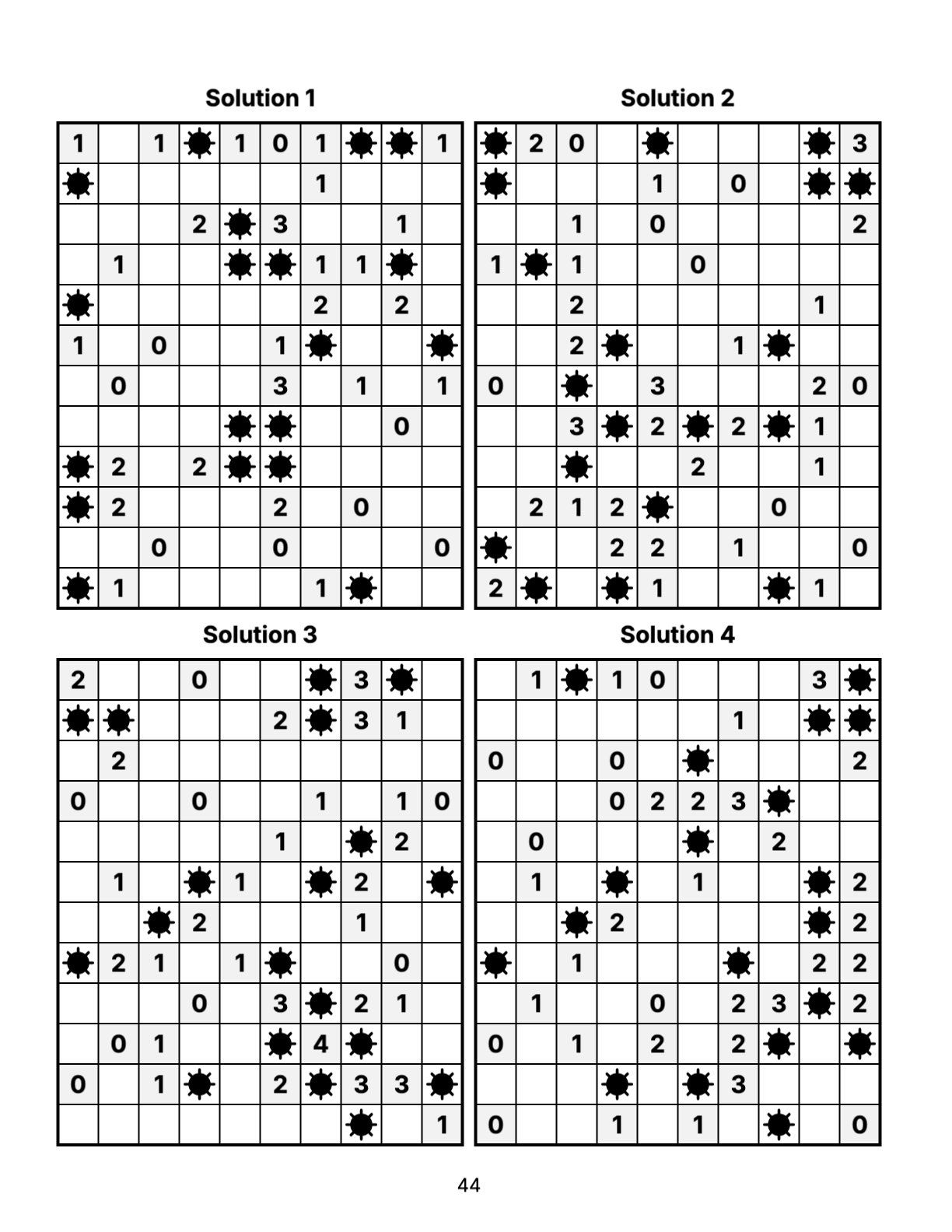
The answer key prints every mine next to the numbers, smaller and several to a page: standard books fit up to 9 solutions per page, Kids and Senior books fewer, in bigger print. Puzzle pages hold one grid, or up to four smaller ones in the standard edition.
Square size matters more than in most puzzles, because the reader writes into the squares. The configurator warns you when a large grid with several puzzles per page would print squares too small to mark comfortably.
Step 1: Create the Book
On /create choose the edition at the top (Standard, Kids or Senior) and click the Mine Finder card. Holiday editions such as Christmas or Halloween add holiday colors, title fonts and the season’s word in the puzzle titles. A mine finder can also be one chapter of a Mixed Book, with its own settings.
Step 2: Difficulty, Grid and Mines
Difficulty sets the logic level, the grid and the share of mines in one click: Easy, Medium or Hard in the standard edition, Tiny, Small and Big for kids (ages 6 to 9+), Relaxed, Classic and Challenging for seniors. Logic & Printing chooses the logic level on its own and whether the instruction names the number of mines and whether the score prints under each grid.
Grid & Mines sets the width, the height and the share of mines, with the mine count per grid next to the slider. The Book Code makes the book reproducible: the same code always gives the same puzzles, a new code a new book. The Book Check under it solves the first puzzles again and reports how many logic alone solved, the score range and the mines per grid.
Step 3: Book Settings, Design and Export
Pick the trim size, the number of puzzles (1 mine finder of any size = 1 credit) and the puzzles and solutions per page. The page preview shows the first puzzle and solution page, and the KDP summary counts the pages and checks the page range KDP prints in the trim size (24–590 pages at 8.5×11 on white paper, up to 828 at 8×10 and smaller).
Launch Mine Finder Editor opens the book. The Puzzle Design panel switches the mine count and the score, shades the numbered squares or not, and sets the border and line weights and the size of numbers and mines. The instruction and the score are texts of their own: click them on the page to move, restyle or reword them. When the book is ready, export the interior PDF and design the cover with the spine sized from the page count.
Key rules
- A fair mine finder is solvable by logic alone — never a 50/50 guess.
- Difficulty comes from the logic a puzzle needs, not from the grid size.
- A 1–100 score lets readers and you see how hard each puzzle is.
- Choose small grids with many numbers for kids and big squares for seniors.
Tools for This Guide
Mine Finder Puzzle Book Generator
Mine finder logic puzzle books: every grid solvable without guessing, difficulty scores, Kids & Large Print.
OpenFree Mine Finder Puzzle Generator
A free printable mine finder page in Easy or Medium with an answer key.
OpenKids Puzzle Book Generator
Kids puzzle books: mine finders, mazes, word search and more, with big squares and simple rules.
OpenFrequently Asked Questions
How do you solve a mine finder puzzle?
Each number tells how many of the up to eight squares around it hide a mine; numbered squares are never mines. Use the numbers to work out which blank squares are mines and mark them all.
Do the puzzles ever need a guess?
No. Every puzzle is solved by a human-style logic solver before it goes into the book; a grid that would need a 50/50 guess is replaced by a new one.
How many puzzles should a mine finder book have?
Most logic books hold 50–100 puzzles, one per page, plus the answer key at the back. KDP needs at least 24 pages for a paperback.
Are mine finders good for kids?
Yes, with small grids from 5×5, a few mines and many numbers they teach careful counting and step-by-step reasoning. The Kids edition limits grids and mines and keeps extra numbers.
How many credits does a mine finder book cost?
One credit per puzzle, whatever its size, so a 60-puzzle book costs 60 credits. The book type is part of the Pro and Publisher plans.