In short
Word scrambles look simple, but reviews are decided by details: words that match the audience, scrambles that never spell another word, boxes big enough to write in and an answer key readers can trust. This guide explains each decision and shows, screen by screen, how to make a complete word scramble book in Wisdom Effect.
On this page
- 1.Pick the Audience and Word Lengths
- 2.Themes and Your Own Word Lists
- 3.Scrambles That Never Spell Another Word
- 4.Letter Boxes, Clues and Secret Words
- 5.Answer Keys
- 6.Step 1: Create the Book
- 7.Step 2: Difficulty and Words
- 8.Step 3: Lengths, Answer Style, Rules and Secret Word
- 9.Step 4: Book Check and Book Settings
- 10.Step 5: Design and Export
- 11.Frequently Asked Questions
Pick the Audience and Word Lengths
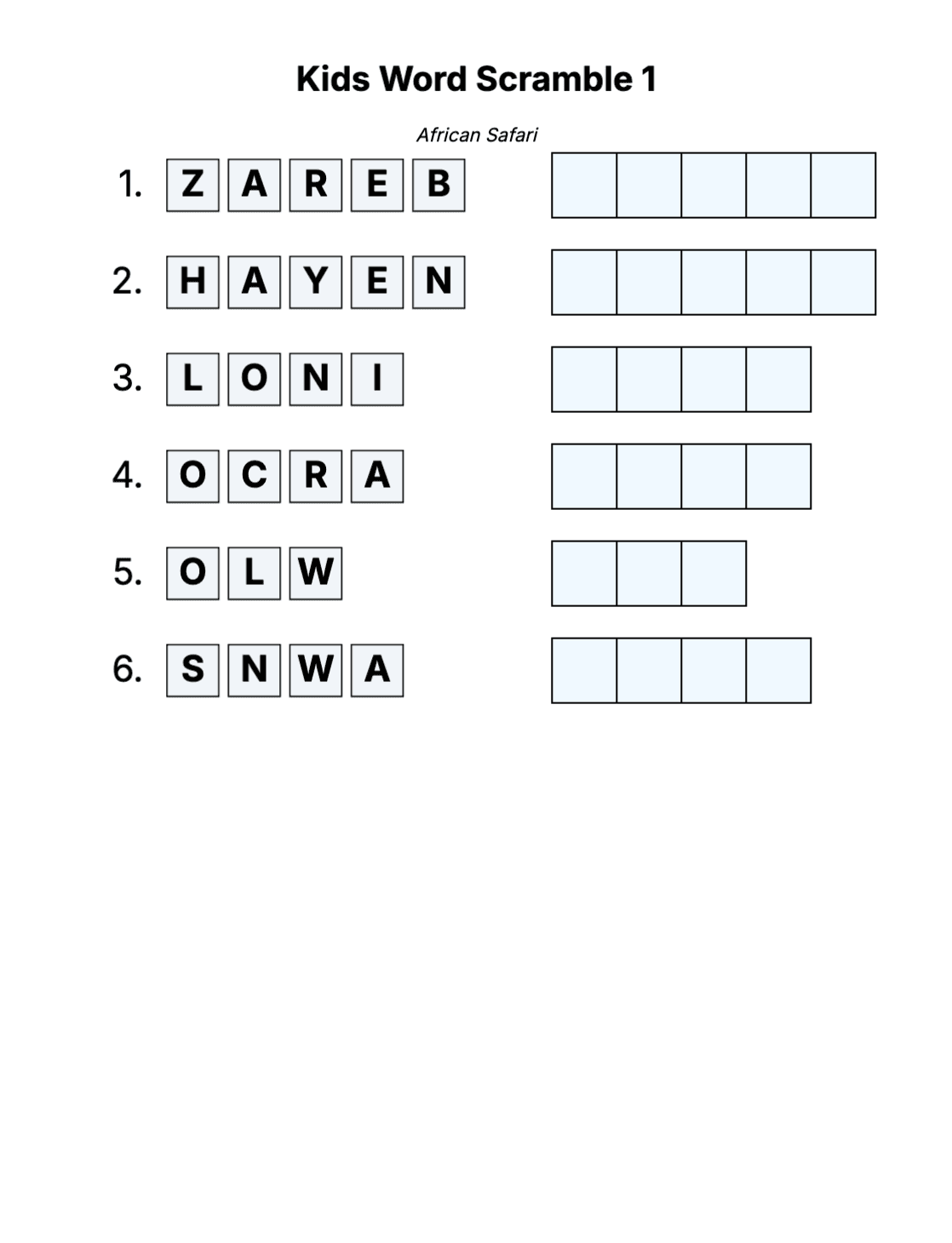
Children enjoy 3–6 letter words with the first letter kept in place. Adults like 4–8 letters in a classic puzzle and up to 12 in an expert one, and seniors prefer familiar words of up to 8 letters in large boxes with one puzzle per page.
Word length drives difficulty more than anything else: every extra letter multiplies the possible arrangements.
| Edition | Letters per word | Words per puzzle | Scramble levels | Puzzles per page |
|---|---|---|---|---|
| Kids | 3–6, first letter always kept | 4–10 | Easy | 1 |
| Standard | 3–15 | 4–25 | Easy, Medium, Hard | 1 or 2 |
| Senior | 3–8 | 4–12 | Easy, Medium | 1 |
Themes and Your Own Word Lists
A theme per puzzle (animals, kitchen, space) gives solvers context and makes the book feel curated. Wisdom Effect offers 900+ curated themes in collections such as Animals & Wildlife or Food & Drink, each puzzle with its own sub-theme as the title. Kids books show only kid-friendly collections.
You can also upload a CSV with your own words, clues and secret words. Rows with the same title become one puzzle, so a list of 24 words in two titles makes two puzzles.
Scrambles That Never Spell Another Word
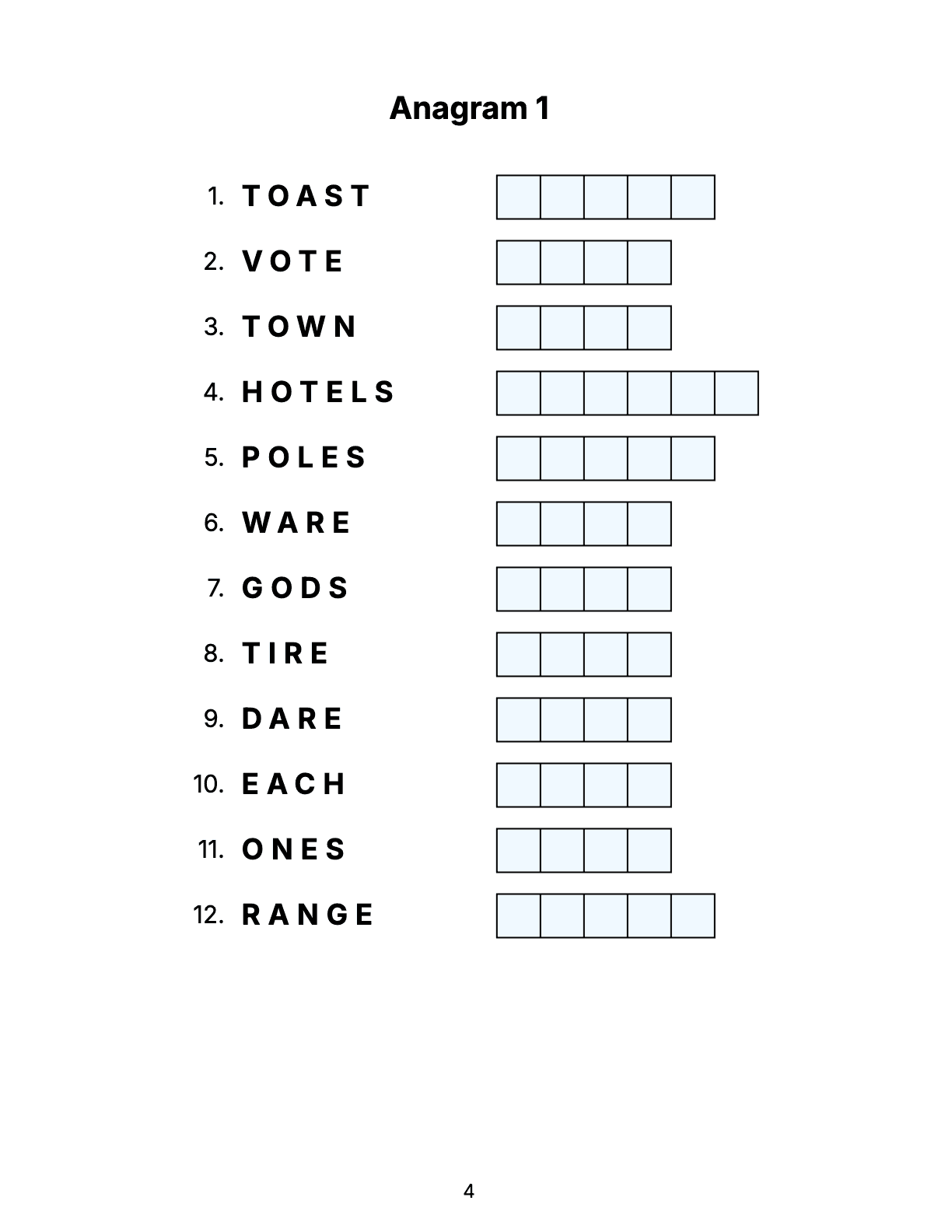
Nothing frustrates a solver more than a scramble that already is a word — MOON scrambled to MONO. Wisdom Effect checks every scramble against an English dictionary and against the other answers of the puzzle, and moves enough letters for the chosen level: at least half of them on Easy, most of them on Medium, and on Hard the first and last letters too.
Letter Boxes, Clues and Secret Words
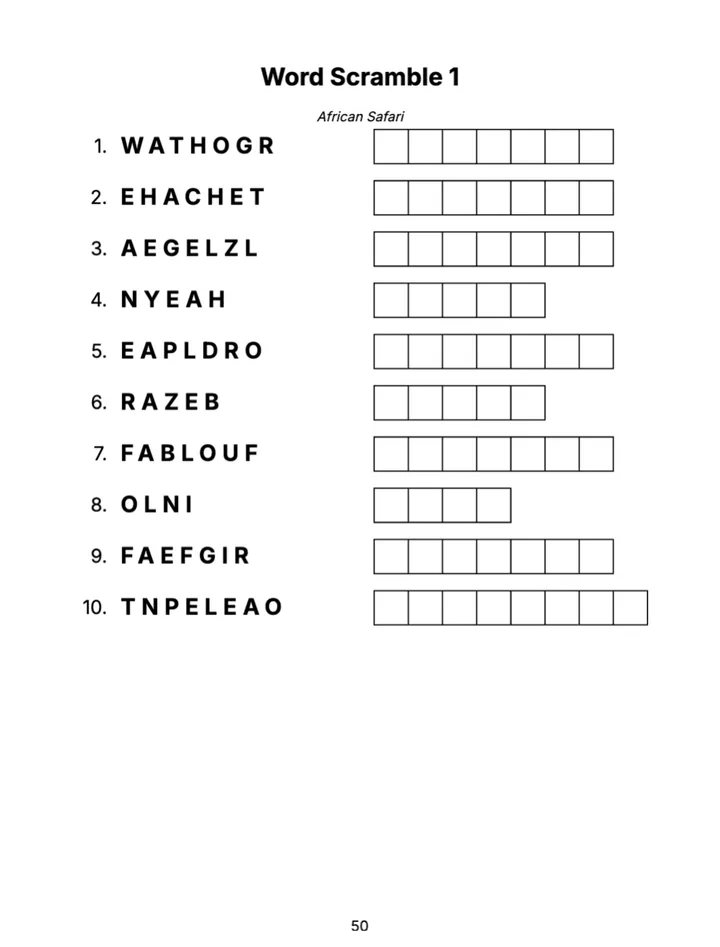
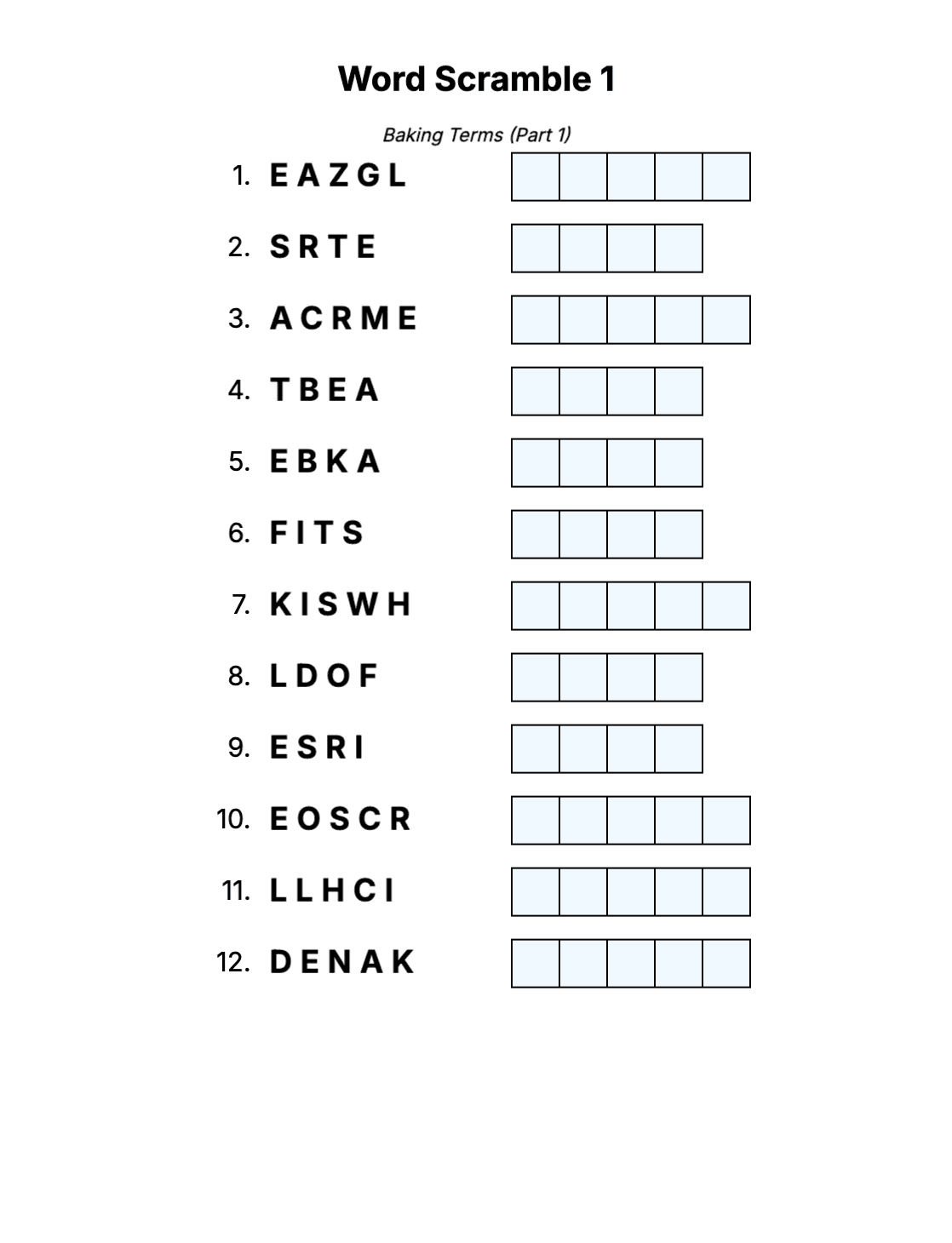
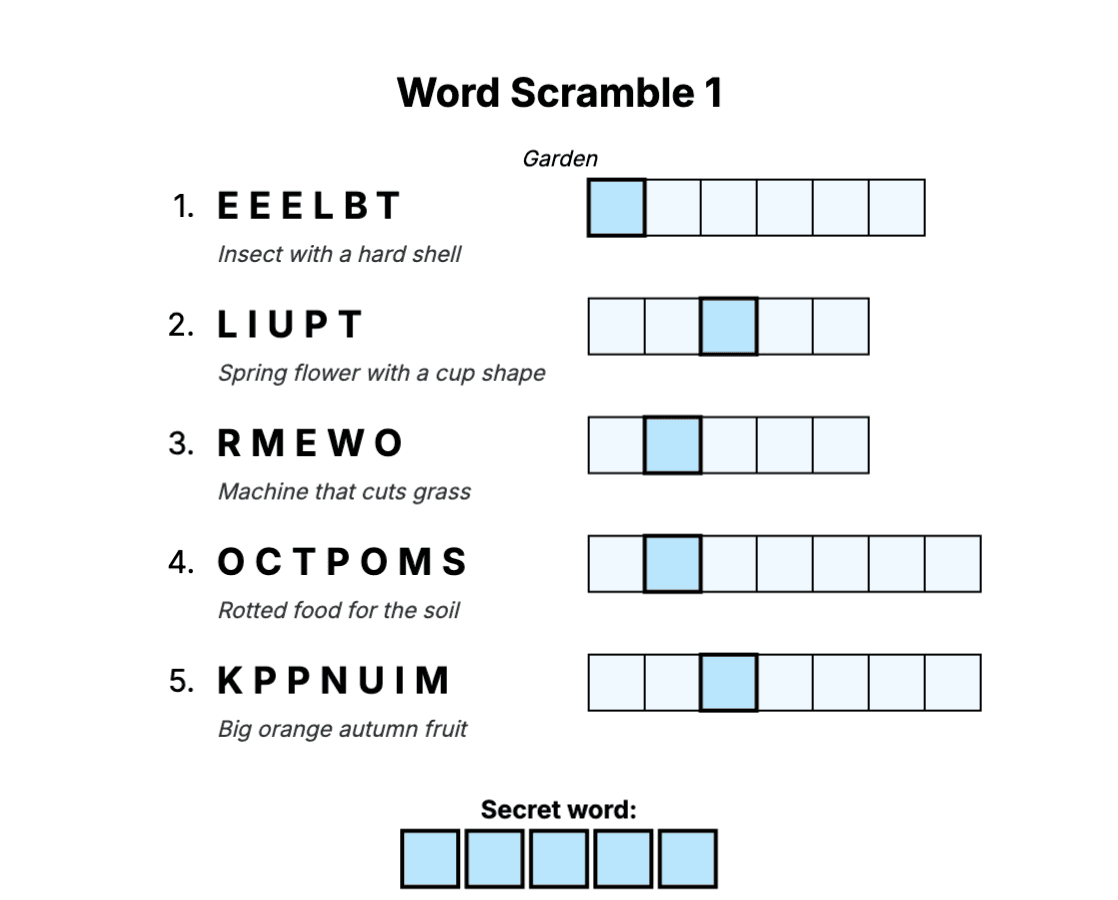
Letter boxes tell the solver how many letters the answer has; a writing line feels more like a classic newspaper jumble. Crossword-style clues under each word make harder puzzles fair.
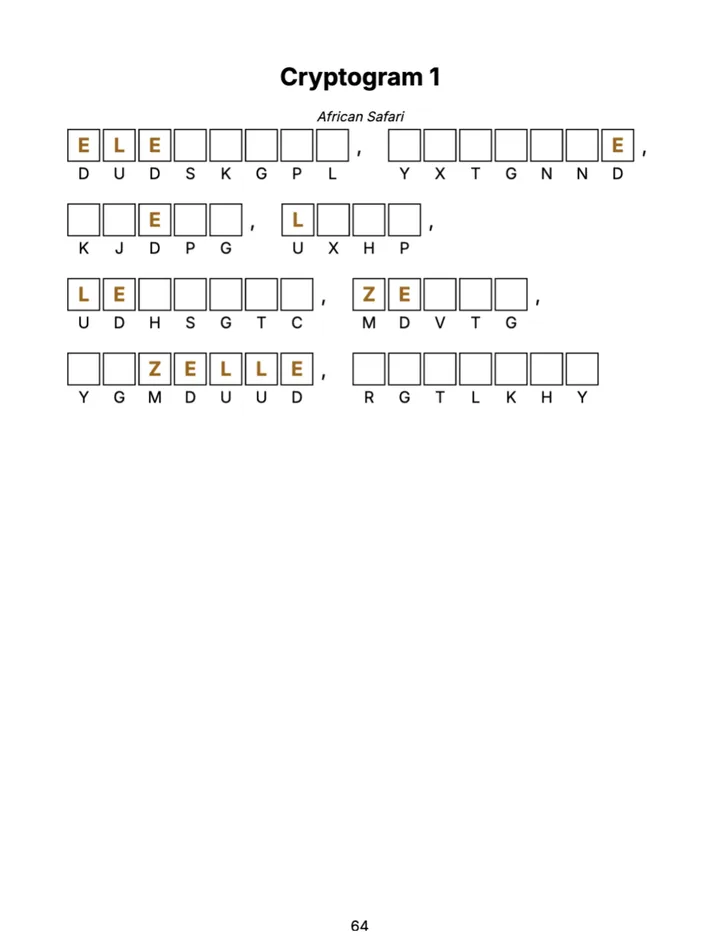
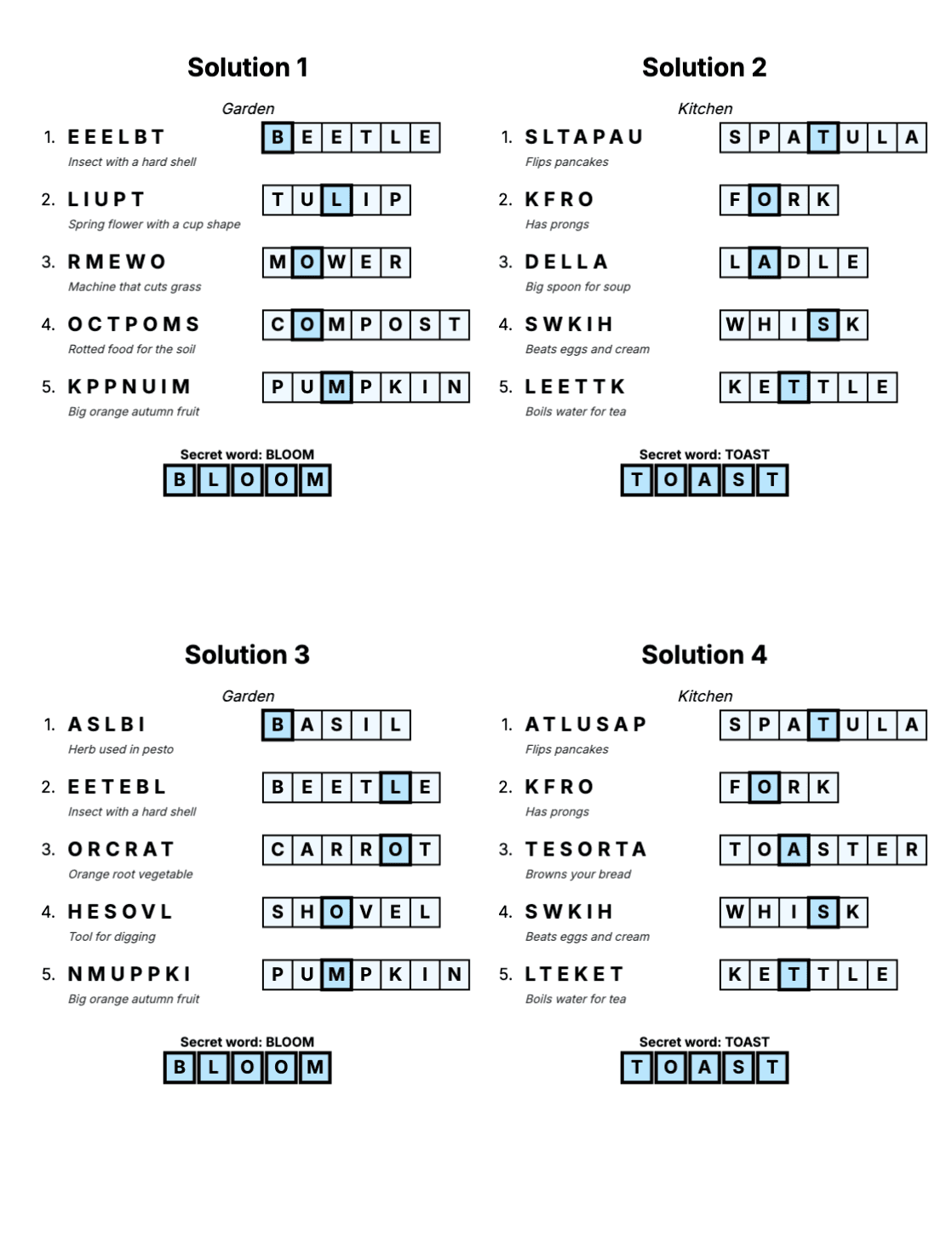
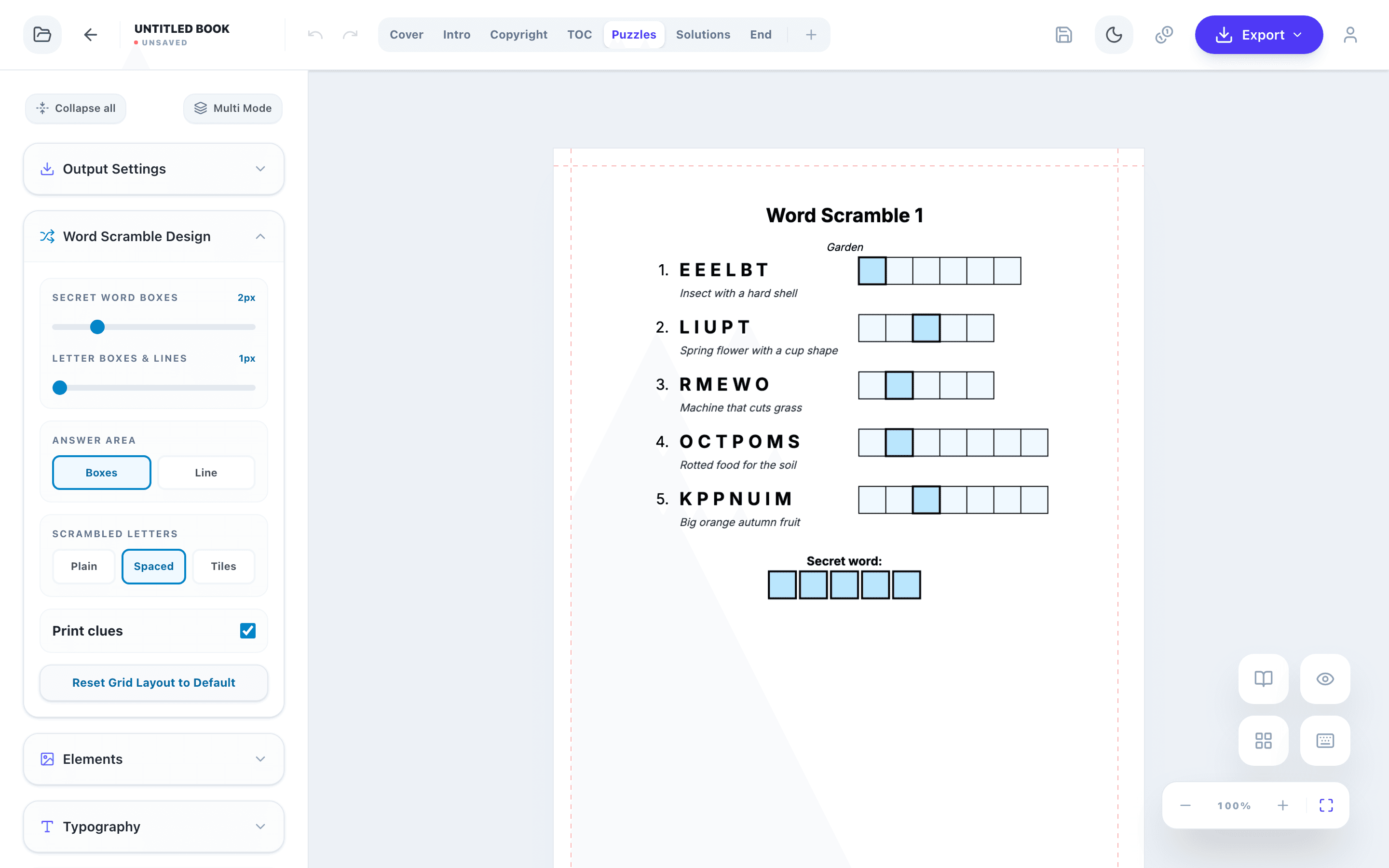
A secret word adds a final reward and is a favourite in kids and holiday books. Highlighted boxes in the answers give the letters, and the reader writes them into the boxes under the puzzle. Either collect the same letter of every answer (for example the 3rd, which gives a letter code), or choose a secret phrase: each puzzle then gets one word per letter, picked so that the highlighted letters spell your message.
Answer Keys
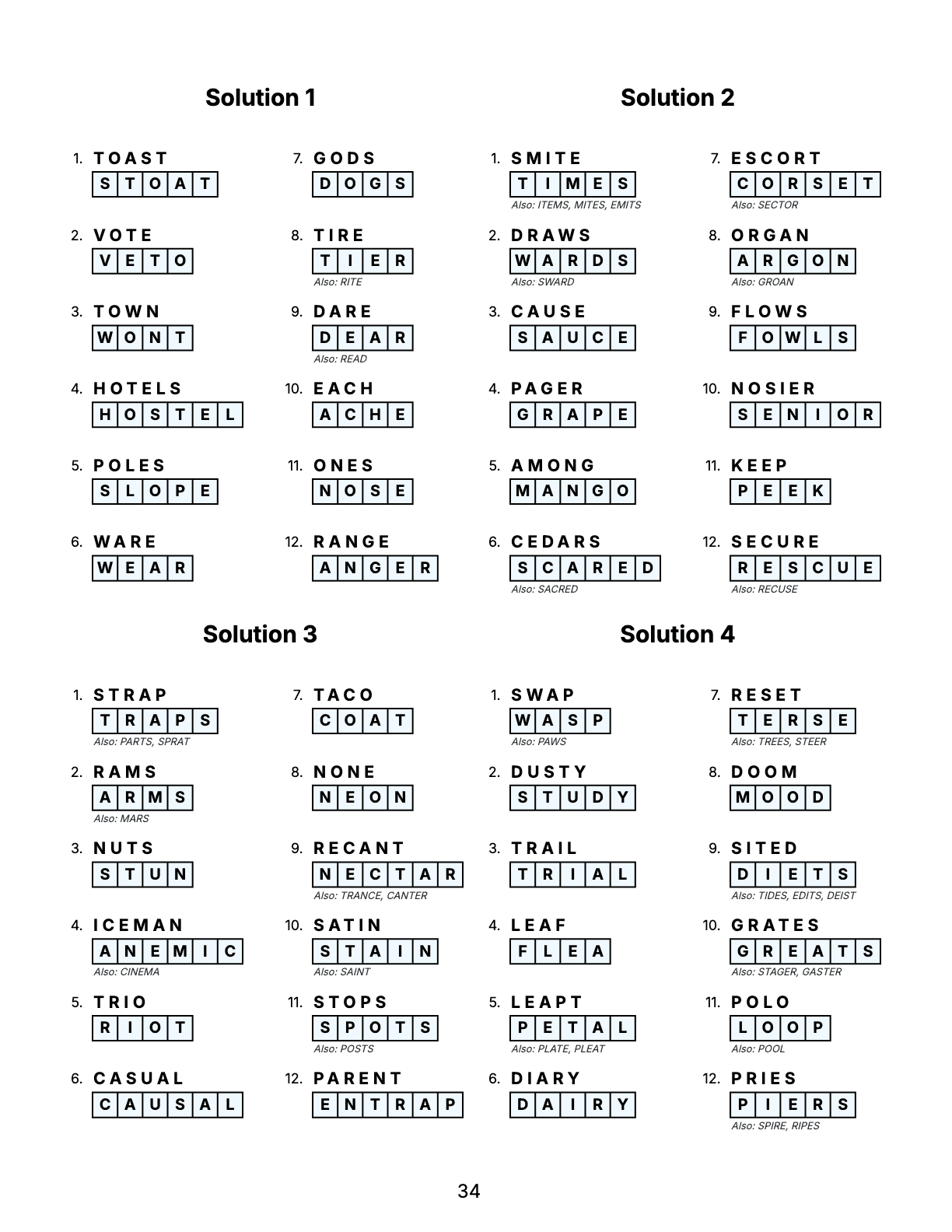
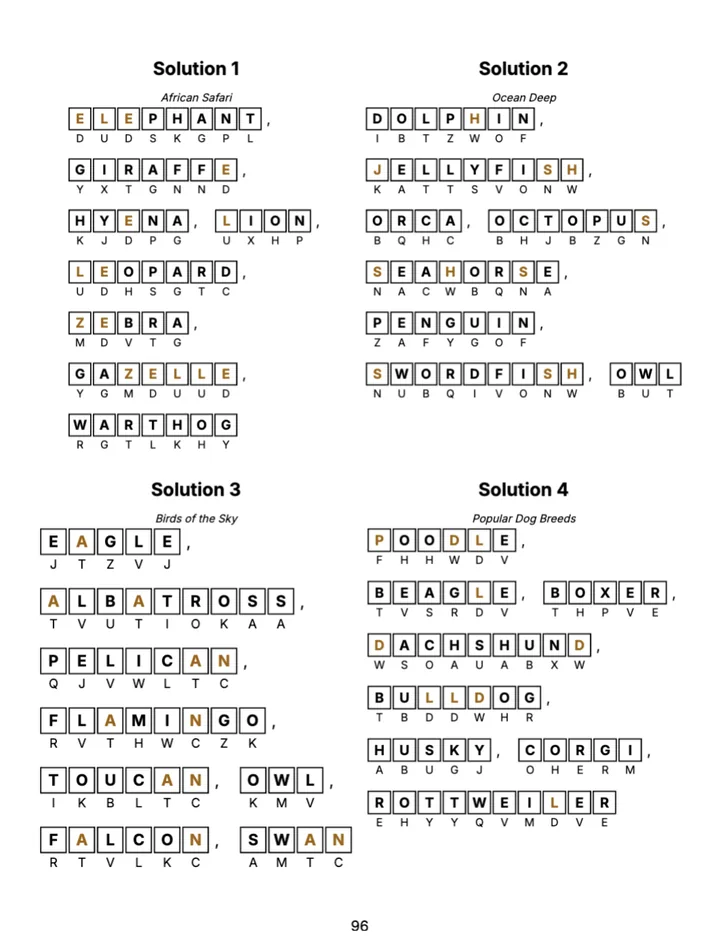
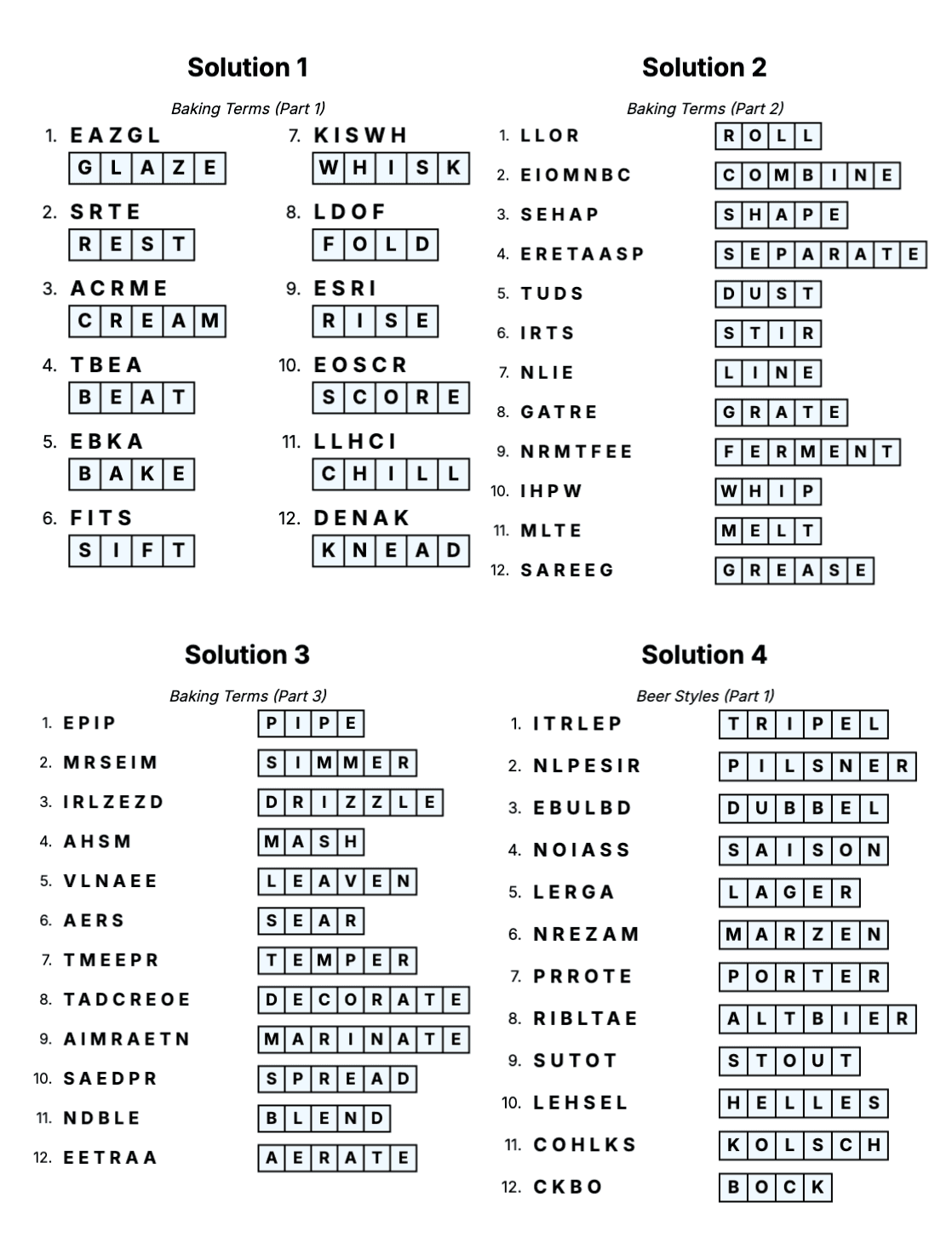
The answer key goes at the back of the book. Each solution lists the scrambled word next to the answer written in letter boxes, with the theme as a subtitle. With a secret word, the highlighted letters and the finished secret word are shown too; with clues, each clue stays under its word.
Standard books print 1, 2, 4 or 6 solutions per page (4 by default); Kids and Senior books 1, 2 or 4.
Step 1: Create the Book
On /create choose the edition at the top (Standard, Kids or Senior) and click the Word Scramble card. Word Scramble books are part of every plan, Starter included. For a holiday book, pick a seasonal theme there as well. Word scrambles can also be one chapter of a Mixed Book.
Step 2: Difficulty and Words
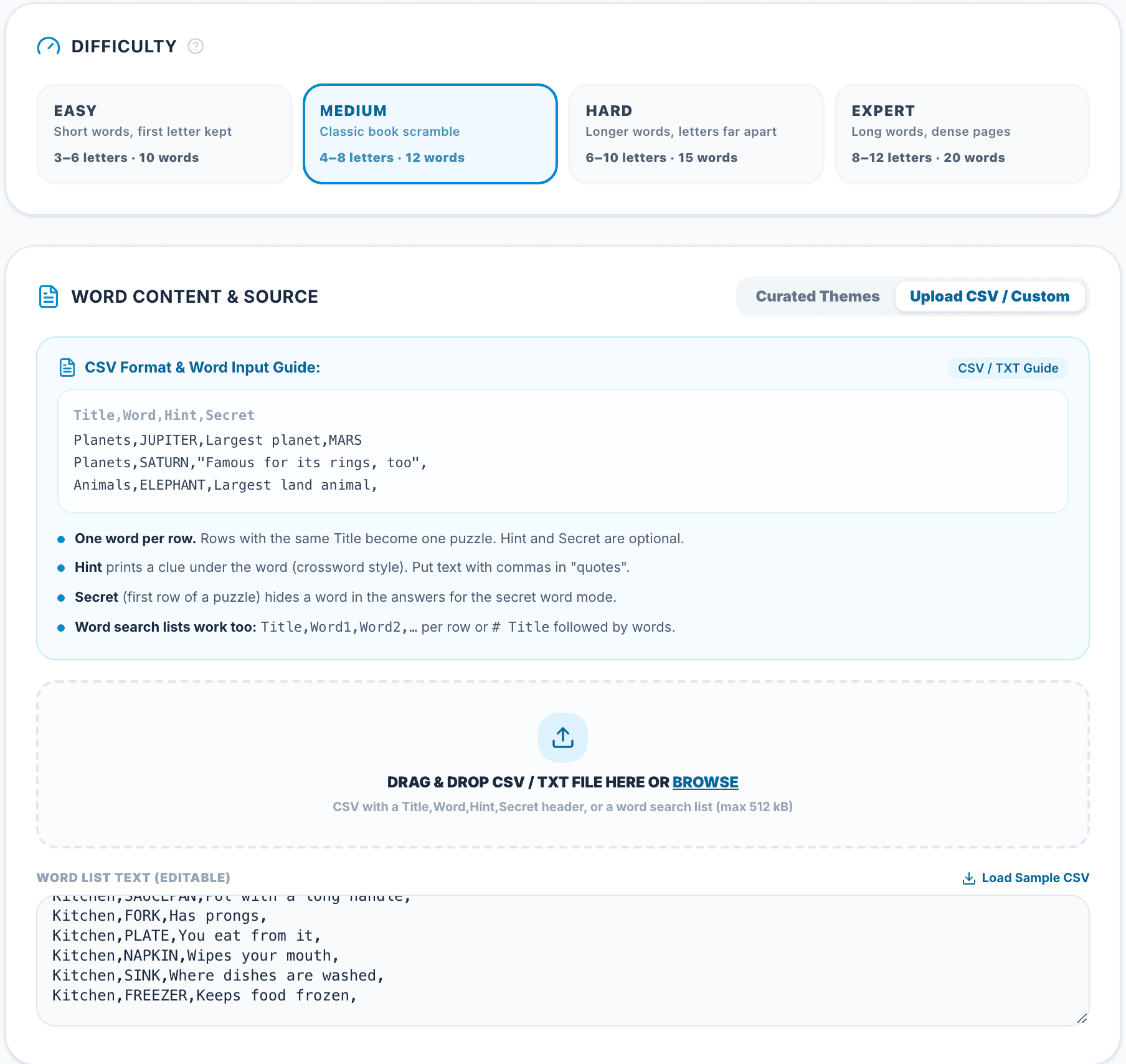
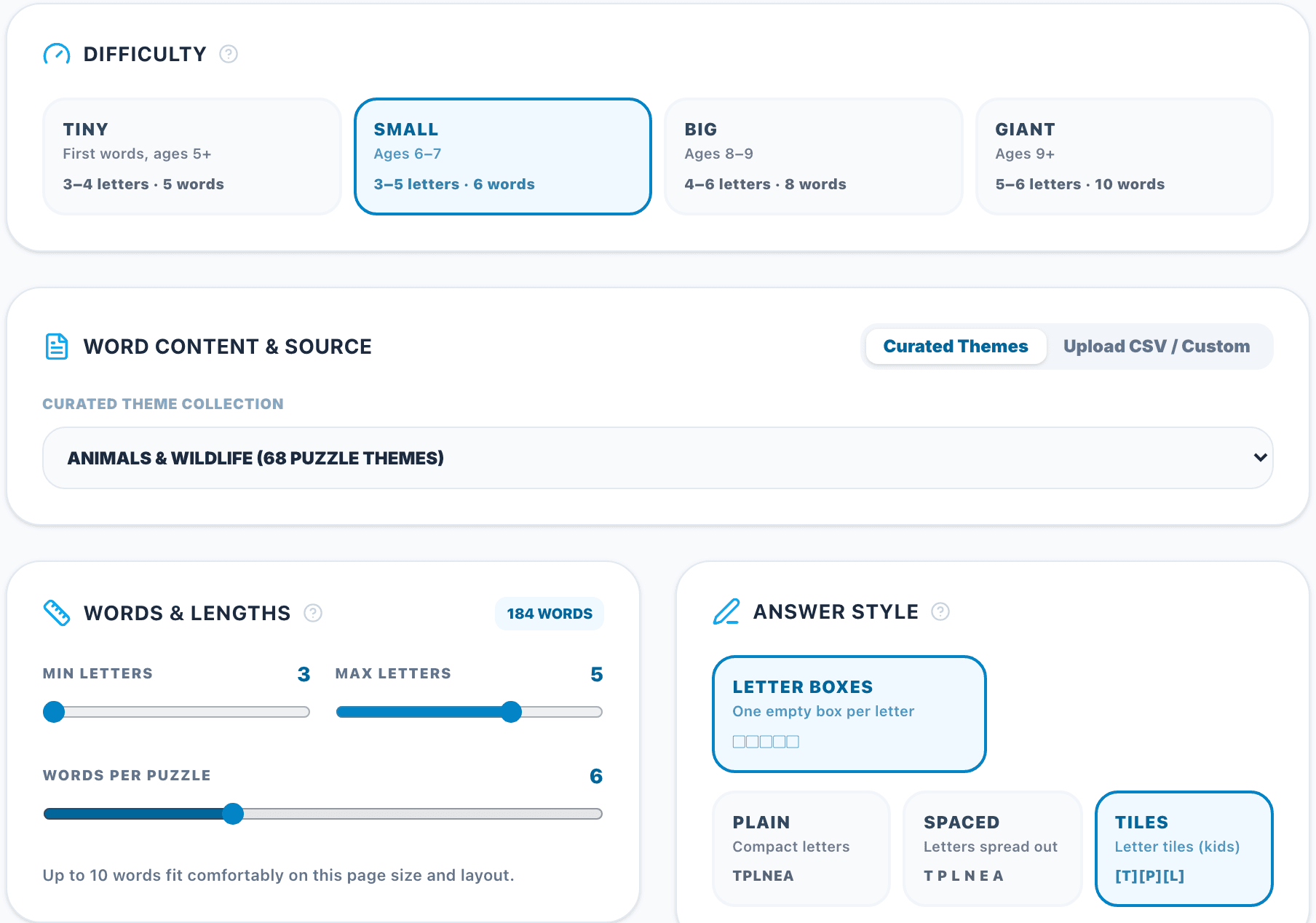
The configurator starts with four presets. In a Standard book, Easy uses 3–6 letters and 10 words with the first letter kept, Medium 4–8 letters and 12 words, Hard 6–10 letters and 15 words, and Expert 8–12 letters and 20 words. Kids books have Tiny, Small, Big and Giant (ages 5 to 9+), Senior books Relaxed, Classic, Challenging and Master.
Then choose the words. Curated Themes takes a collection, or Mixed Collection with all themes rotating. Upload CSV / Custom takes your own list: a CSV with a Title,Word,Hint,Secret header, where Hint (or Clue) and Secret are optional, or a word search list (Title,Word1,Word2,… per row). Paste it, drop a file of up to 512 kB or load the sample.
Step 3: Lengths, Answer Style, Rules and Secret Word
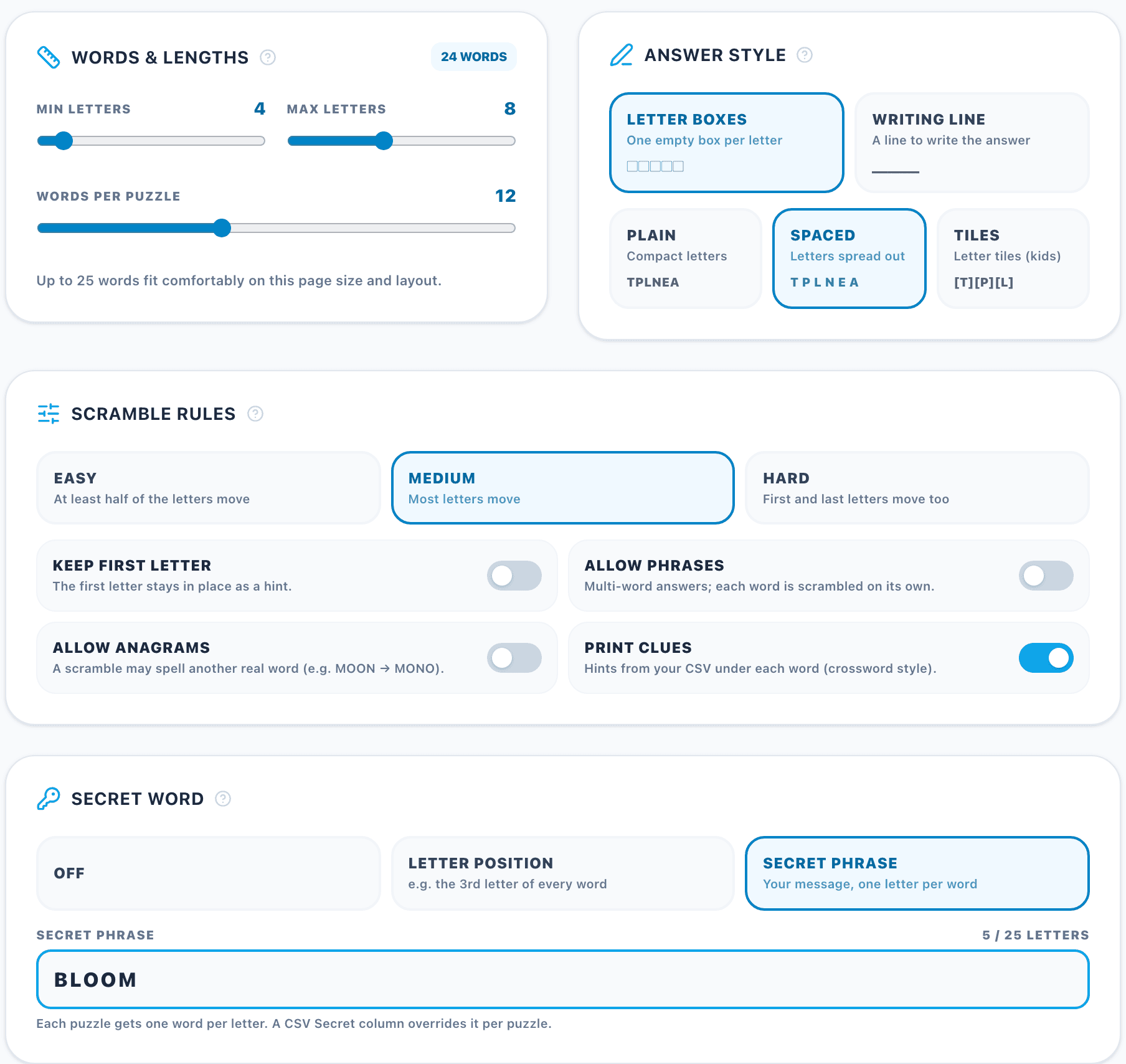
Words & Lengths fine-tunes the shortest and longest word and the words per puzzle, and counts how many words of the source fit.
Answer Style chooses letter boxes or a writing line for the answer, and how the scrambled letters look: plain, spaced out or as letter tiles. Secret words need letter boxes.
Scramble Rules sets the level (Easy, Medium, Hard) and four switches: keep the first letter, allow phrases (each word of a phrase is scrambled on its own), allow anagrams and print clues from your CSV.
Secret Word is off, a letter position (from the 1st letter up to the length of the shortest word) or a secret phrase. A Secret column in the CSV sets the phrase per puzzle.
Step 4: Book Check and Book Settings
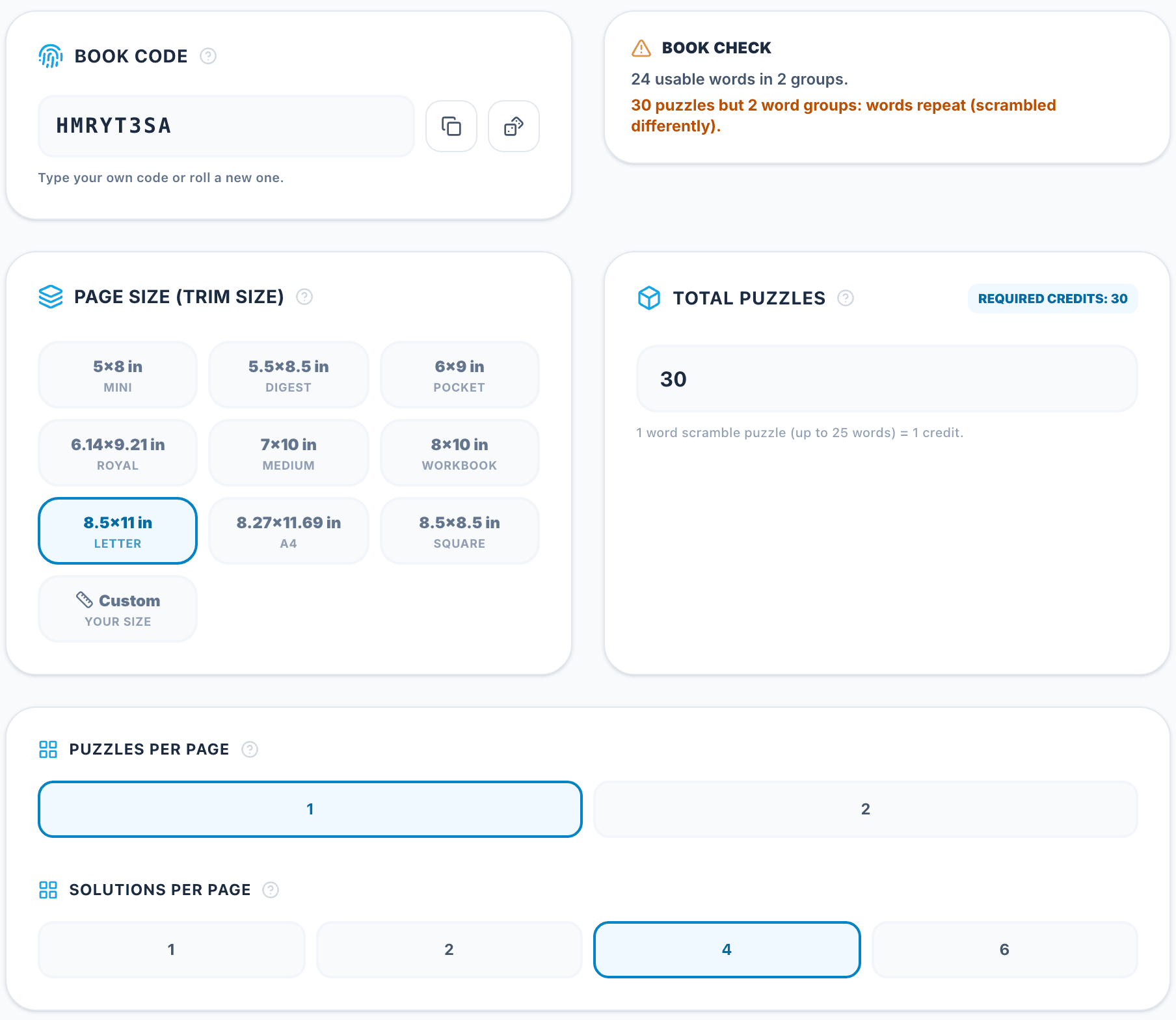
The Book Check next to the book code counts the usable words and lists the ones it leaves out (outside the letter range, with digits or symbols, phrases while phrases are off). It also tells you when a word was skipped because every scramble spelled a real word, and when you ask for more puzzles than you have word groups — the words then repeat, scrambled differently. The book code reprints the same puzzles later; roll a new one for a different book.
Further down, set the trim size (from 5×8 to 8.5×11, A4, square or your own size), the number of puzzles (one puzzle of up to 25 words costs one credit), the puzzles and solutions per page and the book language. The summary at the bottom checks the KDP paperback limits (24 to 590 pages). Then click Launch Word Scramble Editor.

Step 5: Design and Export
The Word Scramble Design panel in the editor changes the whole book at once: the line weight of the secret word boxes and of the letter boxes, boxes or a line as the answer area, plain, spaced or tile letters and the clues. The highlight color of the secret letters is in the Color Palette.
The other panels change fonts, colors and the cover, add images and decorations and edit the title, copyright, contents and end pages. The page tabs (Cover, Intro, Copyright, TOC, Puzzles, Solutions, End) switch between the parts of the book.
When the book is ready, export the interior PDF and the cover PDF for KDP, or PNG and SVG files.
Key rules
- Match word lengths to the audience.
- Never print a scramble that is already a word.
- Use letter boxes for kids and seniors.
- Add clues or a secret word for a second reward.
Tools for This Guide
Word Scramble Book Generator
900+ themes or your own words, clues, secret words and Kids & Large Print editions.
OpenFree Word Scramble Generator
A free printable page of word scrambles from a theme or your own words.
OpenFree Duplicate Word Remover
Clean your word list — duplicates, accents, stray characters — before you import it.
OpenFrequently Asked Questions
How many puzzles should a word scramble book have?
Most books contain 30–100 puzzles with 10–20 words each, plus the answer key at the back.
Can I add clues to every word?
Yes — upload a CSV with a Hint column and switch on "Print clues".
Which plan do I need?
Word Scramble books are part of every plan, Starter included. One puzzle of up to 25 words costs one credit.
What does a secret phrase do to the word count?
Each puzzle gets one word per letter of the phrase, so a 5-letter secret word makes a 5-word puzzle.