In short
A book can say "Large Print" on the cover and still print the word list and the answer key in small type. We measured our own pages, a standard 6-per-page sudoku against a senior page, and show what makes a page readable: puzzles per page, font size, solutions, trim size and margins.
On this page
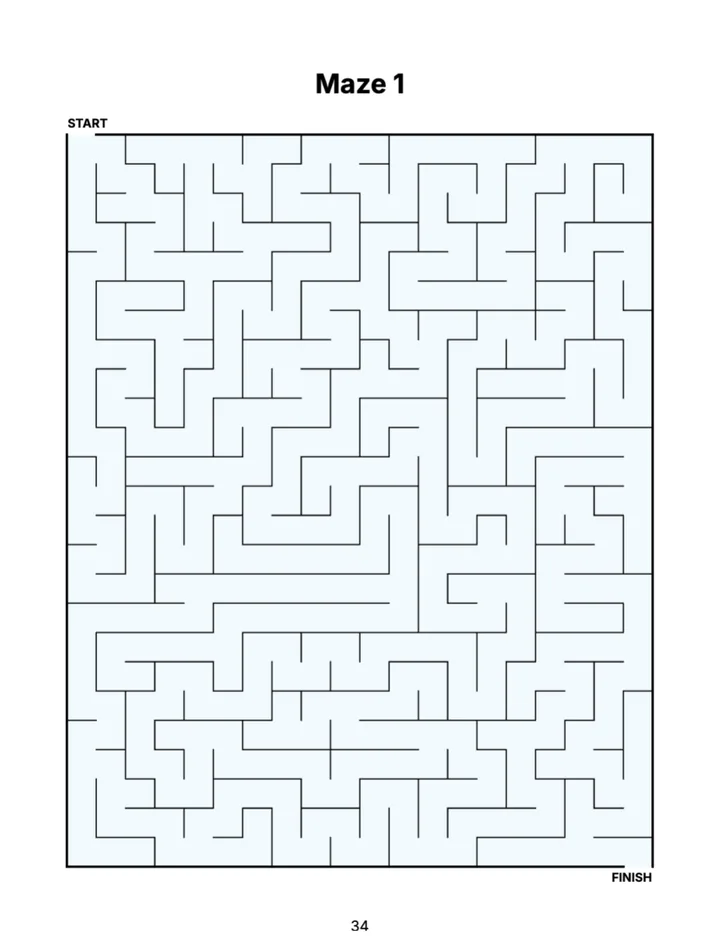
What "Large Print" Means
Large print guides usually name 16 points as the minimum size for text, and many recommend 18 points or more. On KDP, "Large Print" is a box you tick in the paperback setup; Amazon does not measure your interior. Whether the book is really large print is up to you, and readers notice when it is not.
In a puzzle book the main numbers or letters are only part of the page. A solver also reads the word list, the puzzle title and the answer key, and writes into the grid. A page is large print when all of these are comfortable, not just the biggest element.
Older eyes need more light and more contrast, and many solvers have less steady hands. That leads to the same few rules: big type, solid black lines on white paper, room between letters and enough space in each cell to write.
One Puzzle per Page
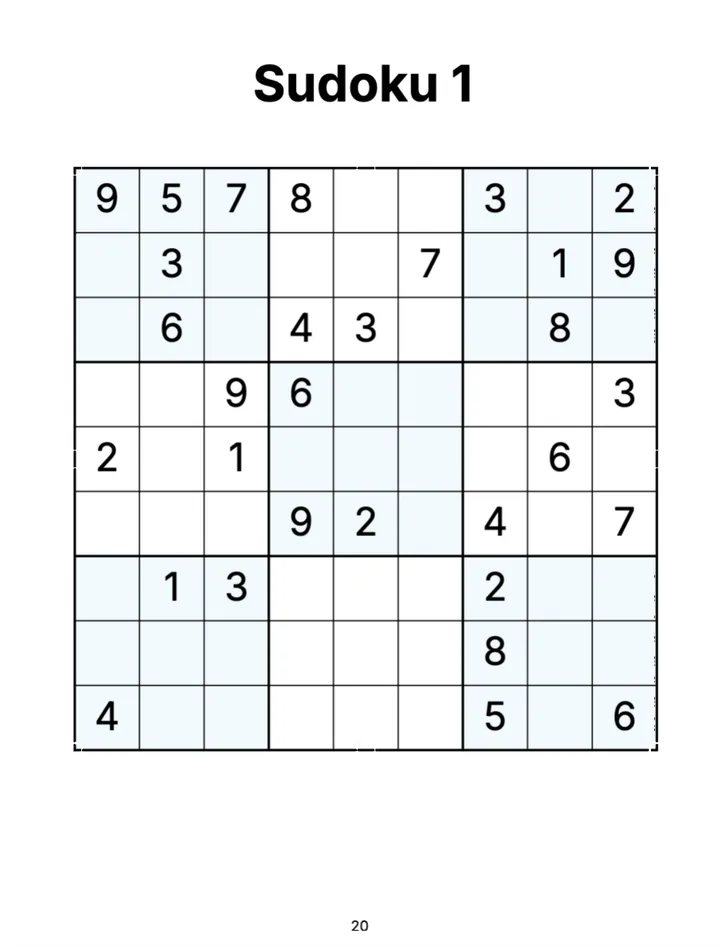
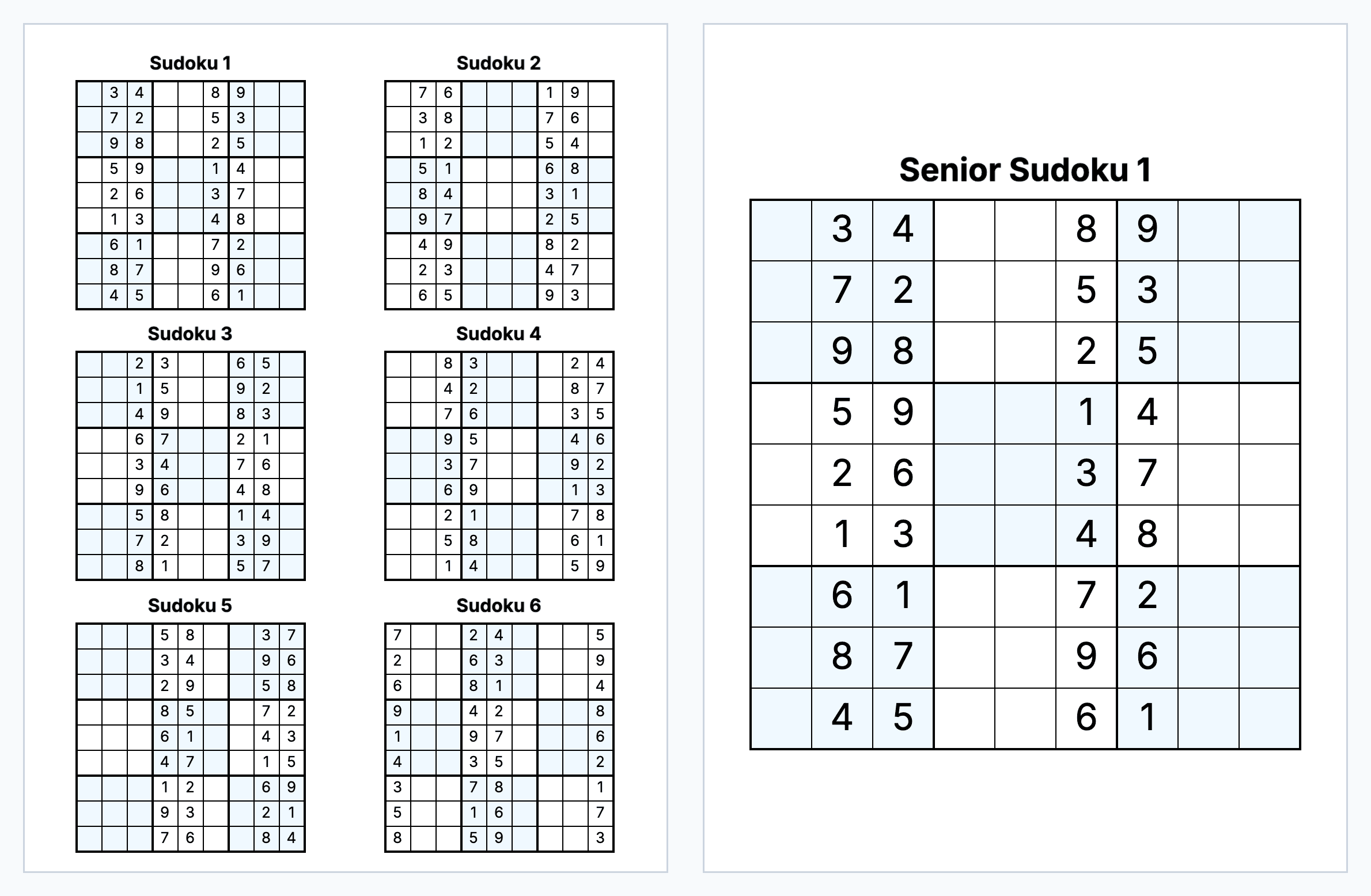
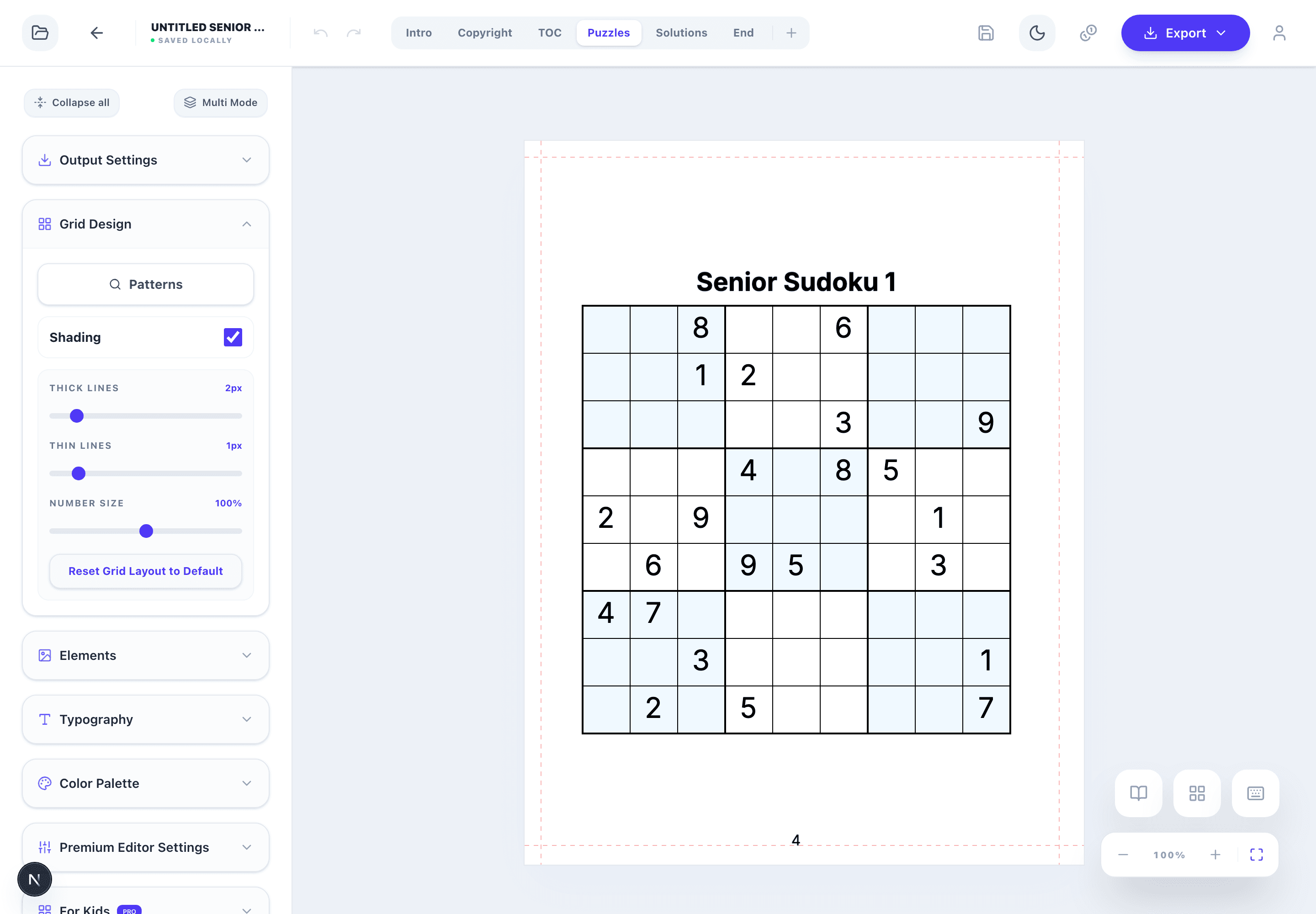
The fastest way to lose large print is to put several puzzles on a page. Below are two pages from our generator, printed at the same scale on 8.5" × 11". On the left, a standard book with 6 sudokus per page: cells are about 0.31" wide and the digits are 13 pt. On the right, a senior page: one sudoku, cells about 0.74" wide and 32 pt digits under a 28 pt title.
The 6-per-page layout is fine for a pocket-friendly standard book, but it is not large print, even though 13 pt is not tiny. The bigger difference is the cell: a 0.74" cell leaves room for a pencil, and for small candidate numbers in the corners.
| Page | Puzzles per page | Digits | Cell width |
|---|---|---|---|
| Standard sudoku | 6 | 13 pt | about 0.31" |
| Standard sudoku | 4 | 16 pt | about 0.4" |
| Senior sudoku | 1 | 32 pt | about 0.74" |
Word Search: the Word List Counts Too
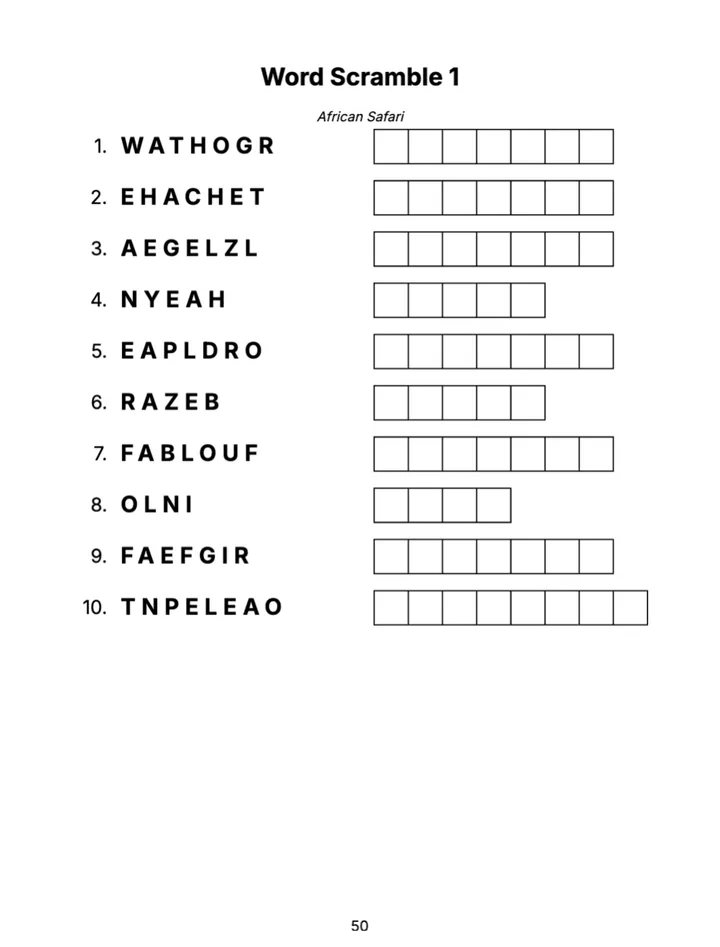
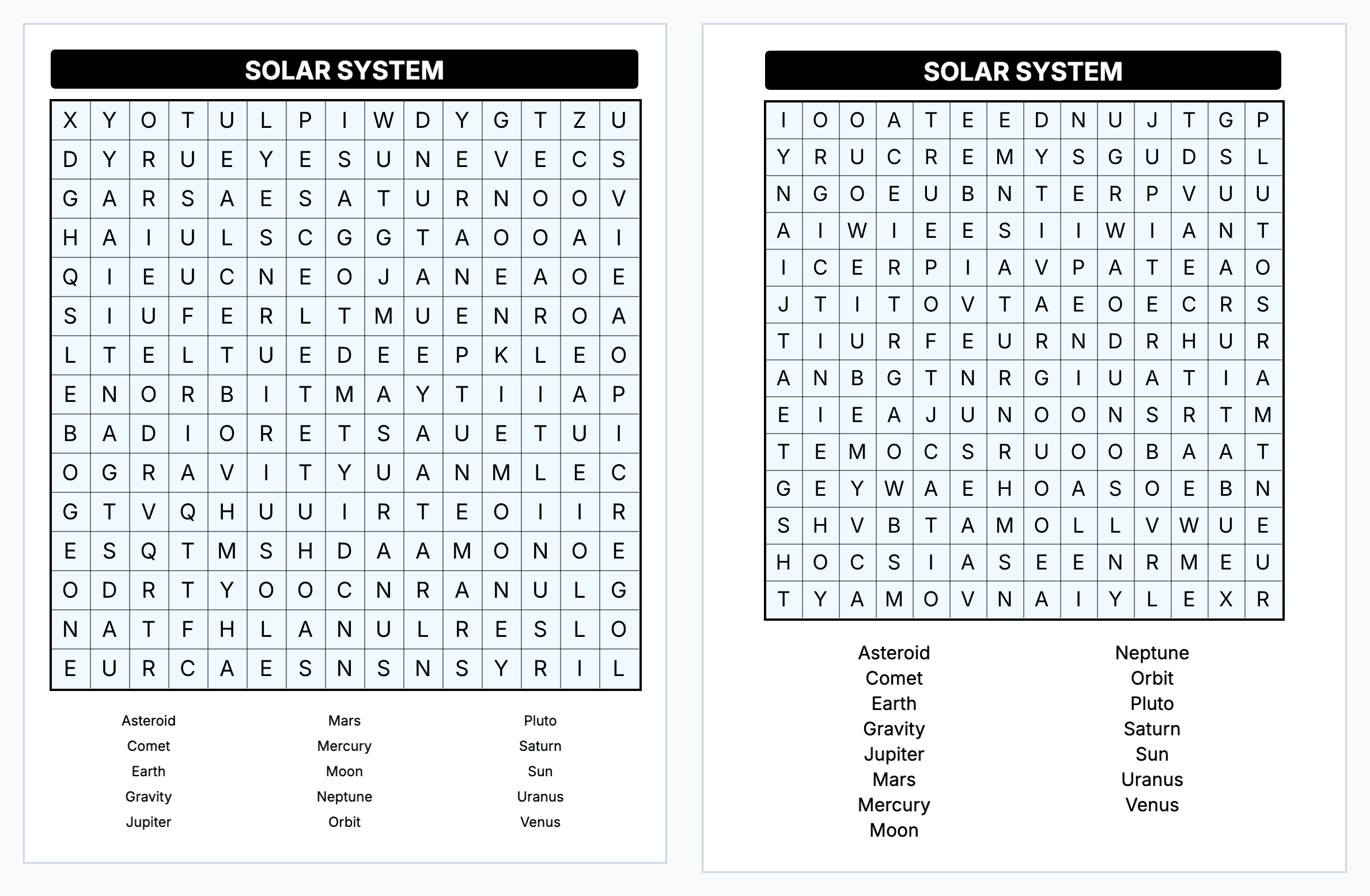
Word search pages fail in a less obvious place: the word list. The grid letters can be big while the word bank under it shrinks to fit 15 or 20 words. A solver reads every word in that list many times, so it needs the same size as the rest of the page.
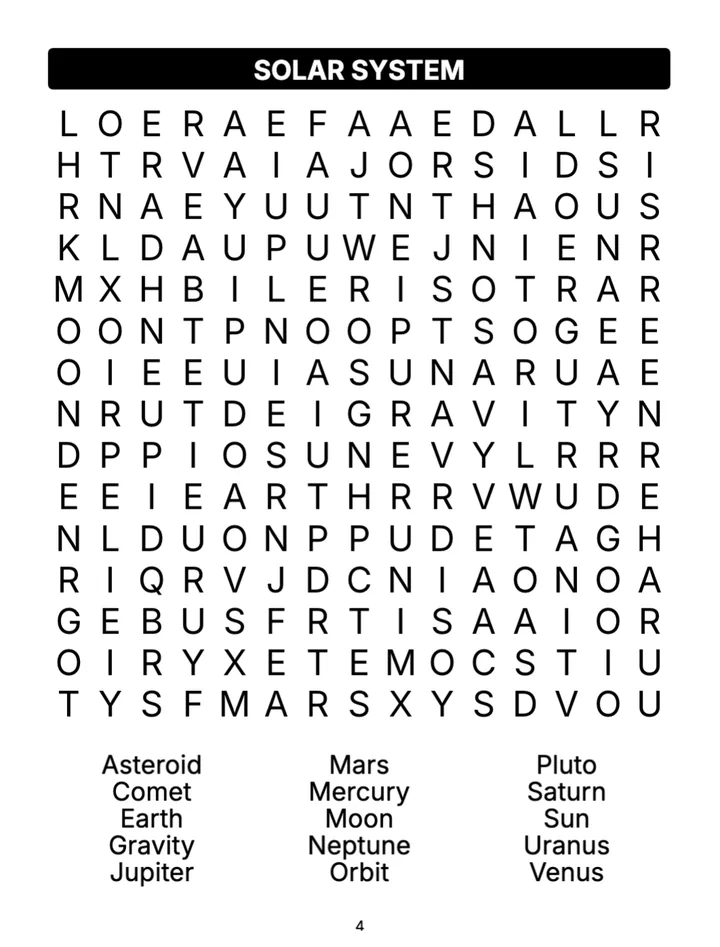
Grid size matters as well. A 20×20 grid on one page means smaller letters. Below is the same Solar System list on a standard page, where 15 words fit in 3 columns at 10 pt, and on a senior page. Senior word searches in our generator use 12×12 to 15×15 grids (14×14 by default) and a word list in 2 columns. The words are at least 16 pt, and the grid gets a little smaller if a long list needs the room: on the senior page the grid letters are 17–18 pt.
Directions are a separate choice. The senior preset hides words across, down, diagonally and backwards; for an easier book, switch off the backward directions in the configurator.
Readable Solutions
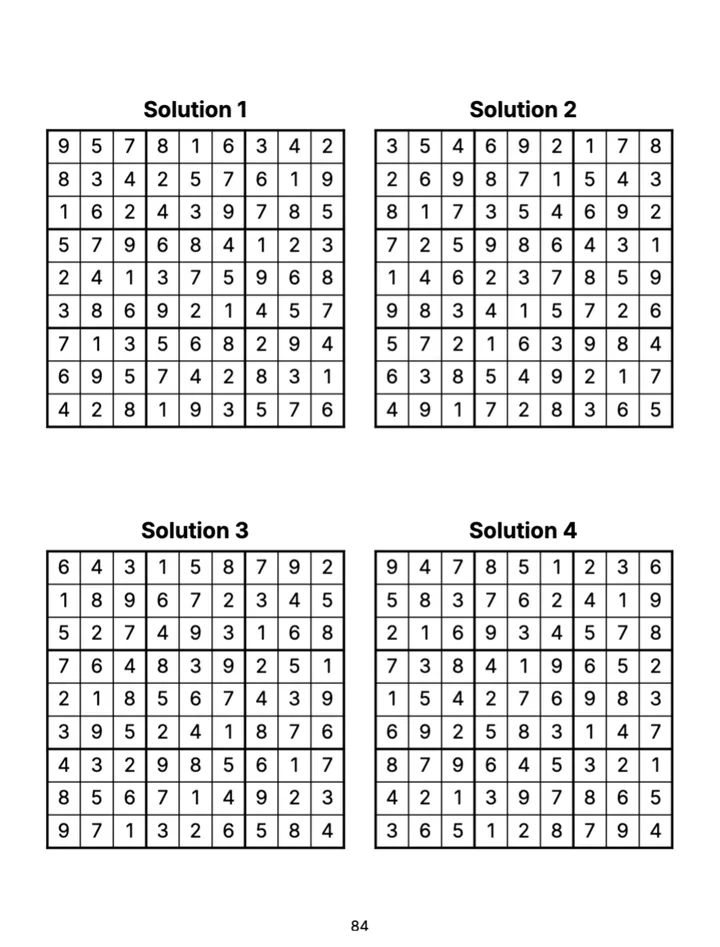
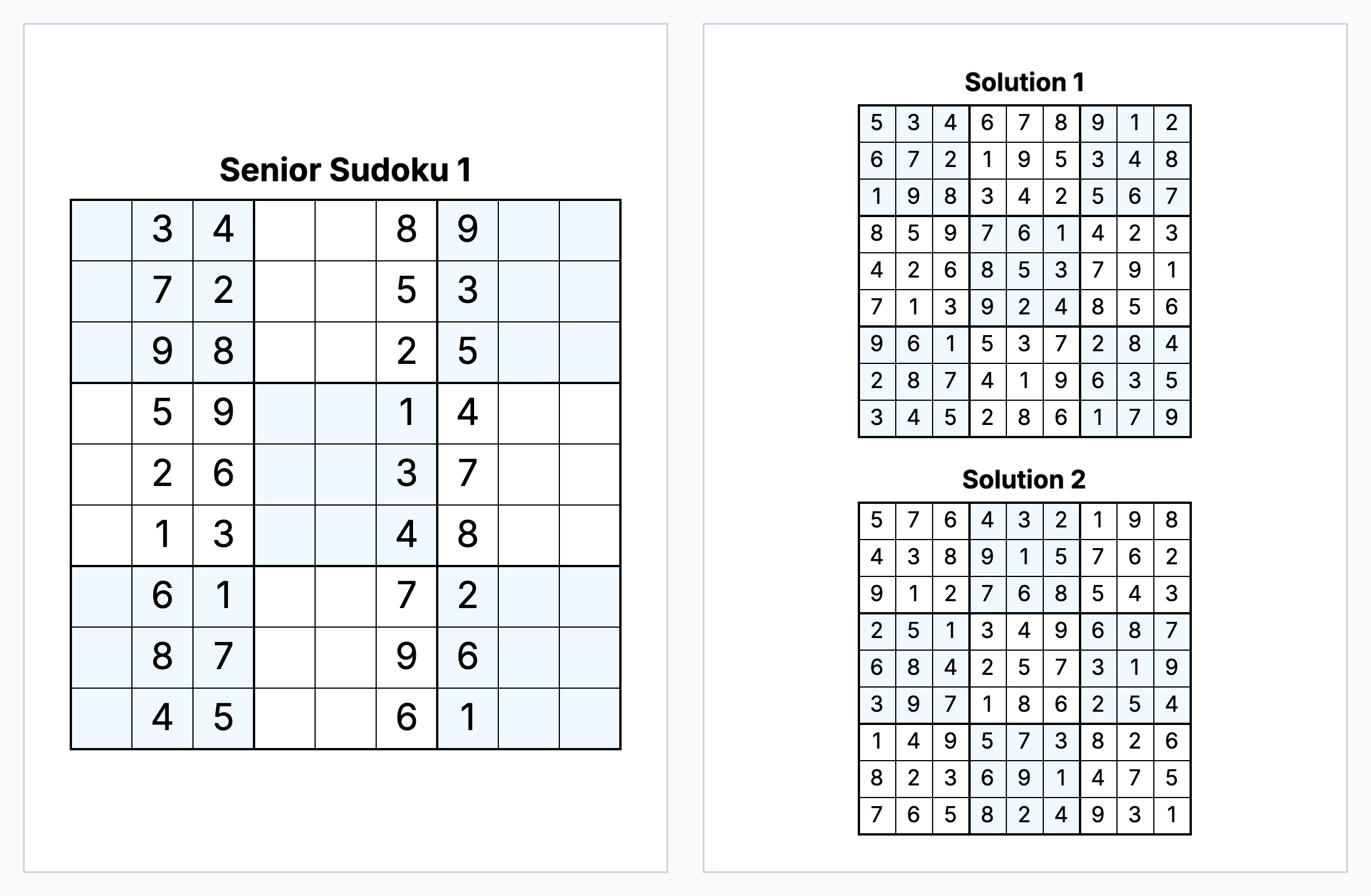
Answer keys are often where a large print book gets small. To save pages, many books print 6, 9 or 12 solutions per page. A solver who wants to check one number then needs a magnifying glass.
Senior Sudoku and Word Search books in our generator print 1, 2 or 4 solutions per page. With 2 per page, sudoku solution digits are 19 pt; with 4 per page they are 16 pt. Word search solutions keep 16 pt letters at 2 or 4 per page. The answer key costs more pages, and that is a fair price for a book that keeps its promise.
Trim Size, Margins and Paper
8.5" × 11" is the usual size for large print puzzle books, and all our senior presets start there. A 6" × 9" large print book is possible, but its usable width is only about 5", so a sudoku cell is about 0.55" instead of 0.74", and a word search has less room for its list.
KDP requires a larger inside margin (the gutter) in thicker books: 0.375" up to 150 pages, 0.5" up to 300 pages and more after that, plus at least 0.25" on the outside. Our generator calculates the gutter from the page count of your book and mirrors it on left and right pages, so puzzles stay out of the binding.
For the interior, black ink on white paper gives the most contrast. Cream paper is softer on the eyes for reading novels, but it makes grey lines and shading weaker.
What the Senior Edition Sets for You
On the Create page, every book starts with an edition: Standard, Kids or Senior. Senior is available for Sudoku, Word Search, Maze, Word Scramble, Missing Vowels, Cryptogram, Wordoku and mixed books.
Choosing Senior turns on large print, sets one puzzle per page (in mixed books for every chapter), limits the answer key to 1, 2 or 4 solutions per page (one per page for cryptograms, word scrambles and missing vowels) and starts on 8.5" × 11". Sudoku uses 9×9 grids from Easy to Master; word searches use 12×12 to 15×15 grids with a 2-column list.
You can still change the design in the editor: fonts, line widths, number size, shading and the elements on the page. If you make the numbers smaller there, the book gets smaller type, so print a test page after big changes.
Key rules
- Large print is the whole page: puzzle, word list, titles and answers.
- One puzzle per page on 8.5" × 11" gives big type and room to write.
- Keep the answer key at 2 or 4 solutions per page.
- The Senior edition sets these for you; check the pages you change by hand.
Checklist Before You Upload
1. Print one puzzle page and one solution page on your home printer at 100% and read them at a normal distance. If you lean in to read the word list or a solution, so will your reader.
2. Check the smallest text on the page, not the biggest: word lists, clues, titles and page numbers.
3. Flip to the answer key: no more than 4 solutions per page.
4. Choose black and white interior on white paper.
5. Show real interior pages in your product images or A+ content, so buyers can see the size before they order.
Tools for This Guide
Large Print Puzzle Book Generator
Large print puzzle books in every type, with one puzzle per page and 16 pt+ text set by the Senior edition.
OpenSudoku Book Generator
Large Print sudoku books with one big 9×9 grid per page and a readable answer key.
OpenWord Search Book Generator
Large Print word search books with 12×12 to 15×15 grids and 16 pt word lists.
OpenFree Sudoku Generator
Print a free sudoku page to check the size on paper.
OpenFrequently Asked Questions
What font size is large print?
Large print guides usually start at 16 pt and many recommend 18 pt. KDP lets you mark a paperback as Large Print but does not check the interior, so measure the smallest text you print, not only the puzzle numbers.
Can I publish a large print puzzle book in 6x9?
Yes, but the page holds less. After the KDP margins a 6x9 page is about 5" wide, so a sudoku cell is about 0.55" instead of 0.74" on 8.5x11. Most large print puzzle books use 8.5x11, and our senior presets start there.
How many solutions per page should a senior puzzle book have?
Two or four. In our senior books 2 per page gives 19 pt sudoku digits and 4 per page gives 16 pt. The generator offers 1, 2 or 4 per page for senior sudoku and word search books, and one per page for senior word puzzles, which have more text.
Are word searches with backward words too hard for seniors?
It depends on your readers. The senior preset hides words in five directions, including backwards. For an easier book, keep only across and down in the configurator.
Is every text in a senior book 16 pt or more?
Yes in senior Sudoku, Word Search, Cryptogram, Word Scramble and Missing Vowels books: puzzles, word lists, clues and answer keys. Word puzzles keep that size by limiting how many words fit on a page and by printing one solution per page. If you make text smaller in the editor, print a test page.