In short
A number search hides numbers in a grid of digits the way a word search hides words. A good book matches grid size, number length and directions to its readers, never lets a number appear twice, and can reward the solver with a hidden message spelled by the leftover digits. This guide explains each decision and shows, screen by screen, how to make a complete number search book in Wisdom Effect.
On this page
- 1.What a Number Search Puzzle Is
- 2.Pick the Audience: Grid, Digits and Directions
- 3.The Hidden Message in the Leftover Digits
- 4.Every Number in Exactly One Place
- 5.Answer Keys
- 6.Step 1: Create the Book
- 7.Step 2: Difficulty, Grid and Numbers
- 8.Step 3: Hidden Message and Code Key
- 9.Step 4: Book Settings, Design and Export
- 10.Frequently Asked Questions
What a Number Search Puzzle Is
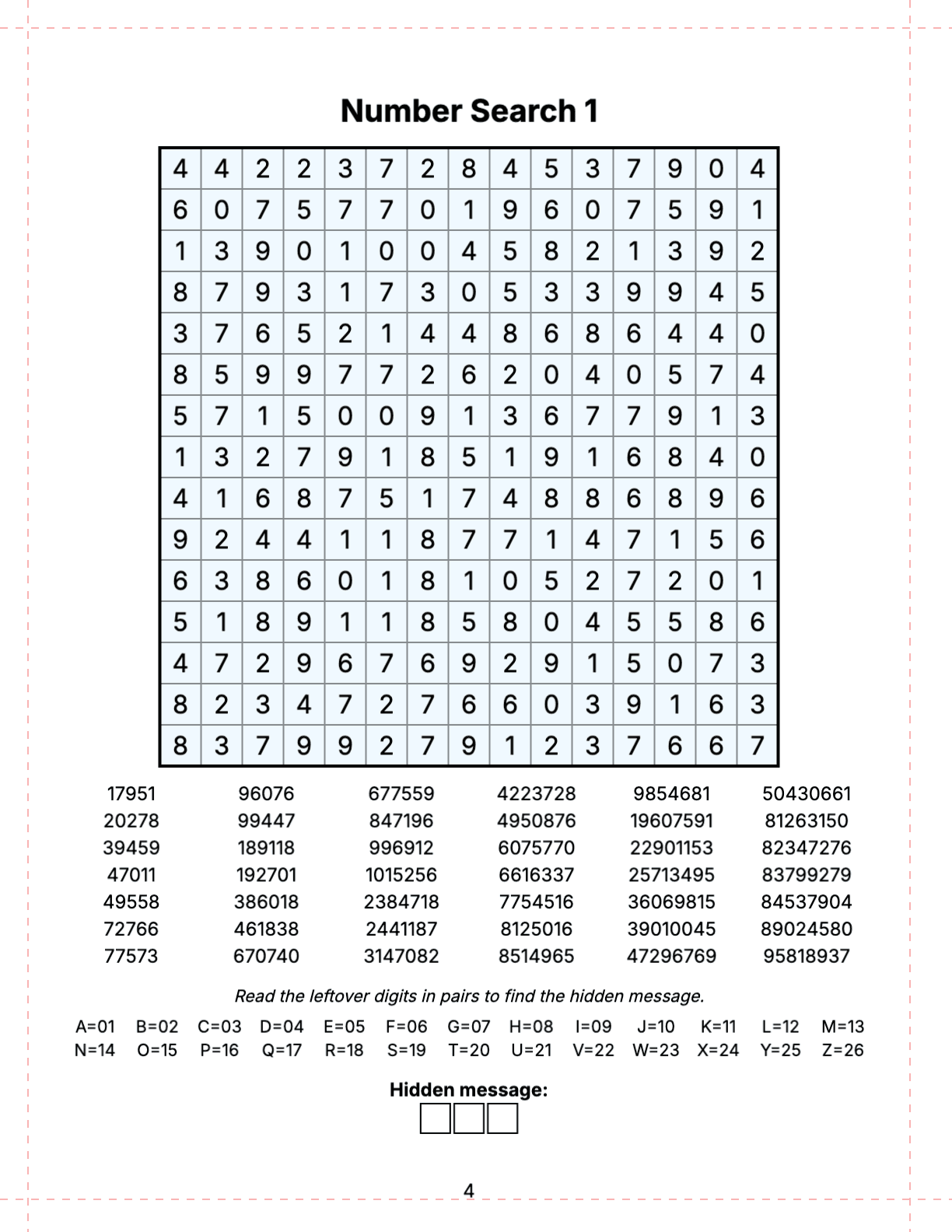
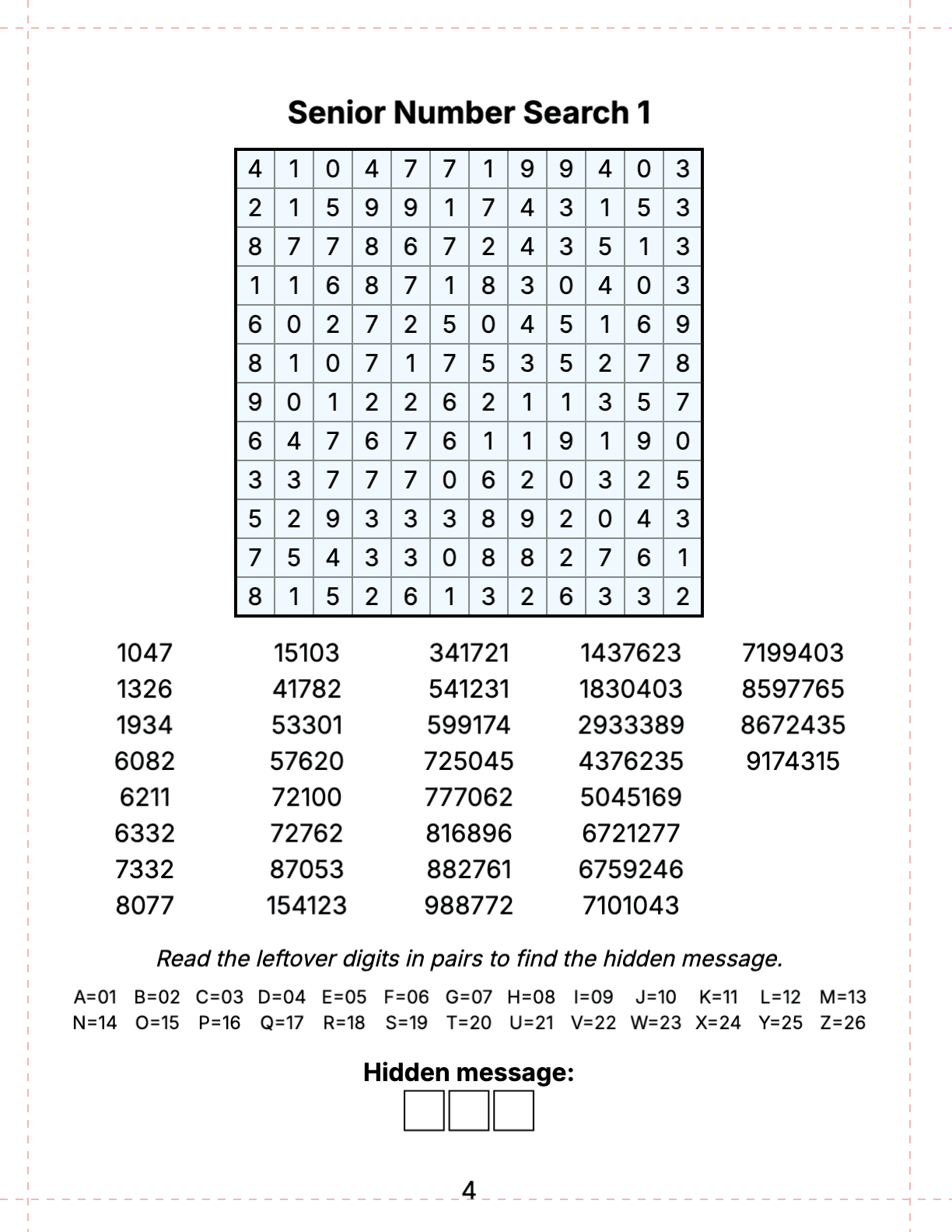
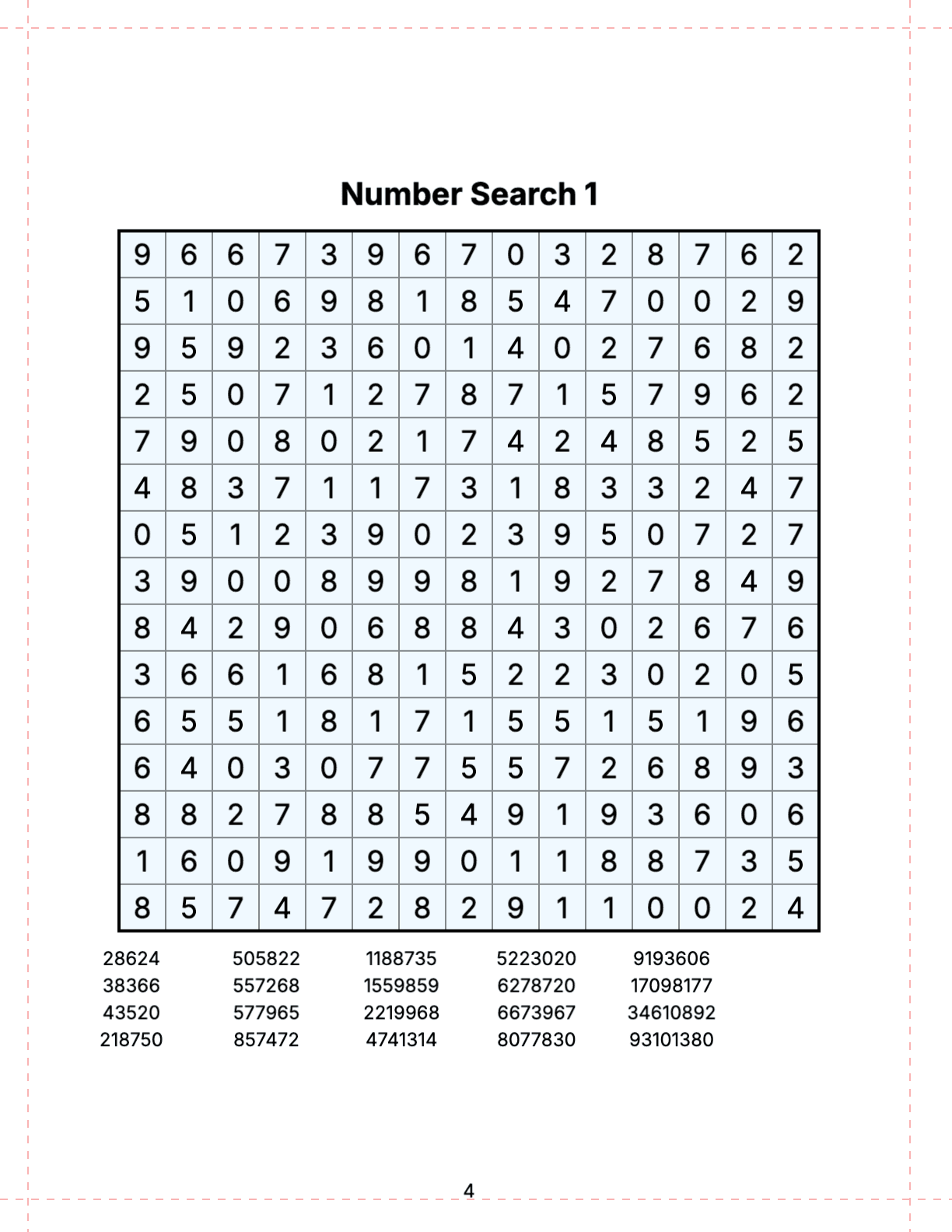
A number search prints a square grid of digits and a list of numbers under it. The solver finds each number in the grid — left to right, top to bottom, diagonally or, in harder books, backwards — and circles it. It is a word search with digits, which makes it language-free: the same book works for readers of any language.
Numbers are harder to spot than words because digits carry no meaning; 58213 and 58231 look alike at a glance. That is why number searches are popular with adults who want focus training and with seniors as a calm brain exercise. They also make a good chapter of a mixed activity book.
Pick the Audience: Grid, Digits and Directions
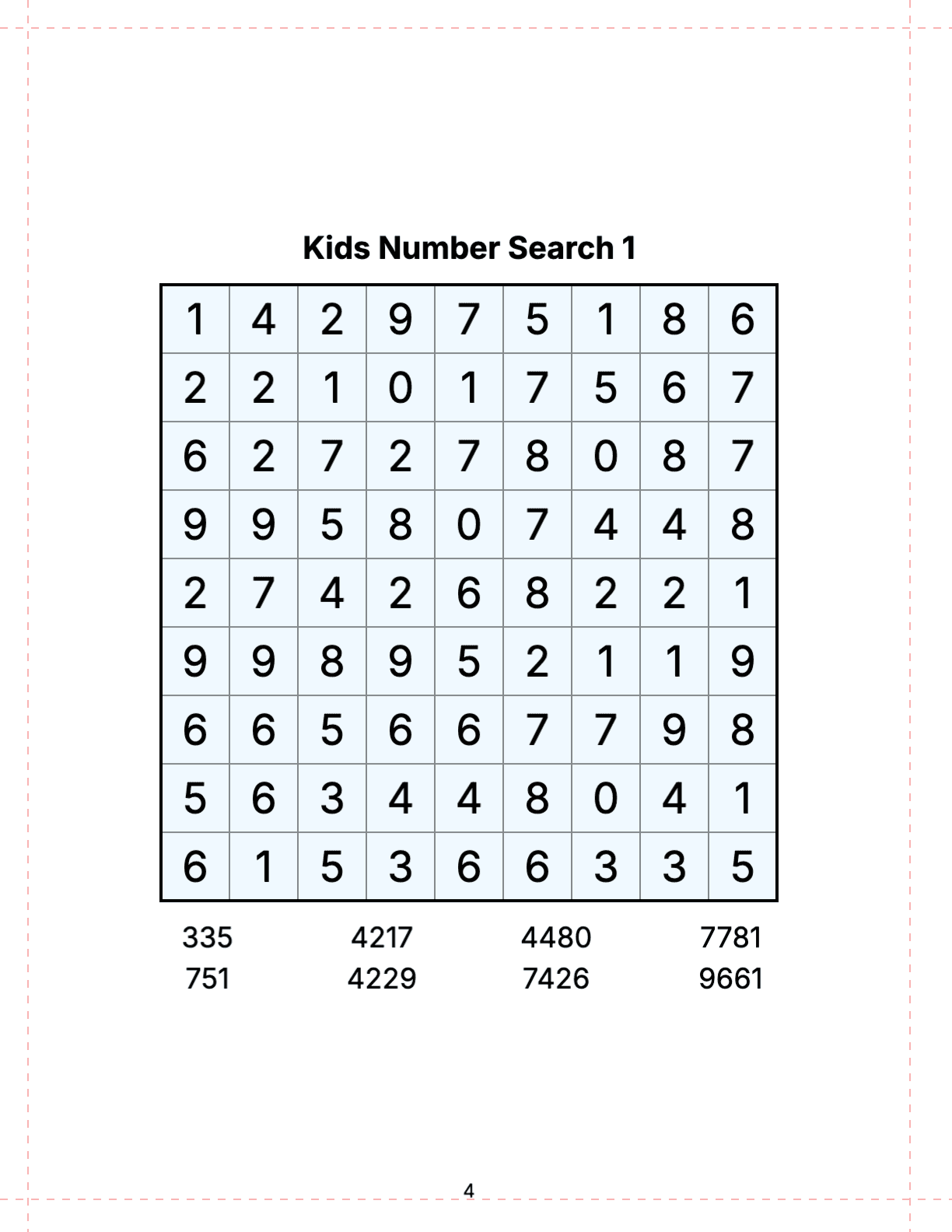
Three settings decide how hard a number search is: the grid size, the length of the numbers and the directions they run in. Children do best with small grids, three- or four-digit numbers and only two directions (right and down). Adults like a 15×15 grid with diagonals, and experts an 18×18 grid with numbers of up to ten digits in all eight directions. Seniors prefer a 10–14 cell grid in large print with numbers of up to eight digits.
Wisdom Effect has three editions with these limits built in. Each edition starts with its own defaults, which you can change in the configurator.
| Edition | Grid | Digits per number | Directions | Hidden message |
|---|---|---|---|---|
| Kids | 8×8 to 12×12 | 3–5 | Right and down | Optional, off by default; the code key is always printed |
| Standard | 10×10 to 20×20 | 3–10 | Straight, + diagonals or all 8 | On by default; the code key can be left out |
| Senior | 10×10 to 14×14 | 4–8 | Straight, + diagonals or all 8 | On by default; the code key is always printed |
Every Number in Exactly One Place
The most common flaw of generated number searches is a number that appears twice: the reader circles one copy, the answer key shows the other, and the puzzle feels broken. With short numbers in a big grid, chance copies are likely — a three-digit number has only 1,000 possible values.
Wisdom Effect checks every number in every direction the puzzle allows and rebuilds the grid until each number can be found in exactly one place, also counting the reversed reading when backwards numbers are allowed. With a hidden message it also makes sure the leftover digits are exactly the message, so the decoded word is always right.
Answer Keys
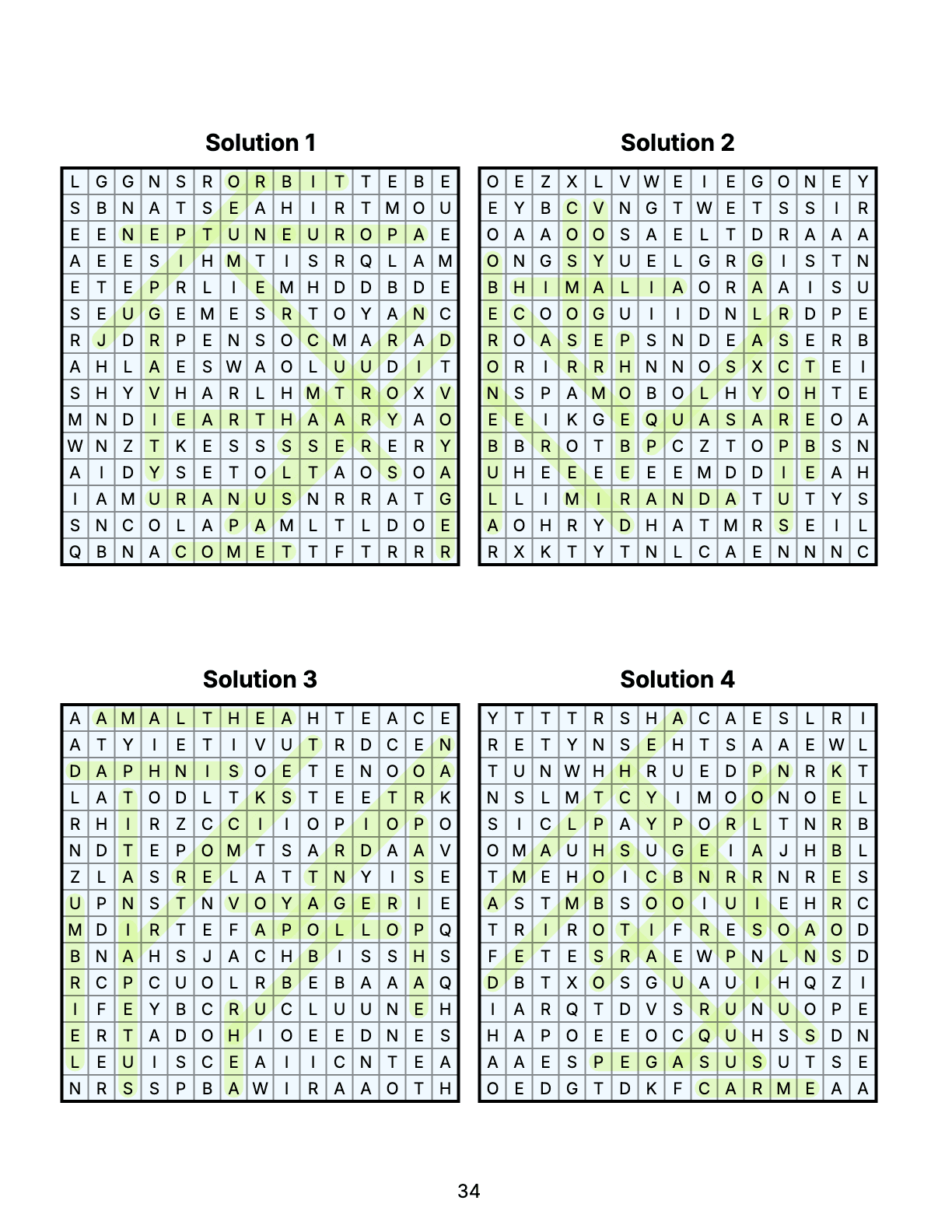
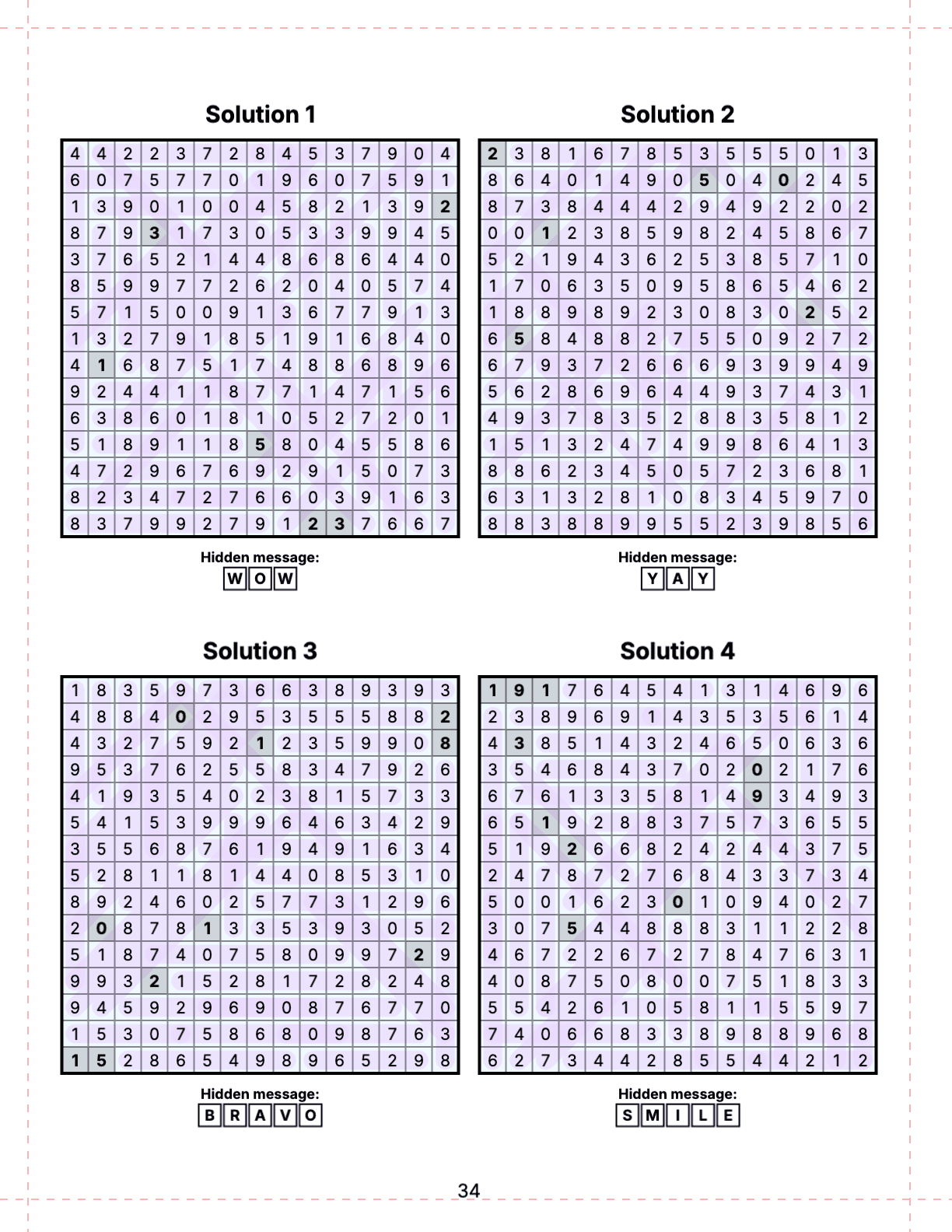
The answer key at the back marks every number with a colored band and shades the free cells of the message, with the decoded message filled in below the grid. Standard books fit 1, 2, 4, 6 or 9 solutions per page; Kids and Senior books fewer, in bigger print.
Step 1: Create the Book
On /create choose the edition at the top (Standard, Kids or Senior) and click the Number Search card. Number Search books are part of the Pro and Publisher plans, and number search can also be one chapter of a Mixed Book. For puzzles without a message, pick the Classic Number Search card next to it.
Step 2: Difficulty, Grid and Numbers
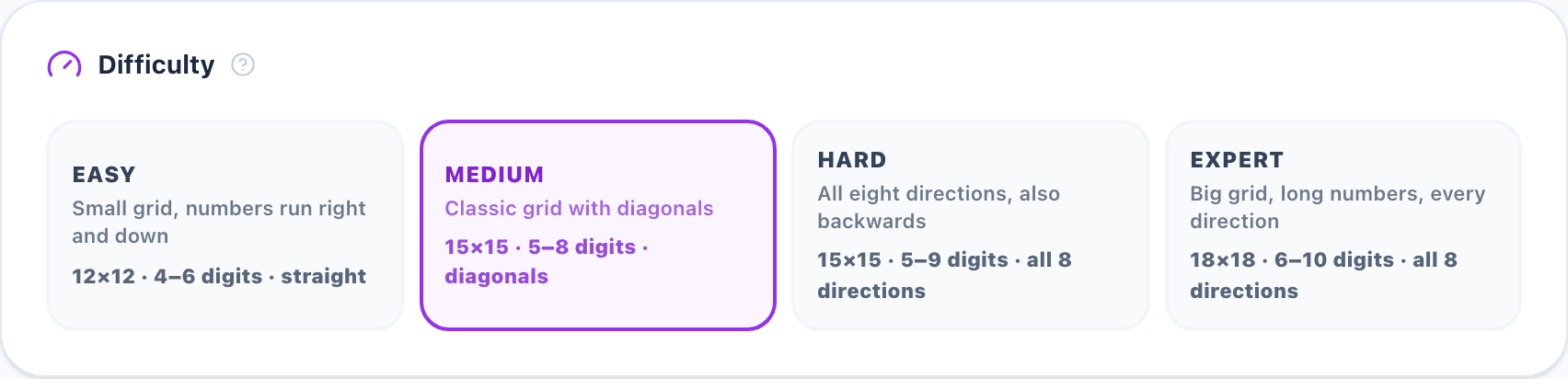
Difficulty sets the grid size, number lengths, count and directions in one click: Easy (12×12, 4–6 digits, right and down), Medium (15×15, 5–8 digits, with diagonals), Hard (15×15, 5–9 digits, all eight directions) and Expert (18×18, 6–10 digits, all directions). Kids books offer Tiny, Small, Big and Giant (ages 5 to 9+), Senior books Relaxed, Classic, Challenging and Master.
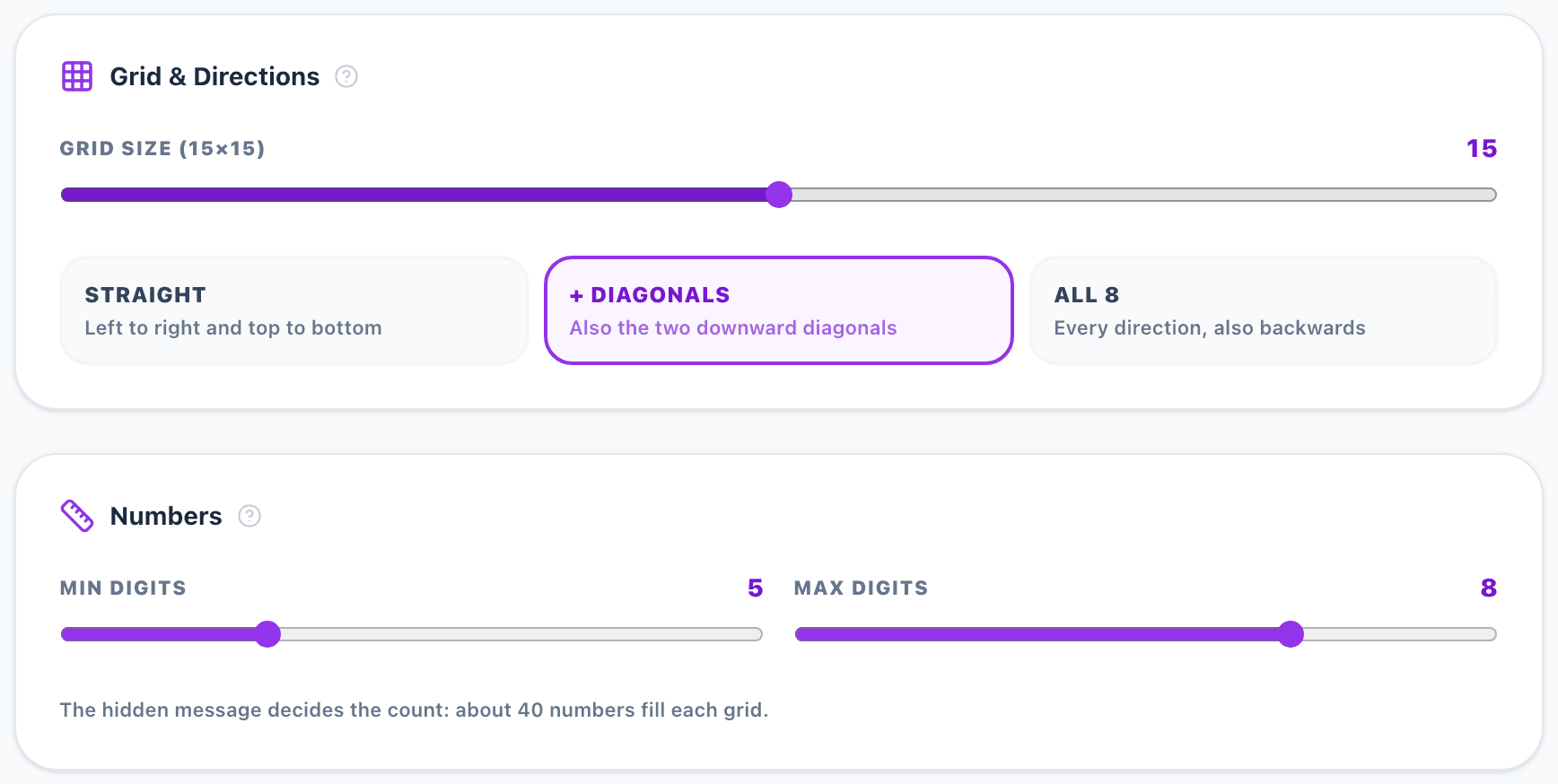
Grid & Directions fine-tunes the grid size and whether numbers run only straight, also diagonally down, or in all eight directions including backwards. Numbers sets the shortest and longest number; without a hidden message it also sets how many numbers each puzzle has. When digits would print too small on the chosen page, the configurator warns you.
Step 3: Hidden Message and Code Key
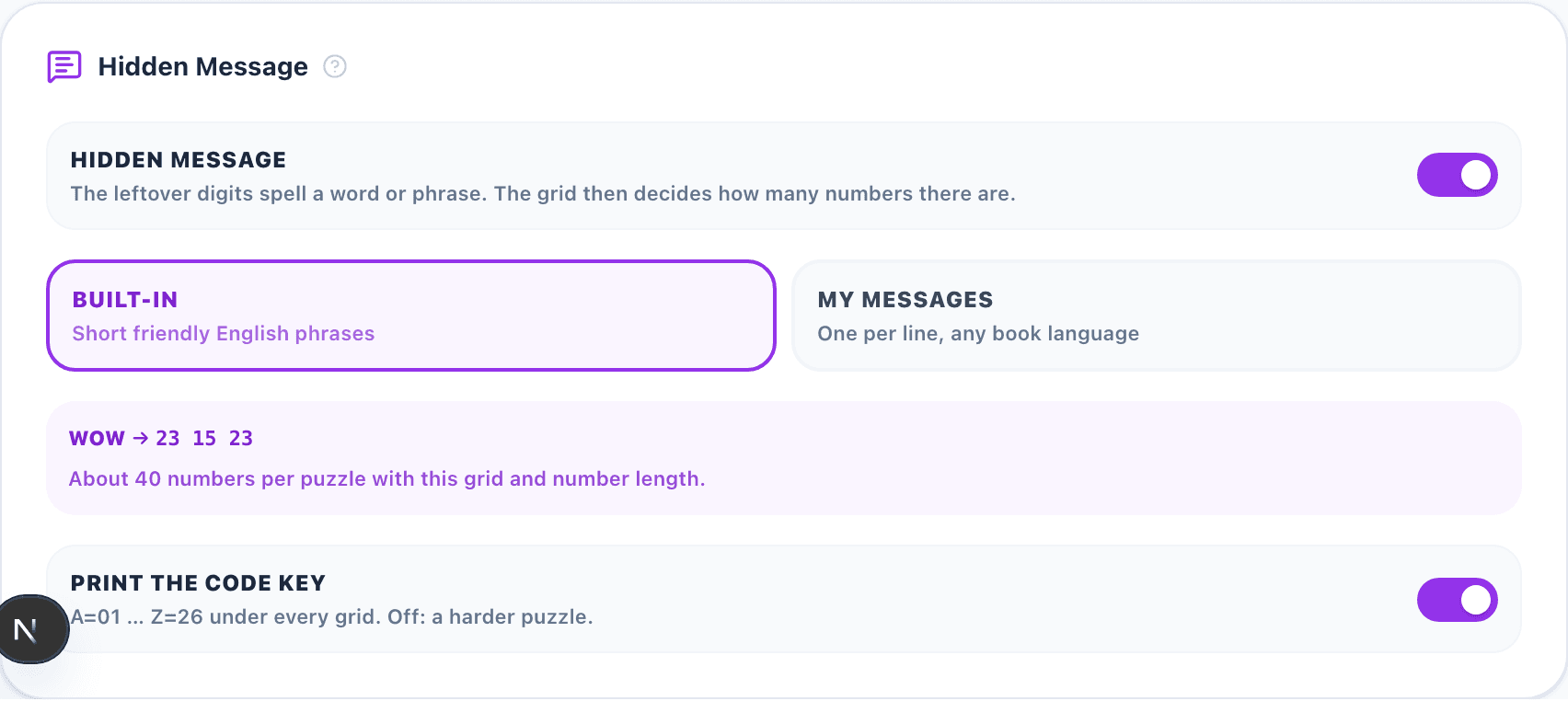
Hidden Message switches the message on or off and picks its source: Built-in (short friendly English phrases) or My messages (one per line, in any language; letters A–Z are used). The panel says how many of your messages fit the grid and which are too long, shows how the first message is encoded, and how many numbers a puzzle gets on average.
Print the code key decides whether A=01 … Z=26 is printed under each grid. Kids and Senior books always print it. The book code makes the same settings produce the same puzzles again; type your own or roll a new one.
Step 4: Book Settings, Design and Export
Pick the trim size, the number of puzzles (1 number search puzzle of up to 20×20 = 1 credit), puzzles and solutions per page and the book language. The page preview shows the first puzzle and solution page, and the KDP summary counts the pages and checks the 24–590 page range of a KDP paperback.
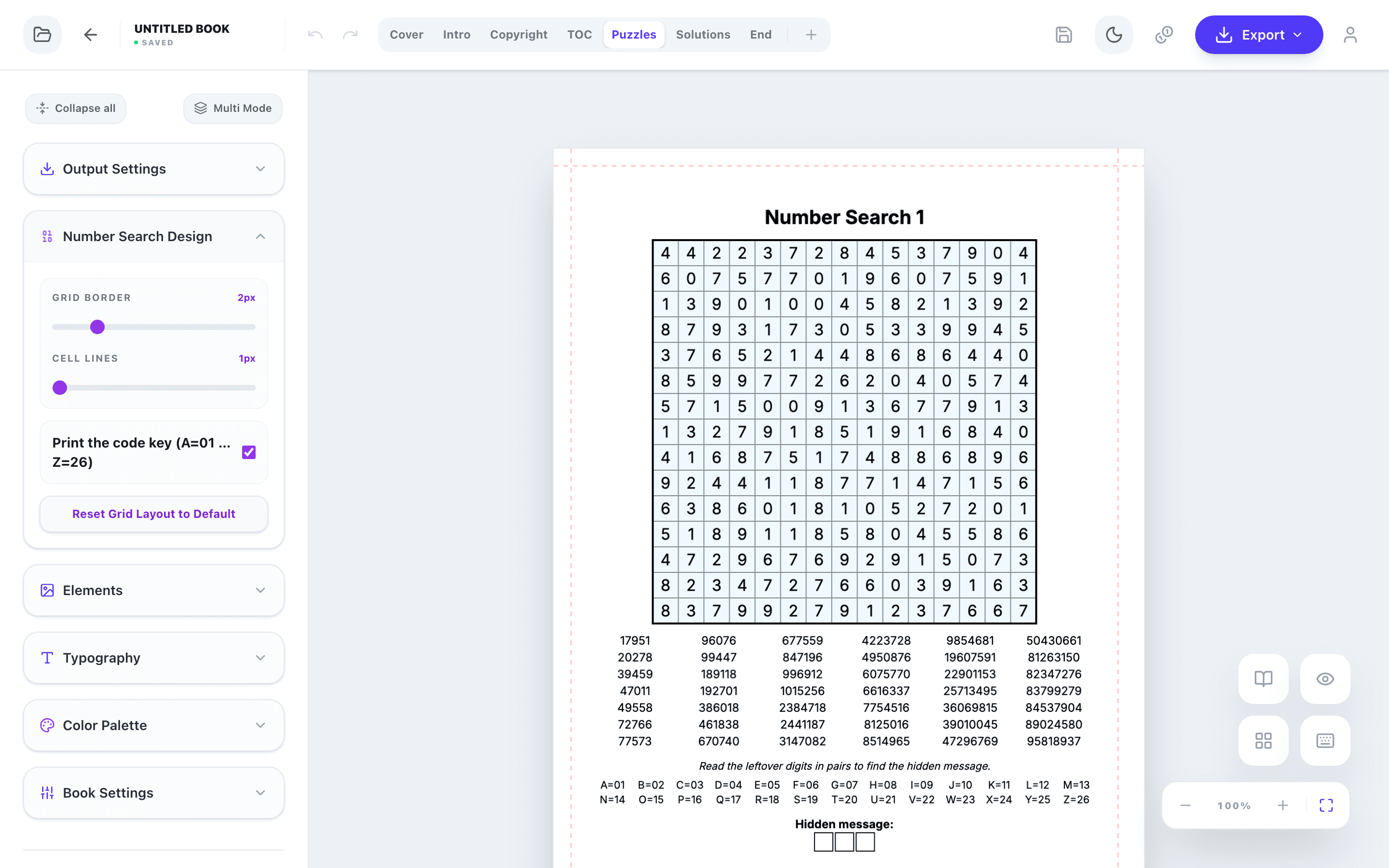
Launch Number Search Editor opens the book. The Number Search Design panel sets the weight of the grid border and the cell lines and whether the code key is printed. The color of the bands in the answer key is in Color Palette (Number Highlight). The other panels change fonts, colors and the cover, add images and decorations and edit the title, copyright, contents and end pages. When the book is ready, export the interior PDF and the cover PDF for KDP, or PNG and SVG files.
Key rules
- Match grid size, number length and directions to the audience.
- Make sure every number can be found in exactly one place.
- Reward the solver with a hidden message — and print the code key for kids and seniors.
- Check the answer key and the KDP page count before you export.
Tools for This Guide
Number Search Book Generator
Number search books with hidden messages, every number in exactly one place — Kids & Large Print editions.
OpenFree Number Search Generator
A free printable number search page with a hidden message, your own message or none, with an answer key.
OpenLarge Print Puzzle Book Generator
Large print puzzle books for seniors: number search, sudoku, word search and more.
OpenFrequently Asked Questions
How many number search puzzles should a book have?
Most books contain 50–100 puzzles, one per page, plus the answer key at the back. KDP needs at least 24 pages for a paperback.
How is the hidden message read?
Cross out every number; the digits left over, read row by row from left to right, form pairs: 01 = A, 02 = B … 26 = Z. The answer boxes under the grid show the message length.
Can I write my own hidden messages?
Yes. Choose My messages and type one message per line — names, wishes or the theme of the book. Messages that are too long for the grid are listed so you can shorten them.
How many credits does a number search book cost?
One credit per puzzle of up to 20×20 cells, so a 30-puzzle book costs 30 credits. Number Search is part of the Pro and Publisher plans.